
Understand setup state, assignment precedence and CAPA configuration.
Manage standards
Product location: /qms/settings/standards
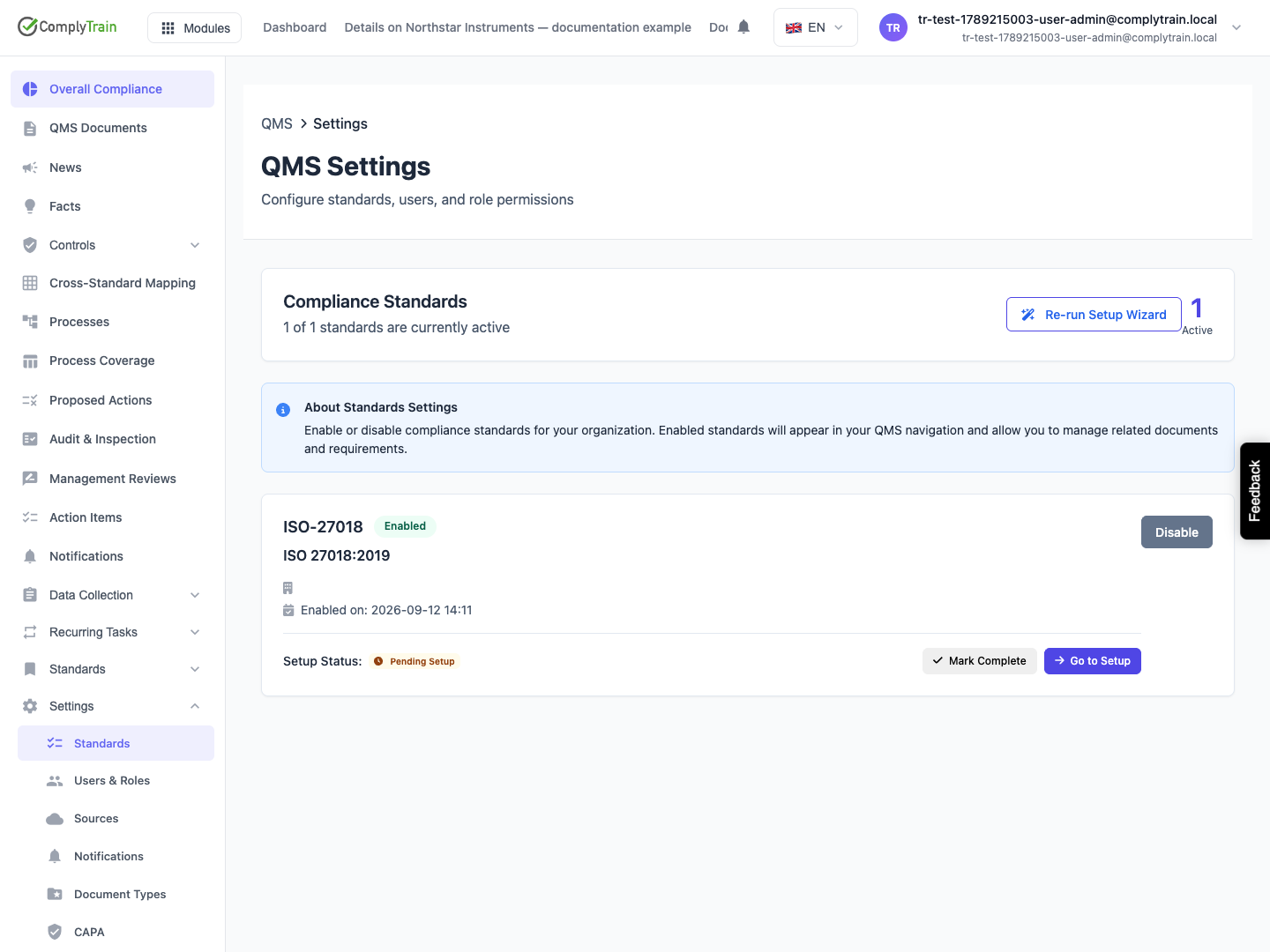
Open QMS Settings, then Standards. Enable the intended standard and review any displayed allowance or billing impact. Disabling a standard hides it from navigation; it is different from deleting its documents.
Re-run Setup revisits the wizard. Reset Setup makes the setup entry visible again, while Mark Complete skips the wizard's completion state. Marking setup complete does not establish that the standard's requirements have been fulfilled.
Configure automatic assignment
Product location: /qms/settings/assignment-rules
Open Auto-Assignment Rules and create a rule. Give it a name and priority from 0–1000, where a lower number is evaluated earlier. Select task types, priorities, standard codes and requirement sections as applicable.
All conditions must match. Empty condition selections mean all values, and requirement sections support wildcards. Stop on Match stops later rule evaluation when this rule matches.
The released Actions section has no assignment-target editor. A new rule can save with an empty target, so keep incomplete rules inactive and check real task assignments. Use the detailed rule reference for fields, saved-state checks and this limitation.
Review CAPA defaults
Product location: /qms/settings/capa
Open CAPA Configuration to inspect the active workflow, available alternatives, severity timeframes and source types. Review containment, root-cause, action and verification periods together. A source can require a reference or support automatic CAPA creation.
Check the actual CAPA record and workflow after changing defaults instead of assuming every existing record was migrated automatically. Use CAPA configuration for the workflow, severity timing and source reference.
Assign user roles
Product location: /qms/settings/users
Open Users & Roles to manage direct assignments for existing users. Matrix checkbox changes are local until saved through Edit Roles → Save Changes. Use the role assignment guide for complete selection, cancellation, refresh, inherited-access and missing-user checks.
Review personal notifications
Product location: /qms/settings/notifications
Open Settings → Notifications for personal QMS channel and digest controls. The released grouped Save Preferences request is rejected, and Reset to Defaults only reloads saved values. Read the notification preference reference before relying on changed controls. Use QMS → Notifications for the separate shared inbox.
Configure document types
Product location: /qms/settings/document-types
Open Document Types to edit existing type names, descriptions, icons, colors and required/multiple/active flags. The row active toggle saves immediately; inactive rows disappear after reload and this page has no inactive selector. Use the document-type settings guide for saved-state checks, count meanings and recovery.