Enter frequency and loss magnitude assumptions and inspect conversion status.
Product location: /rms/risks/{riskId} (fallback: /rms/risks). Open the intended risk and the panel described below.
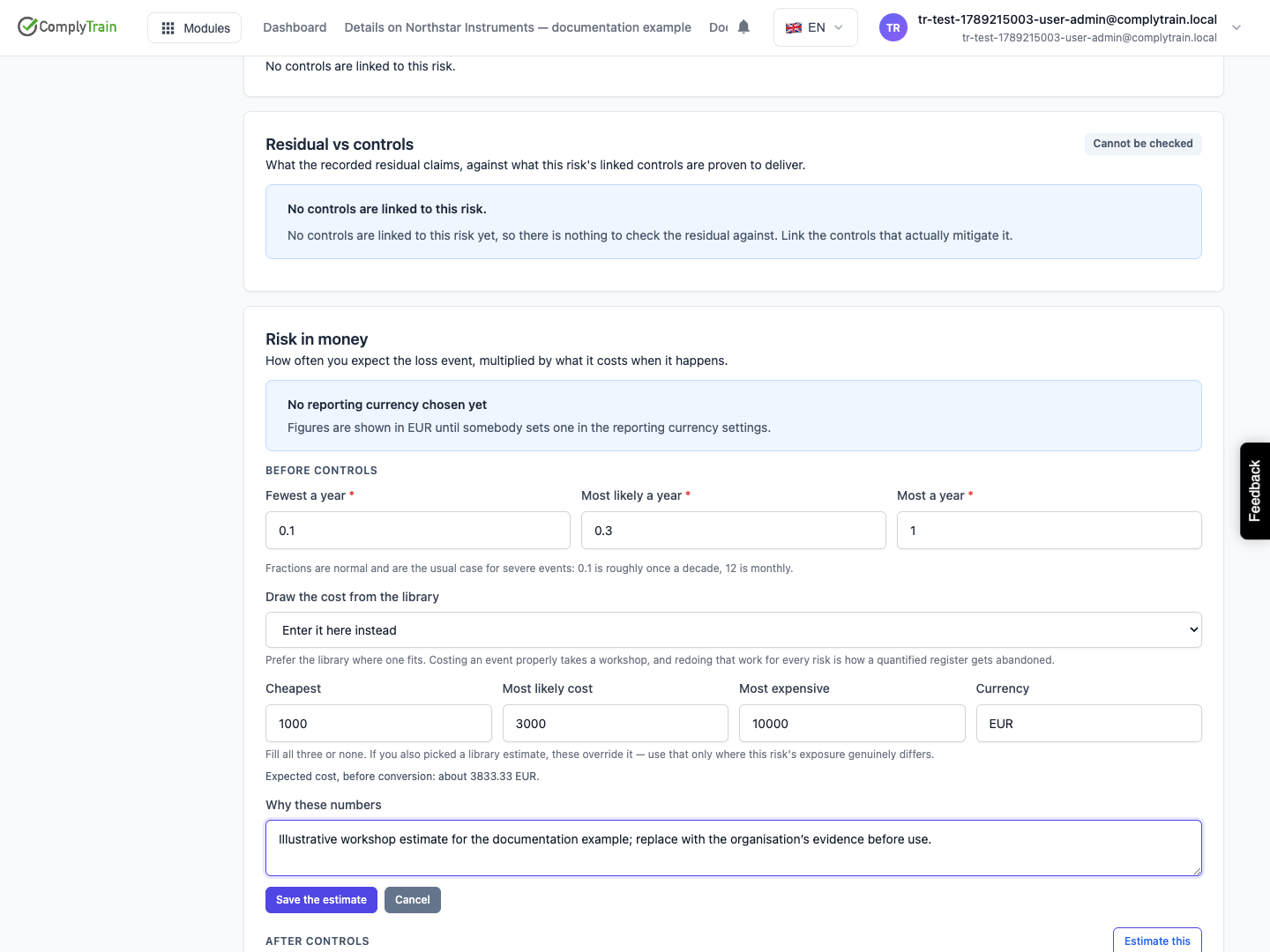
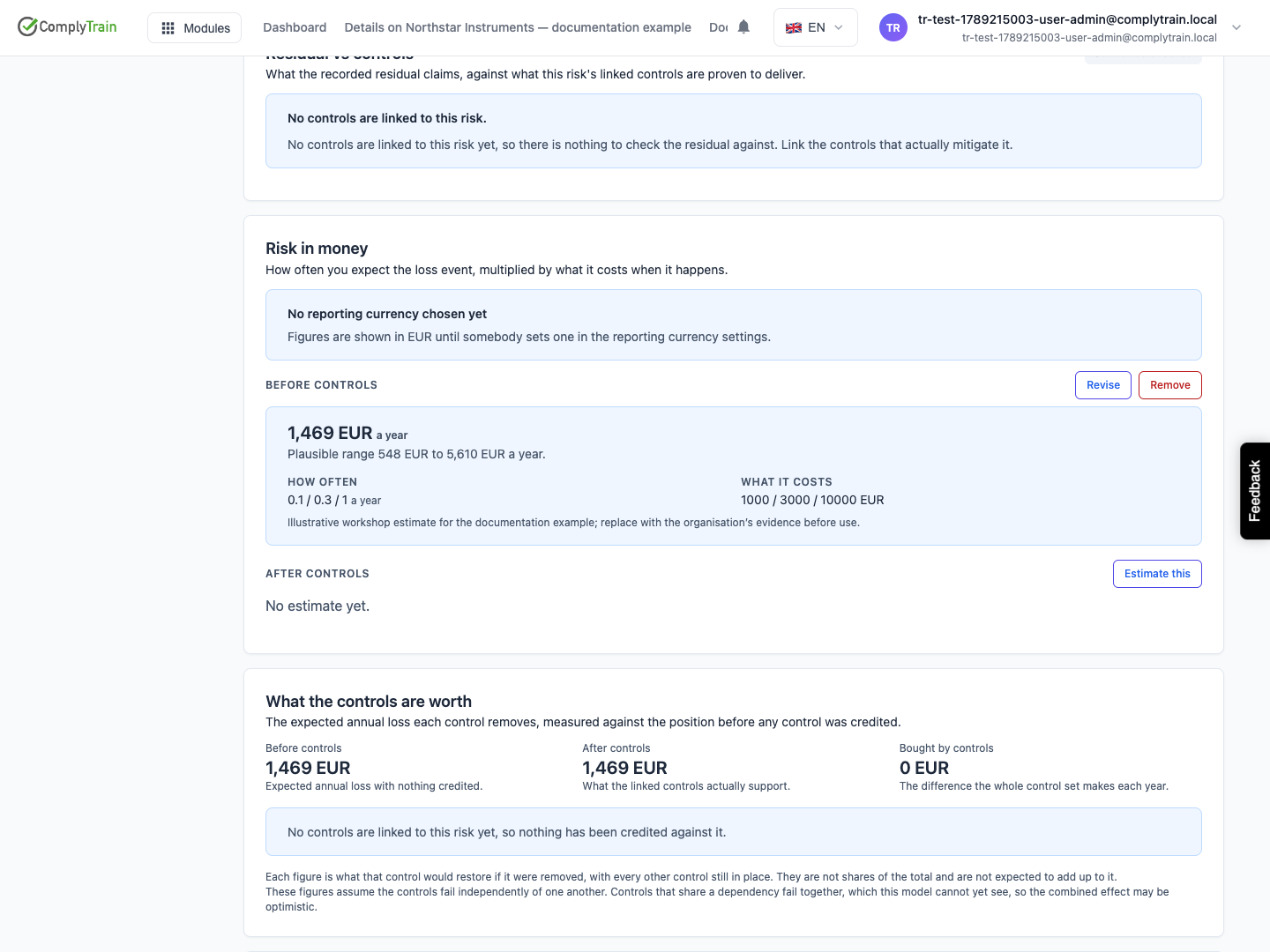
Open a risk's Risk in money section and choose before-controls or after-controls figures. Select Estimate this or Revise.
Enter the fewest, most likely and greatest expected loss-event frequency per year. Fractions are supported: 0.1 describes approximately one event in ten years. Keep the three values ordered from smallest to largest.
Choose a cost estimate from the loss-scenario library or enter the lowest, most likely and highest cost with its currency. Enter all three local cost values or leave all three empty to use the library estimate. Local values override the selected library estimate for this risk.
Product location: /rms/risks/{riskId} (fallback: /rms/risks). Open the intended risk and the panel described below.
Use Why these numbers to record the basis, scope and limitations. Check a retired-library-estimate message before continuing to rely on its figures. Save and inspect the resulting estimate and plausible range.
If the inputs changed, Total pending means the calculation has not caught up. A missing exchange rate prevents conversion; an absent figure is not zero loss.
Product location: /rms/settings/loss-scenarios
Use RMS Settings for loss scenarios and reporting currency. Review the currency and rate shown beside converted figures. Reusing a library estimate makes common assumptions easier to maintain, but confirm that its event and scope match the risk.
Product location: /rms/settings/loss-scenarios
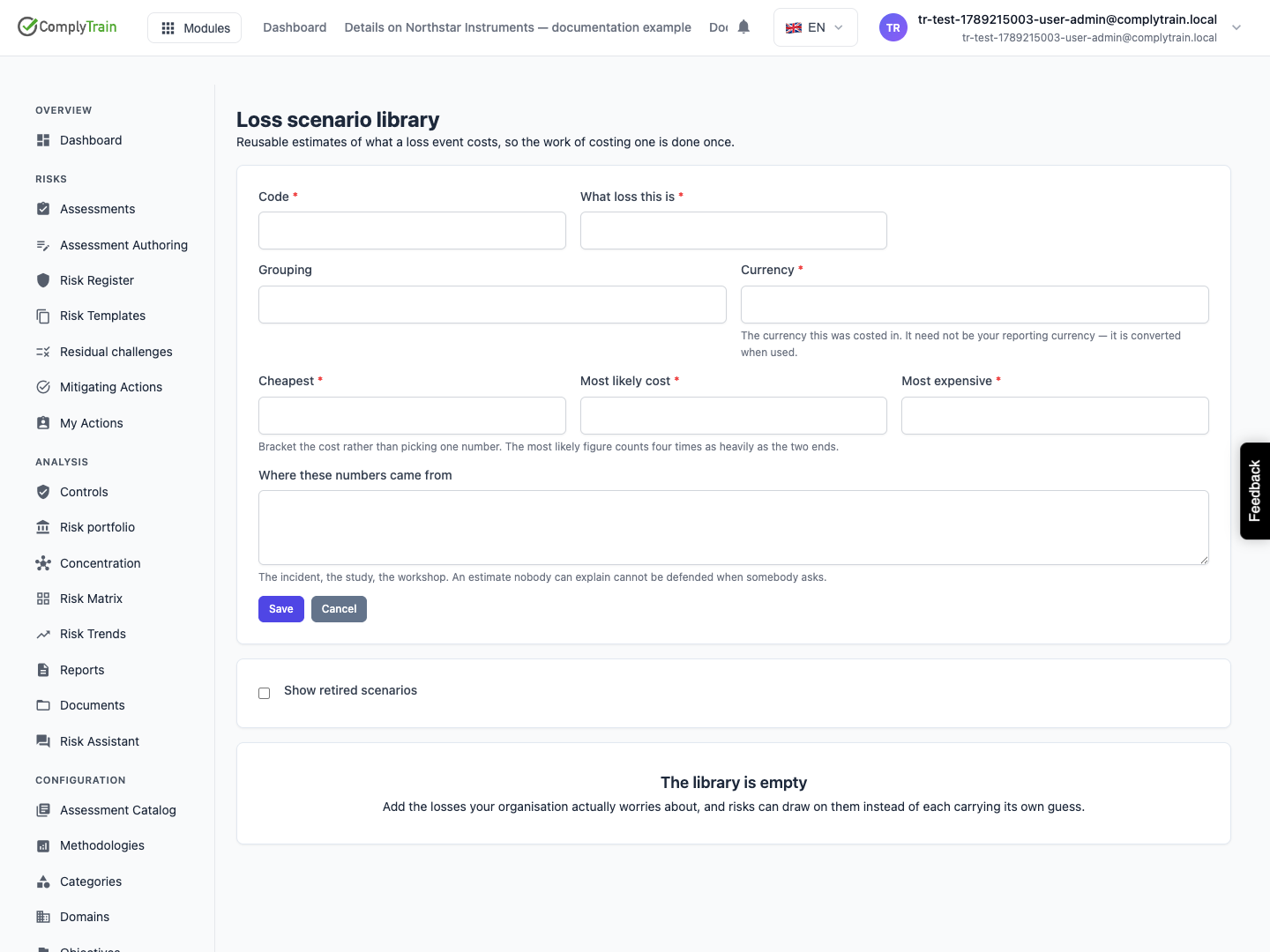
In Loss scenario library, select Add a scenario. Enter a stable code, loss-event description, optional group and original currency. Record Cheapest, Most likely cost and Most expensive in ascending order. Explain Where these numbers came from.
Expected cost weights the most likely value four times as heavily as either end. The result depends on your inputs; it does not validate the event or range. Check the calculation before saving and retain its basis.
The library lists each scenario's range, expected cost, how many risks use it and when it was last reviewed. Use Revise to update a scenario. Still current records that you reviewed the figures and they still hold. The library flags estimates that have not been reviewed for over a year.
Retire takes a scenario out of use for new estimates, and Bring back restores it. Use Show retired scenarios when investigating an older risk's assumptions. Retiring a library entry does not mean the historical estimate was never used.
Product location: /rms/settings/currency
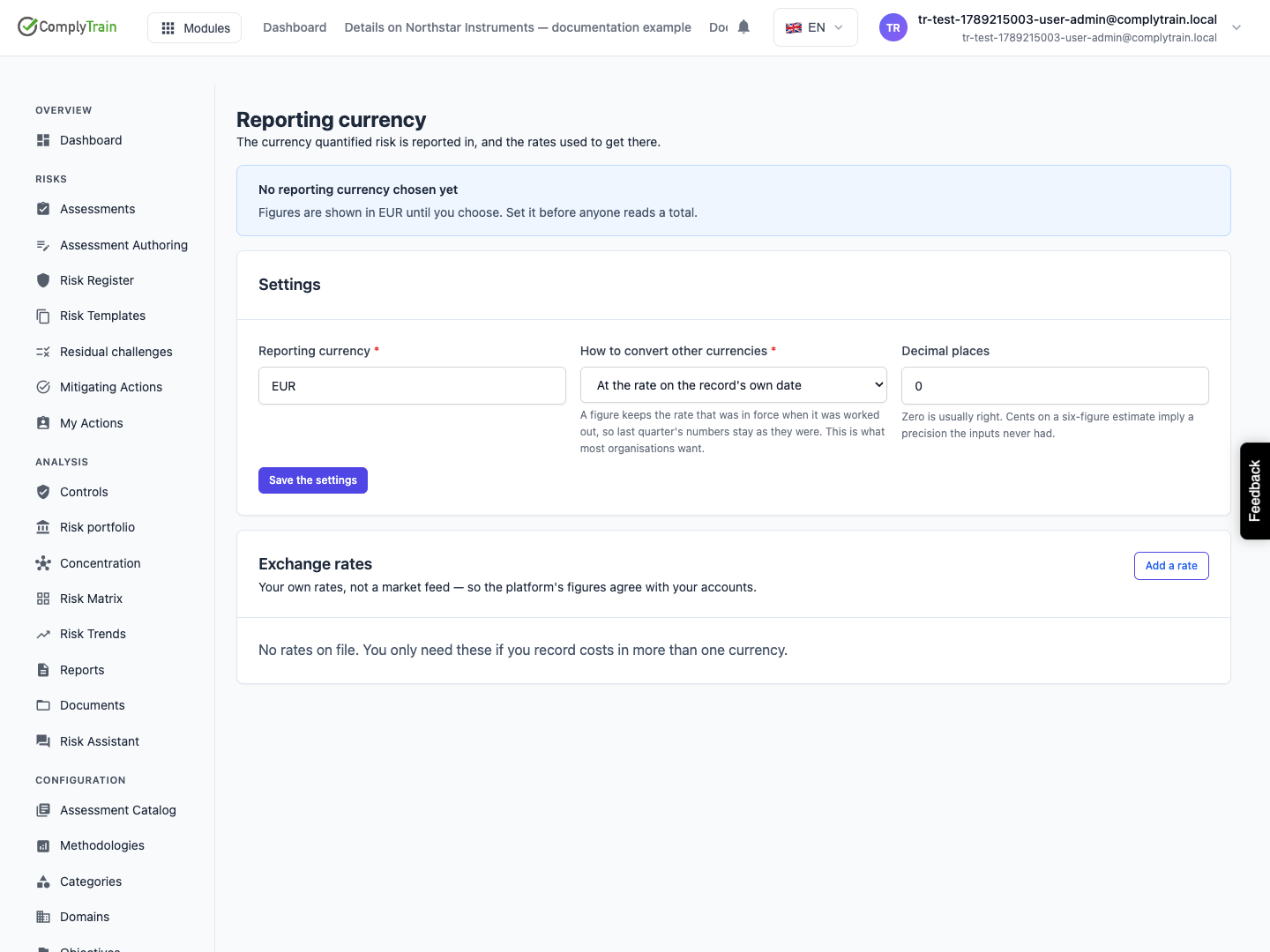
In Reporting currency, choose the common currency, conversion policy and decimal places. Until configured, the interface displays EUR and a reminder.
Setting | Choices |
|---|---|
Reporting currency | The three-letter currency code for all totals, such as EUR or USD. |
How to convert other currencies | At the rate on the record's own date (default), At the newest rate on file, or Do not convert. |
Decimal places | 0–6 (default 0). |
Changing the reporting currency re-values the whole register. The page tells you how many stored totals will be recalculated.
Under Exchange rates, choose Add a rate and enter From, To, Rate, In force from and an optional Source, then Save the rate. A rate for the same currency pair and date replaces the earlier one. Rates are supplied by your organisation, not a live market feed.
