
Use document details, locks and history to understand the current record.
Inspect the document
Product location: /document-vault/vaults/{vaultId}/documents/{documentId} (fallback: /document-vault/vaults). Open the named document action or tab.
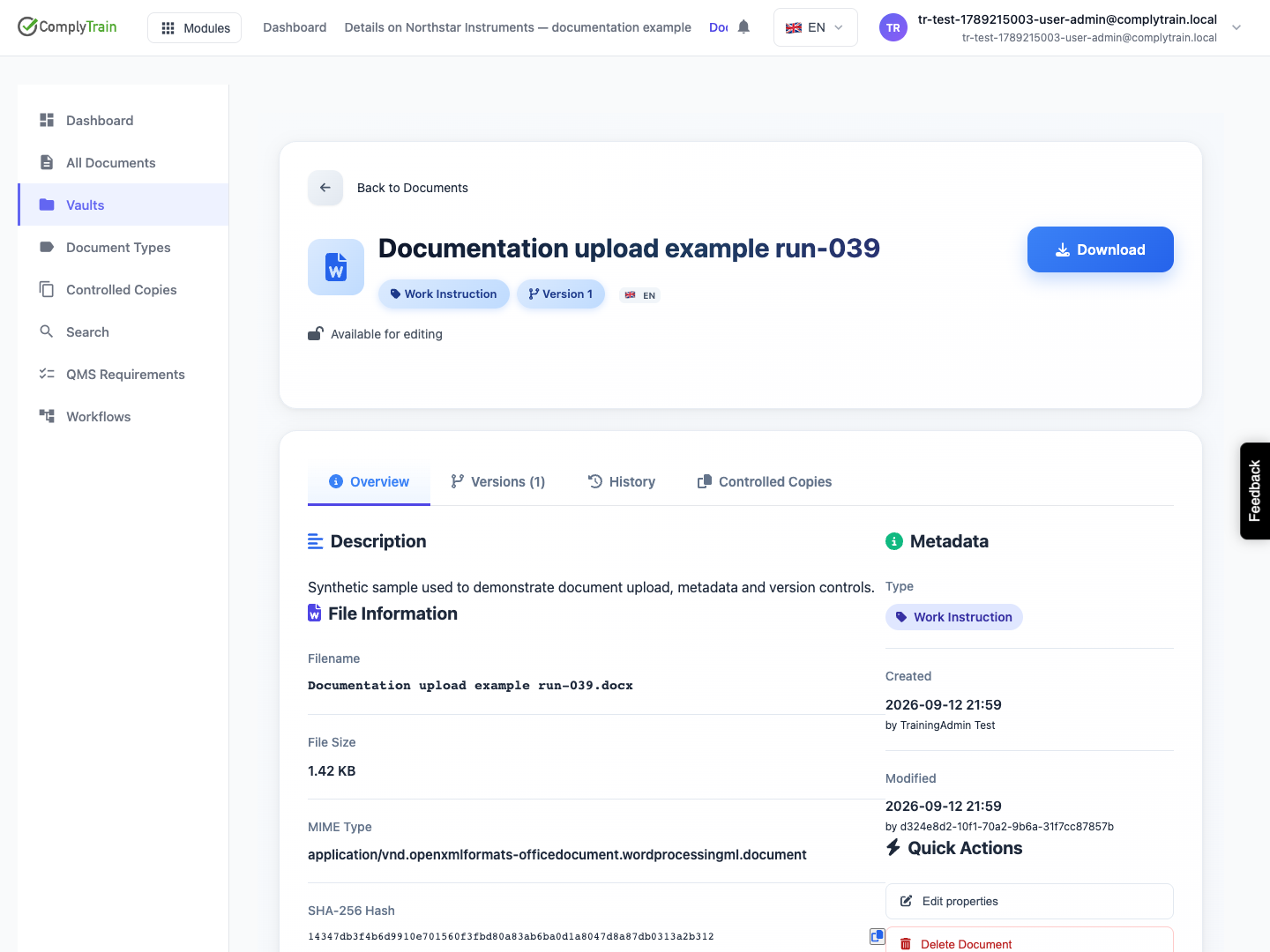
Open a document. The page has Overview, Versions, History and Controlled Copies tabs. Overview shows the description, file information with its SHA-256 hash, tags, translations and Workflow Status, with the type, identifier, creator and last change in Metadata. Use Download for the current file.
A file's SHA-256 value identifies its bytes. A matching name or a later download date does not establish that two files contain the same version.
Check a document out
Product location: /document-vault/vaults/{vaultId}/documents/{documentId} (fallback: /document-vault/vaults). Open the named document action or tab.
Lock a document before changing it so colleagues know it is being worked on.
Check the lock indicator: Available for editing, You have locked this document, or This document is locked with the holder and expiry.
Choose Acquire Lock.
Choose the Lock Type: Exclusive Lock (recommended) lets only you edit while others can view; Shared Lock lets several people edit and can cause conflicts.
Choose the Lock Duration, from 30 minutes to 24 hours, and add a reason that tells colleagues what you are doing.
While you hold the lock, the page counts down to its expiry. Use Renew Lock to extend it and Release Lock when you finish. Locks expire automatically at the end of their duration.
Upload a new version
Product location: /document-vault/vaults/{vaultId}/documents/{documentId} (fallback: /document-vault/vaults). Open the named document action or tab.
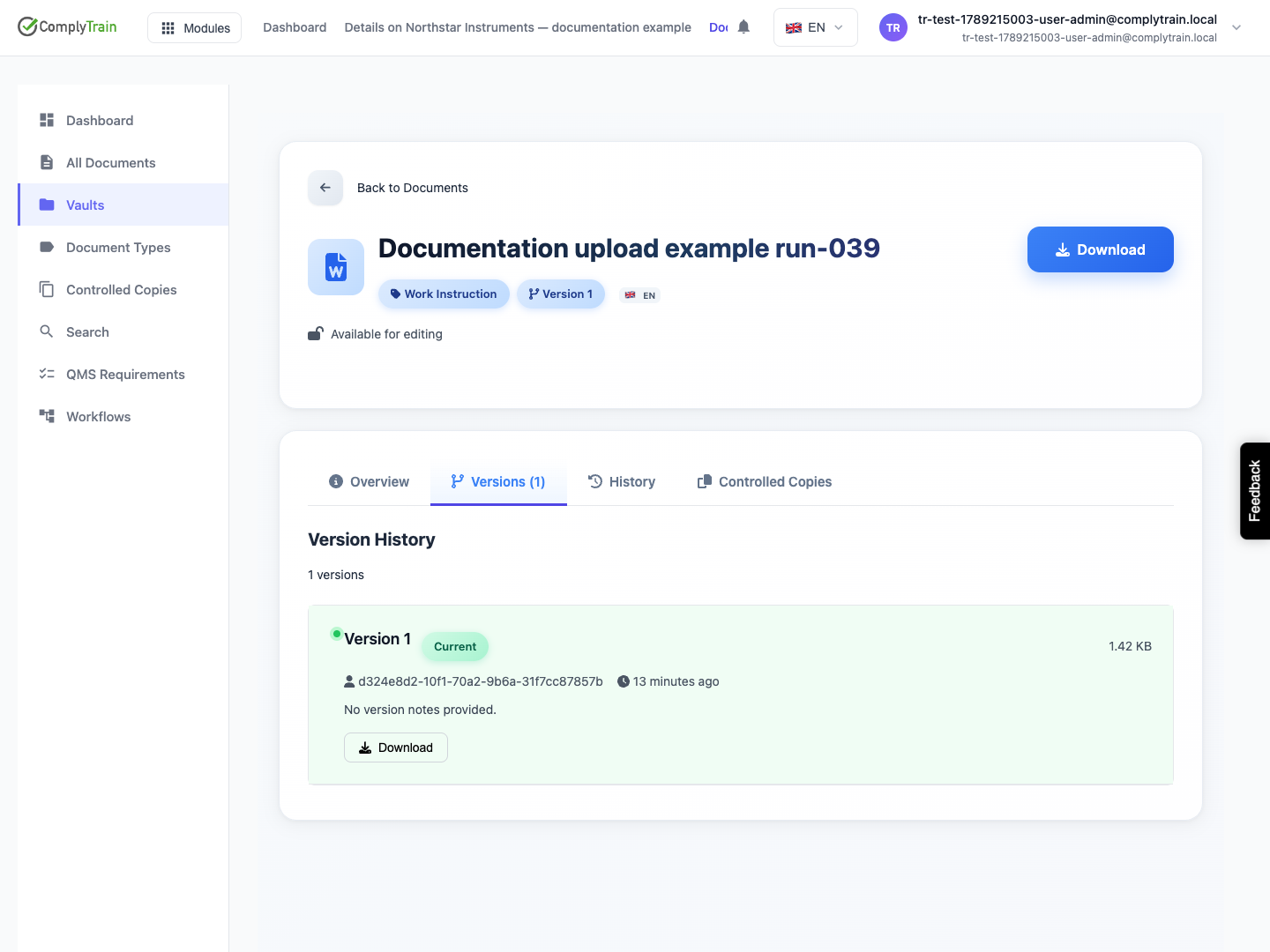
When the file itself changes, upload it as a new version of the same document rather than as a new document. Add notes describing what changed. The new version becomes current; earlier versions stay in Versions with their size, uploader, date and notes, and can be downloaded.
To return to an earlier version, choose Set as Current on it and give the reason for the rollback. The rollback is recorded.
Resolve a blocked edit
Product location: /document-vault/vaults/{vaultId}/documents/{documentId} (fallback: /document-vault/vaults). Open the named document action or tab.
If someone else holds the lock, read the holder, reason and expiry and coordinate with them. An administrator can take over a lock when the holder is unavailable; use this knowing that the other person's unsaved work may be affected.
Deleting a document is a separate action with its own confirmation, not a way to release a lock or replace a version.