
Identify supported switches and the release-specific limits of the capability page.
Check the vault before changing a setting
Product location: /document-vault/vaults/{vaultId}/capabilities (fallback: /document-vault/vaults)
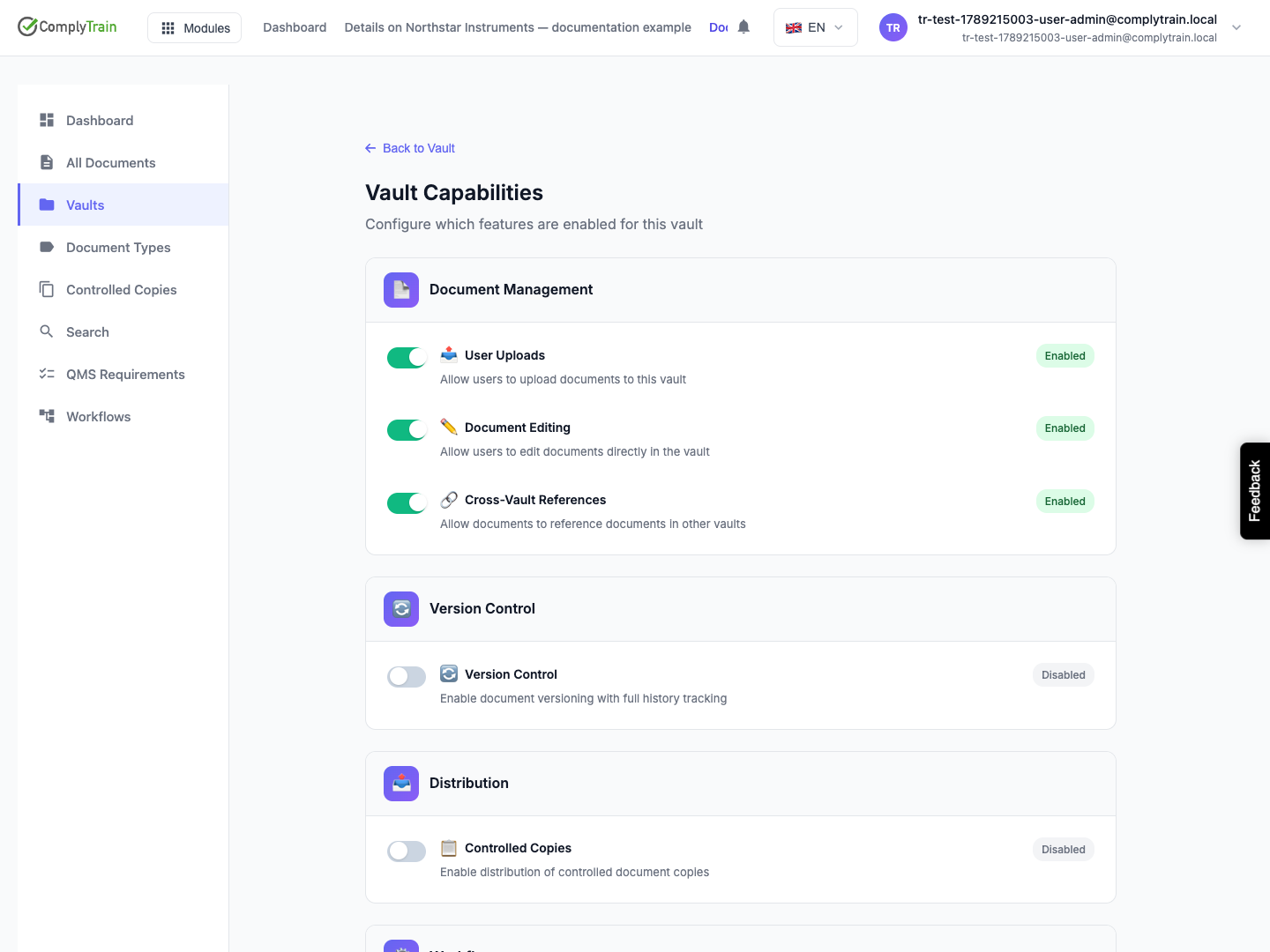
Open the vault in Documents and open Vault Capabilities. Check the vault name and purpose first. These settings concern this vault; your role and access grants determine what you personally may do.
A capability marked as locked cannot be changed here. Read its reason: the vault type may require that setting.
Capability reference
Product location: /document-vault/vaults/{vaultId}/capabilities (fallback: /document-vault/vaults)
Setting | Effect |
|---|---|
User Uploads | Allows users to upload documents into this vault. When off, uploads are refused with a message naming the vault. |
Document Editing | Allows document properties, such as type, name, number, description and tags, to be edited. |
Cross-Vault References | Allows documents in this vault to reference documents in another vault. |
Document history, signing, controlled copies and workflows are configured through document types and their workflows. See document types and workflows, versions and locks and signing a document.
Save a change and inspect the result
Product location: /document-vault/vaults/{vaultId}/capabilities (fallback: /document-vault/vaults)
Choose an unlocked setting.
If a disabling warning appears, read the stated effect before confirming.
Wait for the success notification.
Reopen the page to check the saved setting.
Check the affected action, for example an upload, with an account that has the intended role and vault access.
Each setting saves when you change it; there is no page-wide Save. Changing capabilities needs the vaults:configure permission, and viewing them vaults:view-configuration.
Understand the disabling warnings
Product location: /document-vault/vaults/{vaultId}/capabilities (fallback: /document-vault/vaults)
Disabling User Uploads stops new uploads. Disabling Document Editing stops property edits. Re-enabling a setting restores the action; it does not replay work attempted while it was off.
If an action remains unavailable after enabling it, check vault access grants, the document type and the document's workflow state. A capability is separate from an access grant.