
Link language variants and review changes when the source version moves.
Add a language variant
Product location: /document-vault/vaults/{vaultId}/documents/{documentId} (fallback: /document-vault/vaults). Open the named document action or tab.
Open the document's translation actions and choose AI translation or Link Existing. An existing document must be eligible for linking in the same vault and must not already belong to another translation link.
Choose the target language and quality tier. Standard uses an AI pass; Professional adds an AI review. Certified requires human review in this workflow; the label does not mean an external certification body has certified the translation.
Review the result
Product location: /document-vault/vaults/{vaultId}/documents/{documentId} (fallback: /document-vault/vaults). Open the named document action or tab.
Inspect the translated content and its source version before moving it through review and approval. Translation statuses include draft, in review, approved and outdated.
For a source without structured sections, the flow can create a copy that still needs human translation. Check the actual content rather than treating a generated document entry as a completed translation.
Respond to a source change
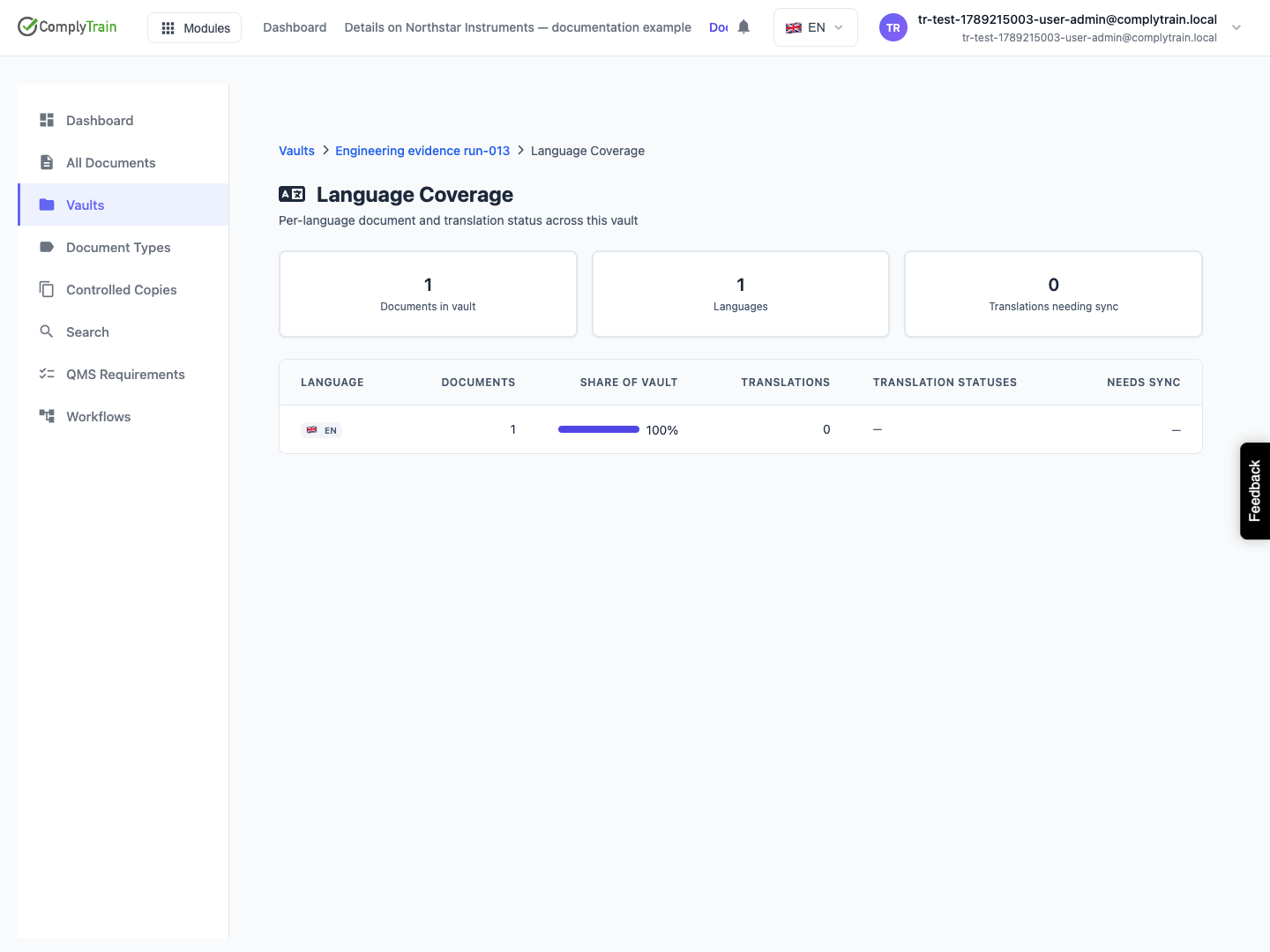
Product location: /document-vault/vaults/{vaultId}/language-coverage (fallback: /document-vault/vaults). Open the affected document and review the source and translation versions.
Use Show Source Changes and, where useful, Generate AI Summary to understand the differences. Compare Side by Side supports comparison of structured sections. Review the actual changed passages as well as the summary.
Update and approve the appropriate translation against the intended source version. Inspect its synchronisation or outdated indicator afterwards. Language Coverage helps identify languages that still need attention.
Removing a translation link keeps the document but stops its linked tracking and outdated updates. Use it only when the documents should no longer be maintained as a translation family.