
Use the guided conversation, review decisions and continue into standard implementation.
Enter the guided conversation
Product location: /qms/onboarding/guided
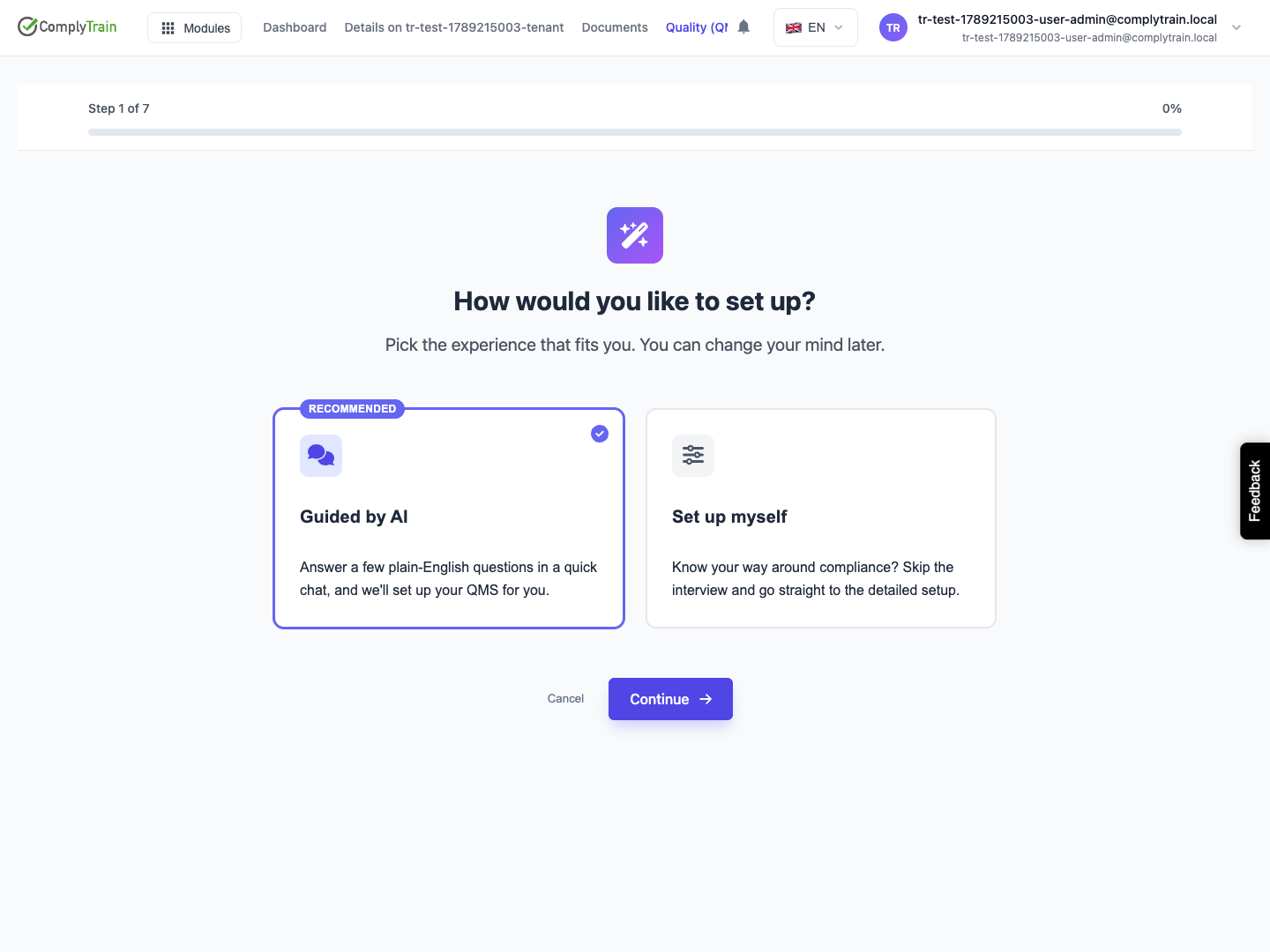
On the first QMS setup screen, leave Guided by AI selected and choose Continue. Guided setup with AI opens a conversation with a compliance advisor. It is a separate route from the seven-stage manual form sequence.
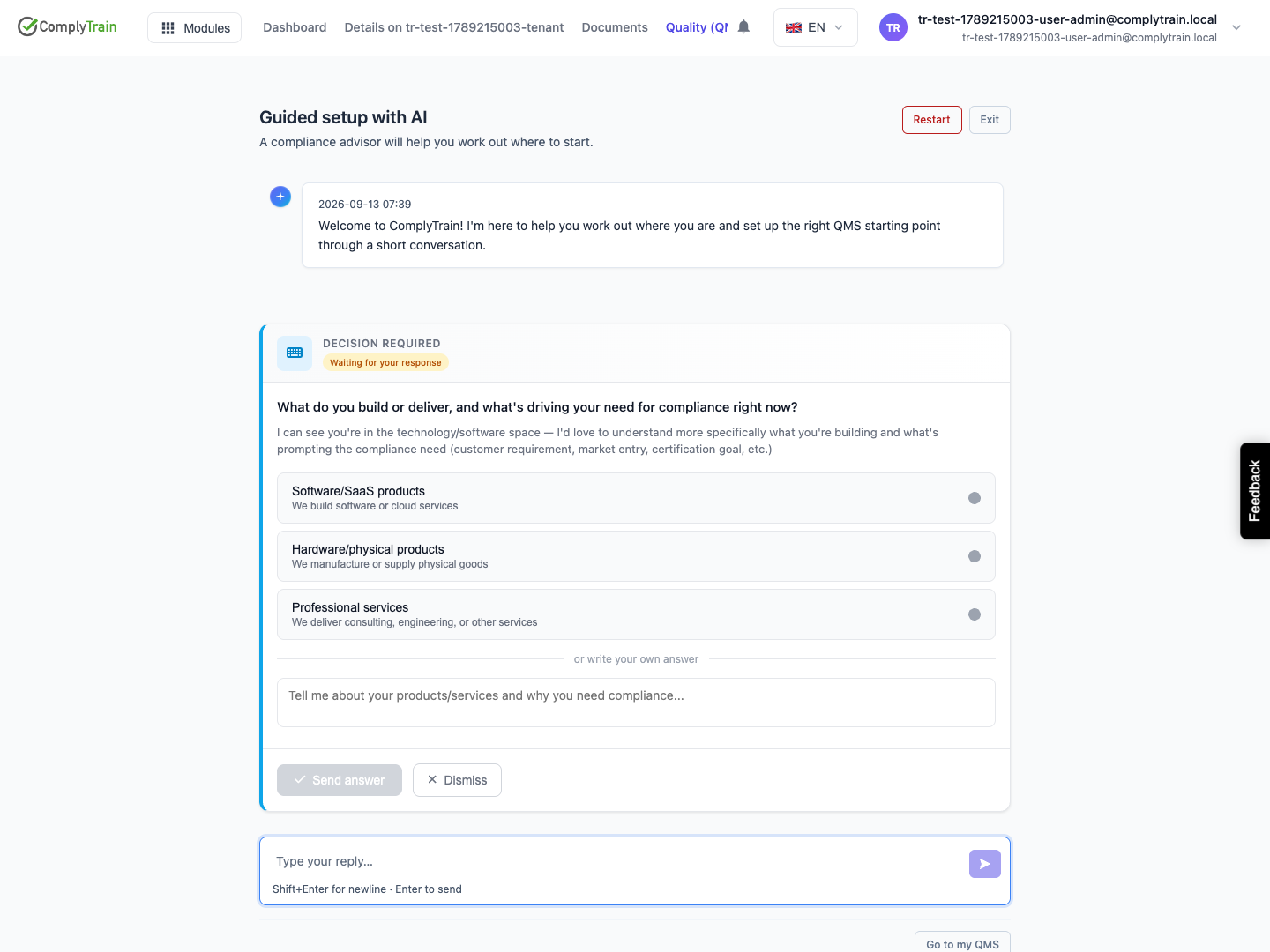
Wait for the opening message before replying. Describe what your organisation does, the products or services in scope, relevant locations and why you are starting a quality system. State whether the goal is internal compliance or a certification project, and give known constraints or target dates.
Review the advisor's decisions
Product location: /qms/onboarding/guided
Answer the questions using your actual circumstances. Review proposed standards and any decision cards before responding. Use the available discussion or defer controls when a proposal needs more context. Correct inaccurate assumptions in the conversation.
Company knowledge can inform the discussion, but uploaded sources must finish processing before they are usable. Review recommendations against your organisation's obligations and intended scope; an AI recommendation does not establish compliance or an external certification result.
Follow provisioning and handoff
Product location: /qms/onboarding/guided
When the advisor starts standard provisioning, the room displays progress. Wait for the result. A newly enabled standard can produce a handoff with Go to my QMS and a control to continue that standard's setup.
Open the standard and inspect its actual state. Complete any remaining standard onboarding and kickoff questions, then review the resulting documents, tasks, owners and dates. Guided setup can provision more than the initial manual subscription step, so use the displayed result rather than assuming both paths create identical records at the same point.
Leave, resume or restart
Product location: /qms/onboarding/guided
Use Exit or Go to my QMS to leave the conversation. Reopening guided setup restores the available conversation state. A delayed opening message is not a completed setup; use the displayed guidance or Retry if an error is shown.
Restart, when offered, requires confirmation and starts the guided interview again. Read the confirmation before continuing. It is not an instruction to delete existing QMS records or to repeat provisioning while an earlier run is still active.