Define business scope, applicable requirements, target dates, documents and milestones.
Product location: /qms/{standardCode}/onboarding (fallback: /qms/standards)
After enabling a standard, open its Onboarding entry. This wizard is separate from the initial QMS setup. Work through each standard you have selected.
The step count varies. The chosen goal can add Certification, the standard's capabilities determine whether Requirements and Milestones appear, and answers already captured in a kickoff can prefill or omit stages. Read the current step names rather than expecting a fixed number.
Product location: /qms/{standardCode}/onboarding (fallback: /qms/standards)
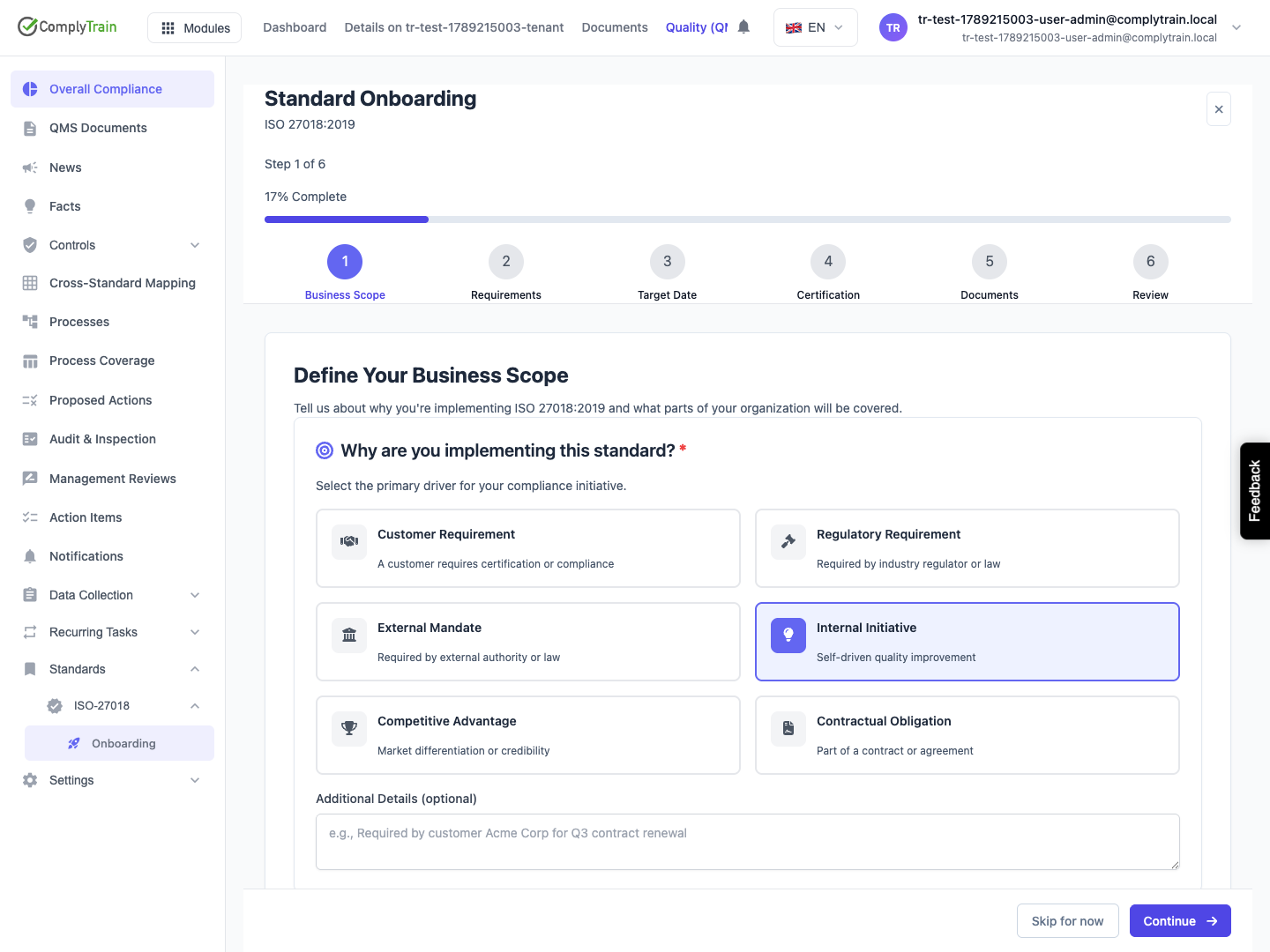
Choose the main implementation driver, such as a customer requirement, internal initiative or contractual obligation. Then choose Third-Party Certification or Internal Compliance.
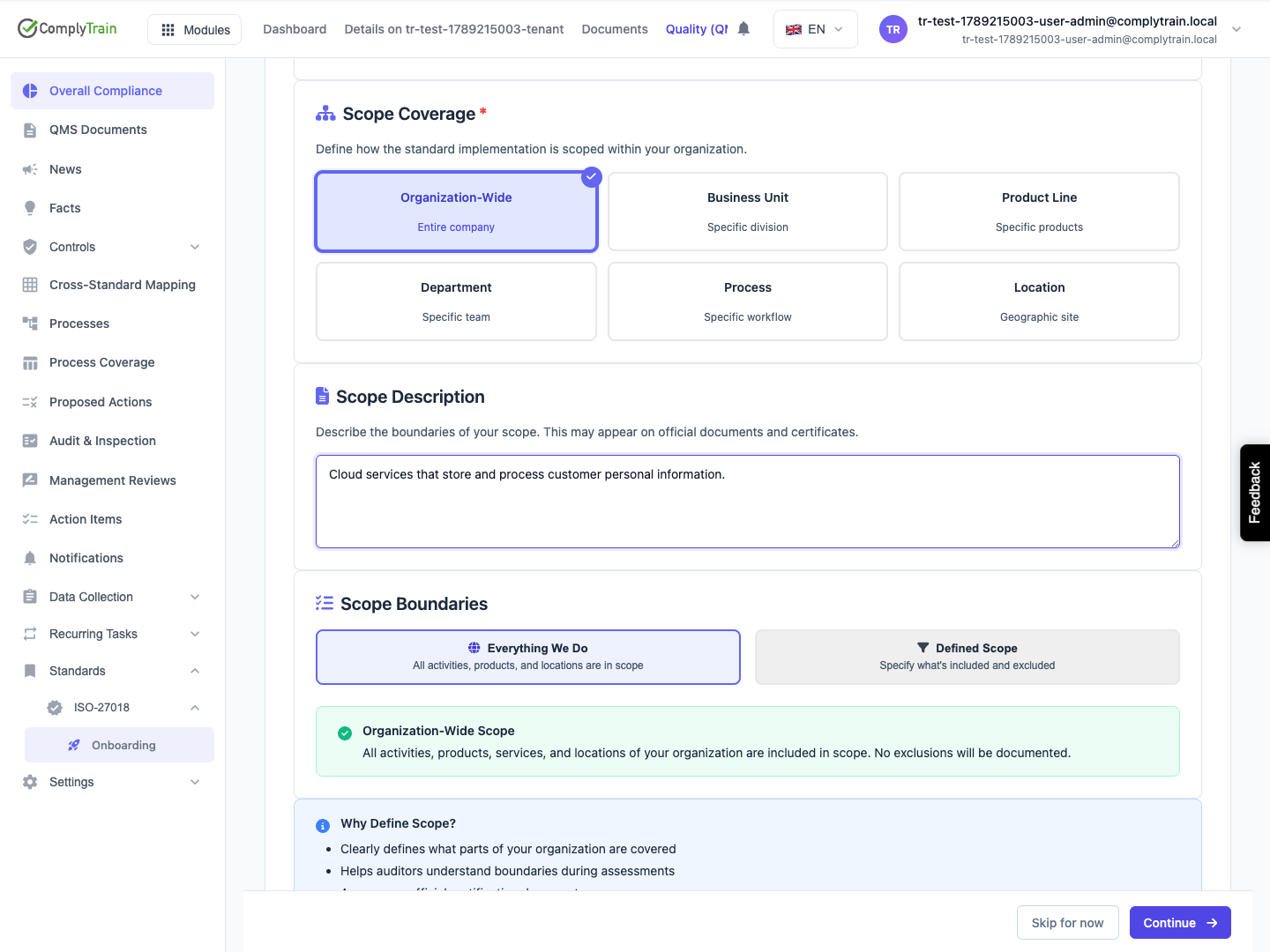
Select the scope coverage: the entire organisation, a business unit, product line, department, process or location. Describe the boundary in operational terms. Everything We Do includes all activities, products and locations; Defined Scope records specific inclusions and exclusions. Check that this matches the intended implementation before continuing.
Product location: /qms/{standardCode}/onboarding (fallback: /qms/standards)
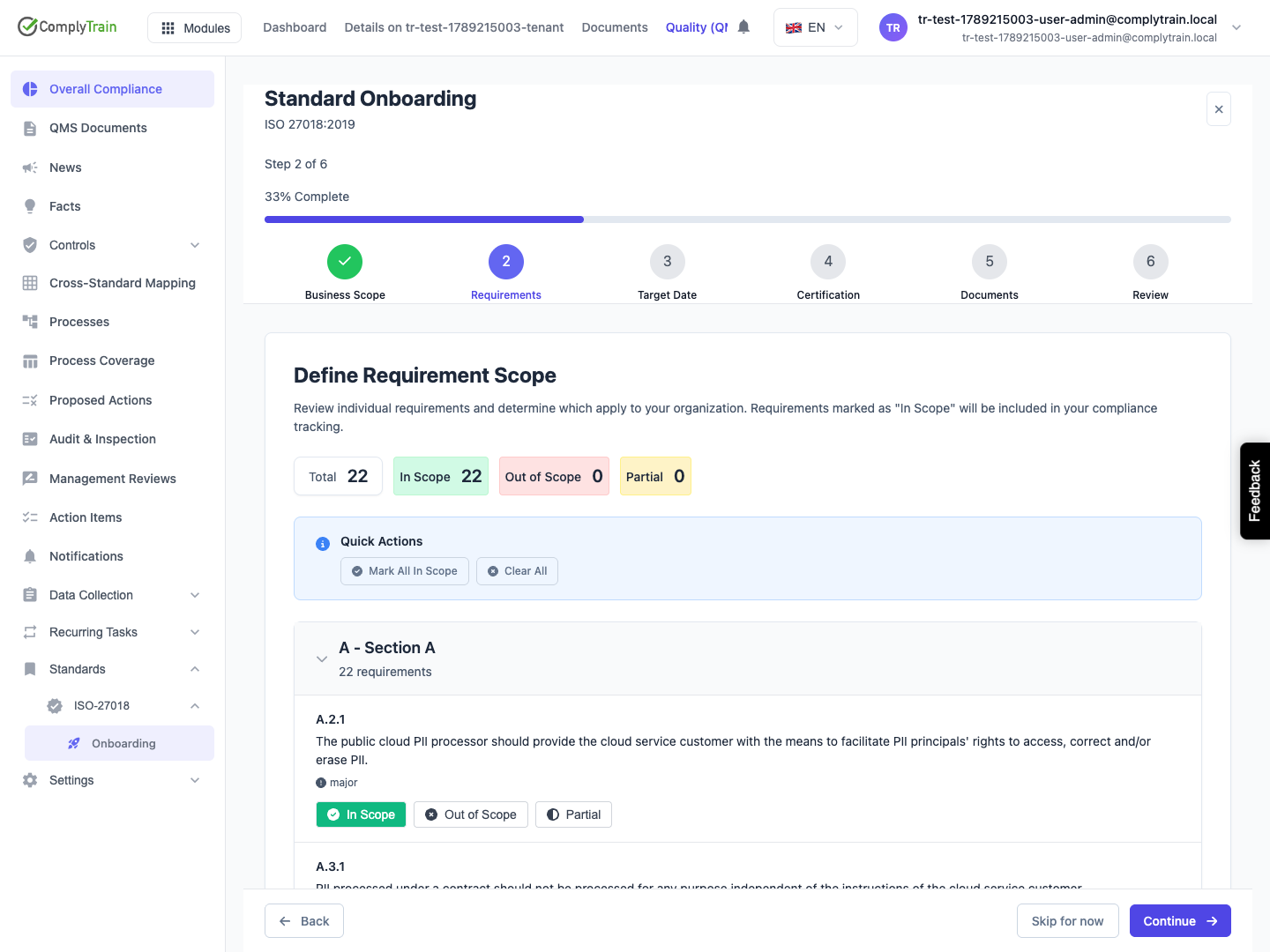
If Requirements appears, review the listed requirements and mark each In Scope, Out of Scope or Partial as appropriate. Keep at least one requirement in scope. Provide the requested justification for excluded or partly applicable requirements; resolve validation messages before continuing.
Do not leave default selections unexamined merely to advance. The detailed scope and coverage guidance explains how these decisions affect the working picture of your system.
Product location: /qms/{standardCode}/onboarding (fallback: /qms/standards)
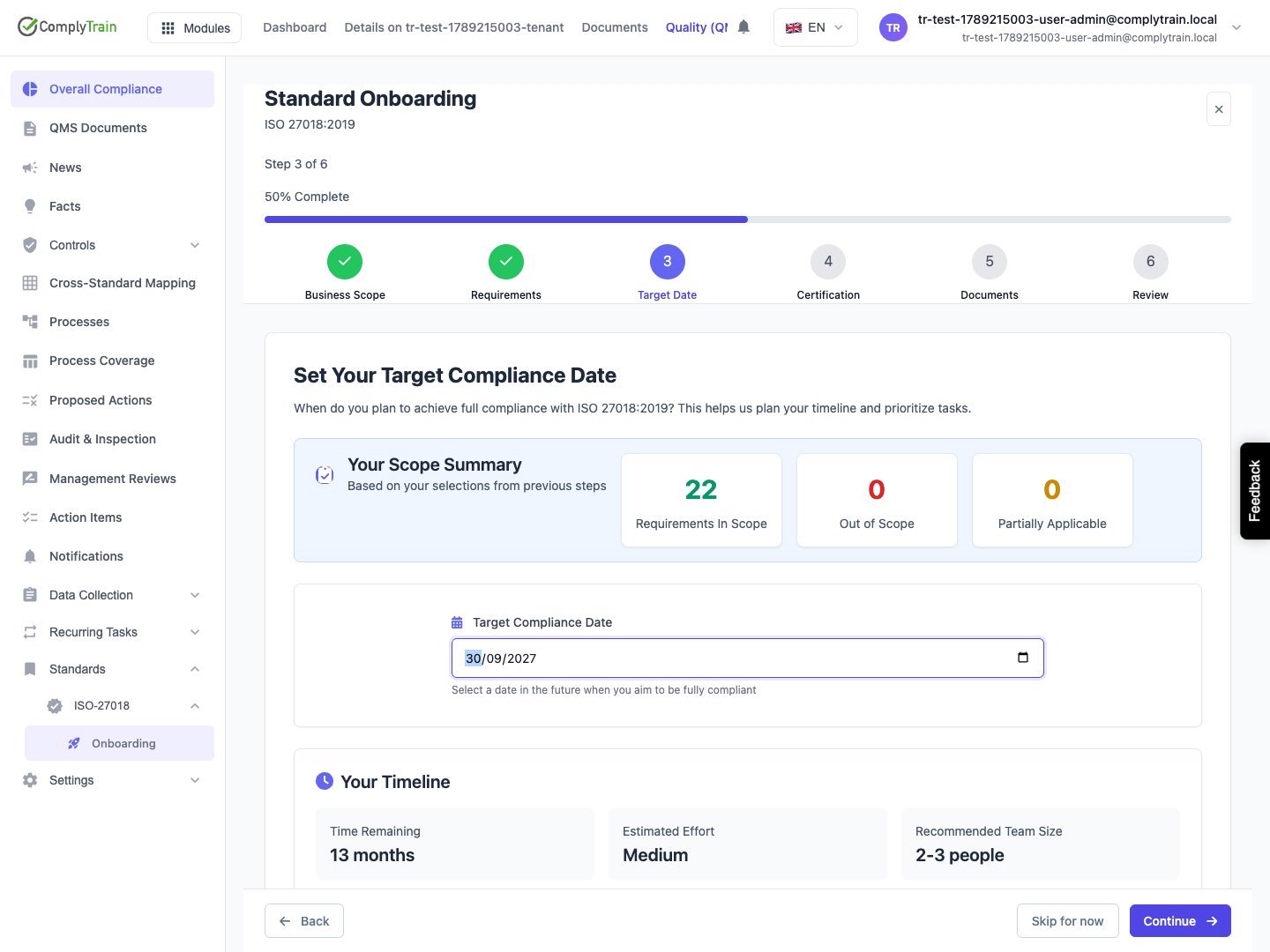
Enter a future Target Compliance Date. The wizard uses it to show a planning timeline and suggested milestones. Dates, effort and team-size suggestions are estimates, not booked audits or promises of readiness.
If a date was already captured in kickoff, review the prefilled information and update it later from the standard's configuration if needed.
Product location: /qms/{standardCode}/onboarding (fallback: /qms/standards)
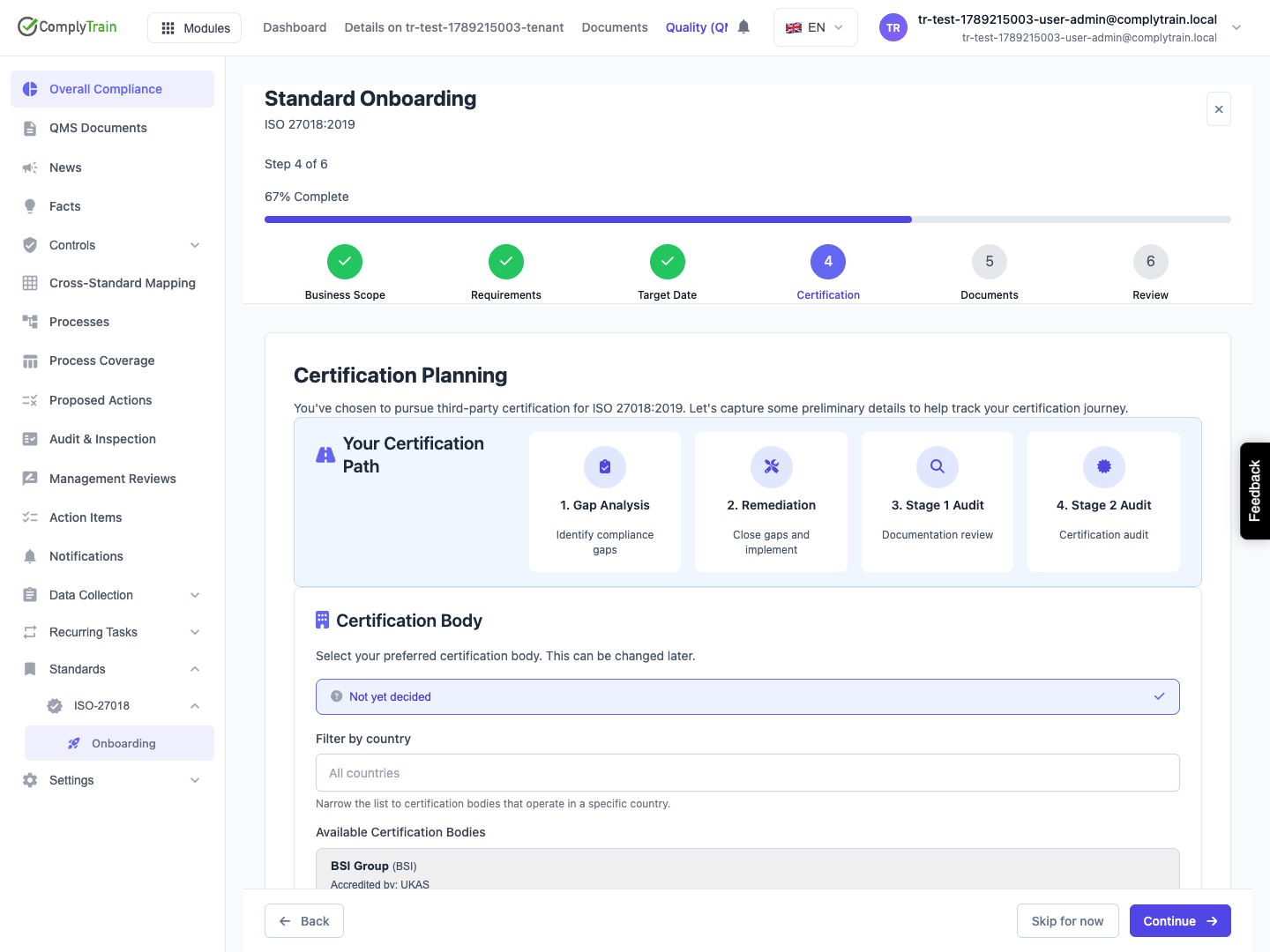
For a certification goal, Certification Planning offers a certification body, a country filter, an alternative body name and a preliminary scope statement. Not yet decided is available when the body is unknown; these preliminary details are optional.
Review the estimated audit schedule against the target date. Selecting a body does not contact or book it. Confirm the actual certification route, scope and dates with the responsible parties outside this setup record.
Product location: /qms/{standardCode}/onboarding (fallback: /qms/standards)
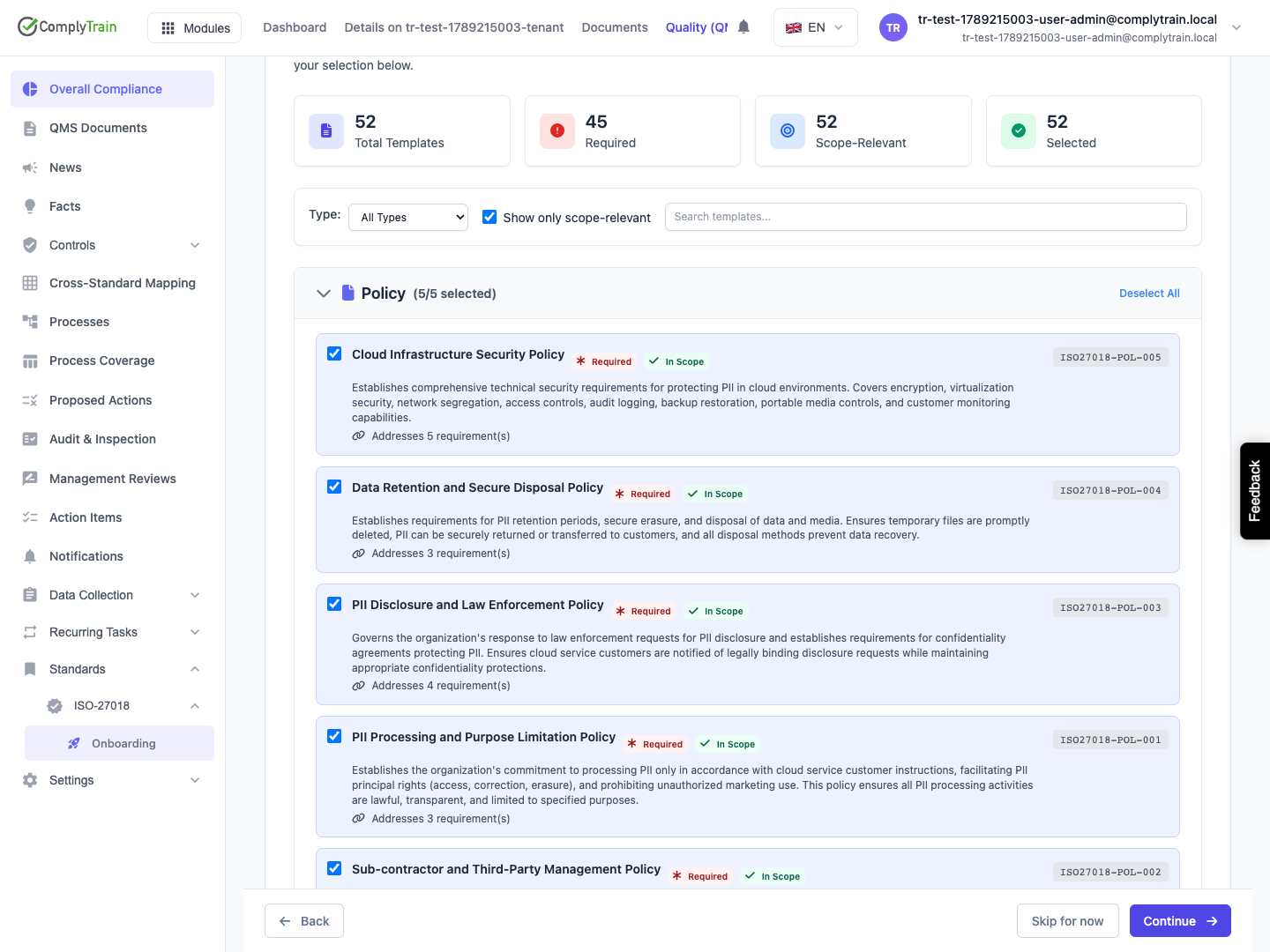
At Documents, inspect the proposed templates and choose the documents to create. Check their purpose and applicability before deselecting them. Created documents still require content review, ownership and the appropriate approval workflow.
If Milestones appears, review the enabled milestones, phases and timeline positions. Adjust the order and optional items as appropriate. Disabling a critical milestone raises a warning; assess its purpose before confirming. Custom milestones can be added where offered.
Product location: /qms/{standardCode}/onboarding (fallback: /qms/standards)
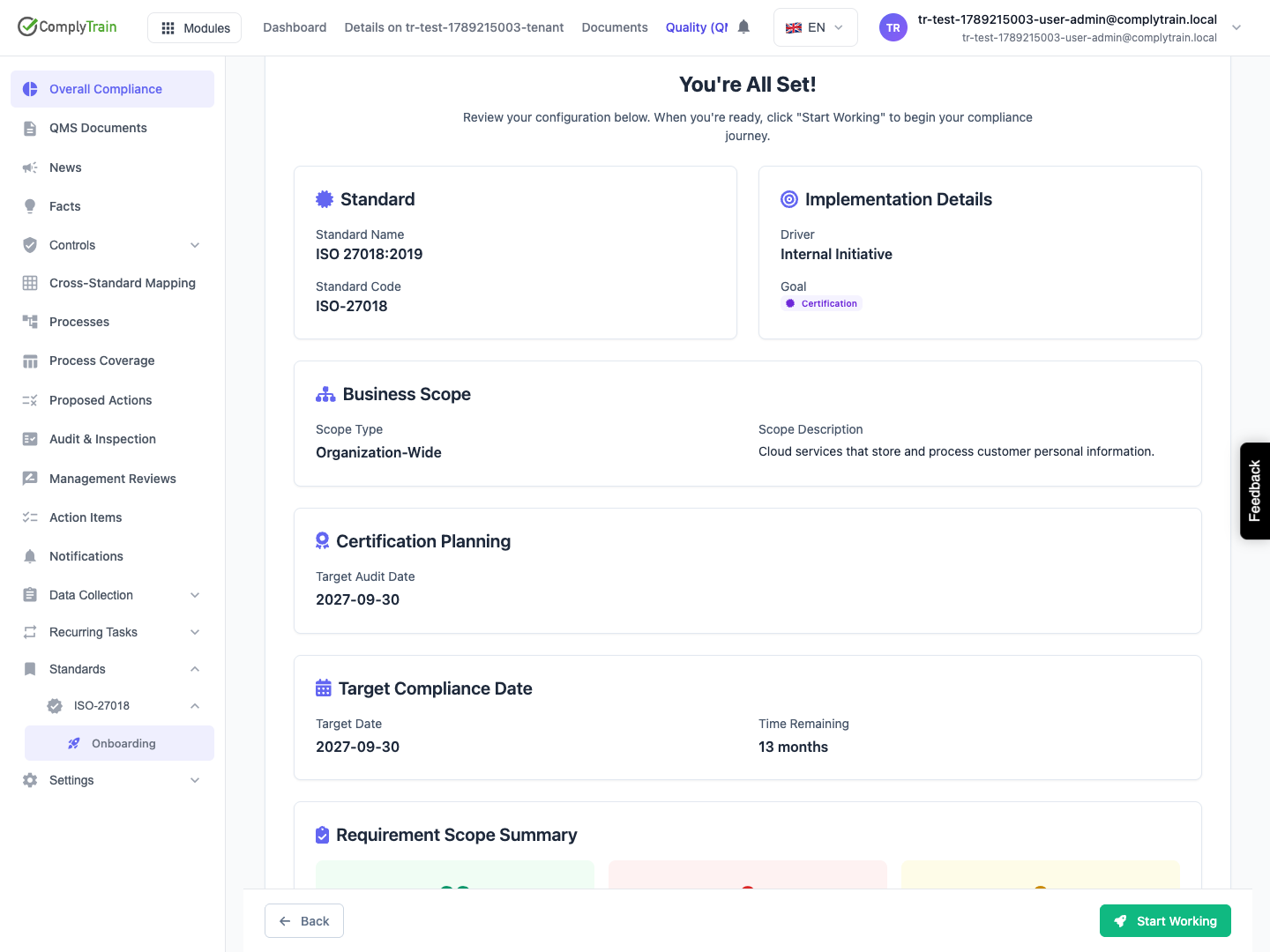
Use Review to check the scope, date, selected documents and any certification or milestone choices. Go back to correct errors before starting implementation. Wait for provisioning to finish and inspect the result.
Depending on the setup path, continue to the standard overview or its kickoff conversation. Confirm which records were actually created, assign responsible people and review the content. Setup completion records configuration; it does not mean that the standard is fully implemented, that documents are approved or that certification has been achieved.
Skip for now leaves detailed setup for later. Return through the standard's onboarding entry and review the saved state before continuing.