
Read documentary, evidence and process coverage without conflating them.
Open the relevant view
Product location: /qms/{standardCode}/gap-analysis (fallback: /qms/standards)
Use Gap Analysis for a standard and review the active scope and requirements. Open the individual gap before assigning work; a summary score can hide missing material in a critical requirement.
Use Cross-Standard Mapping to investigate how related requirements connect across your enabled standards. Review the mapping and the source material before relying on an existing document for an additional standard.
Understand process coverage
Product location: /qms/process-coverage
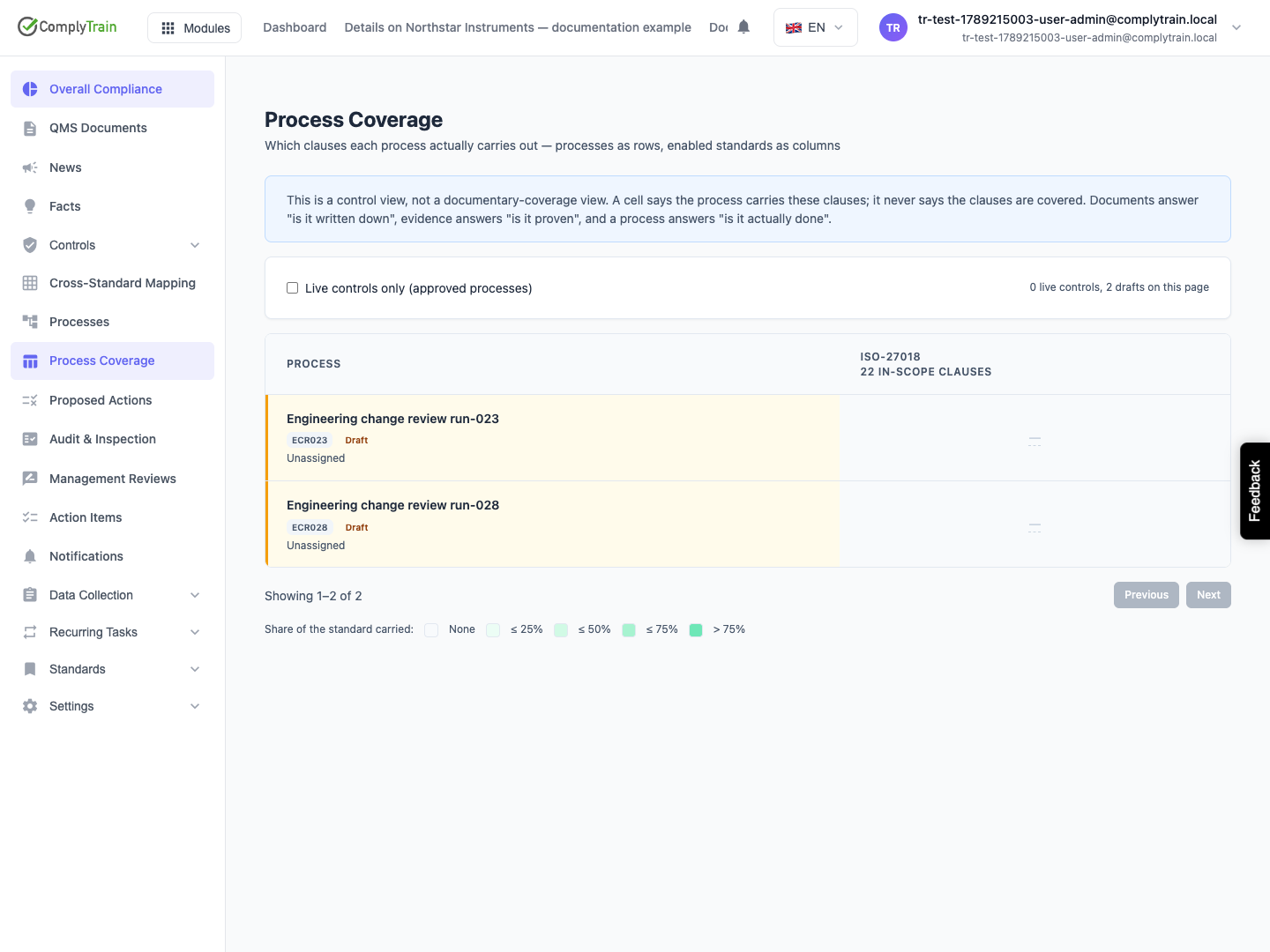
Process Coverage shows which clauses each process carries out. It answers a different question from whether a procedure is written down or whether evidence proves the activity occurred.
The default Live controls only filter shows approved processes. Clear it to inspect drafts, whose intended clause links do not yet count as live controls. Open a cell to see counted clauses and links excluded because a clause is out of scope or retired.
Unresolved links contribute to no cell. Investigate these when a process appears to carry fewer clauses than expected.
Turn a gap into reviewed work
Product location: /qms/cross-standard-mapping. Select the applicable standard and requirement; follow the related gap or process record.
Identify whether the missing element is a document, evidence, operational process or scope decision. Create the corresponding task and owner. Review Proposed actions separately: an assistant's suggestion is not scheduled until accepted. Rejecting a suggestion retains its decision record.
Recheck the underlying requirement after the work is completed. A completed task or approved process does not automatically prove every requirement is satisfied.