Build the process workspace, bind responsibilities and publish an approved version.
Use AI process design to develop the map through a conversation, then apply and review it in the editor. See connected workflows for examples combining forms, controls and Vault documents.
Product location: /qms/processes. Choose New process.
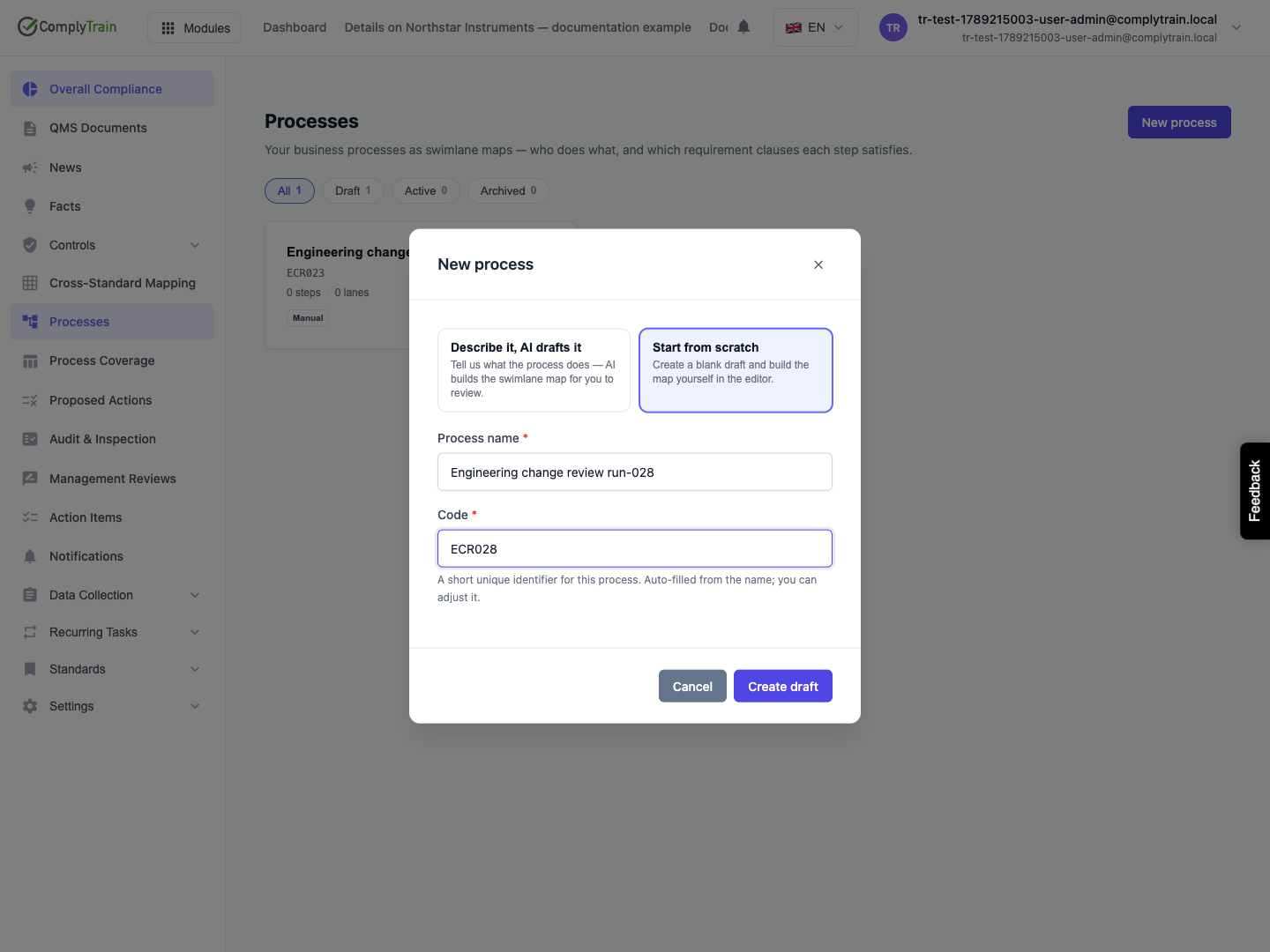
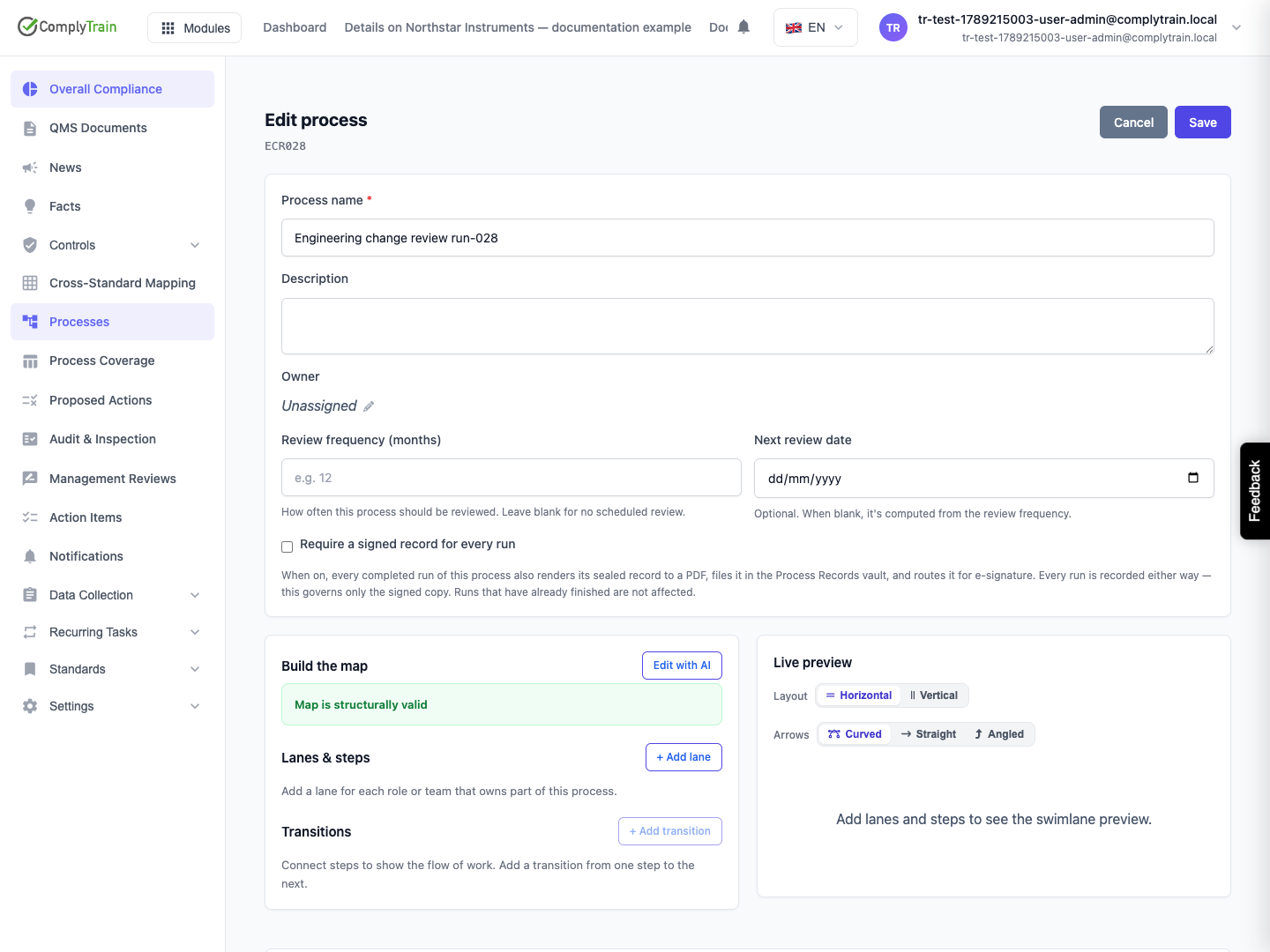
Open Processes and choose New process. Choose Describe it, AI drafts it to have AI draft the map from a description, or Start from scratch to enter a name and code and build the map yourself. Describe its purpose and owner, then use the editor to define or check the steps, decisions, connections and swimlanes. Link the clauses and supporting records it actually implements.
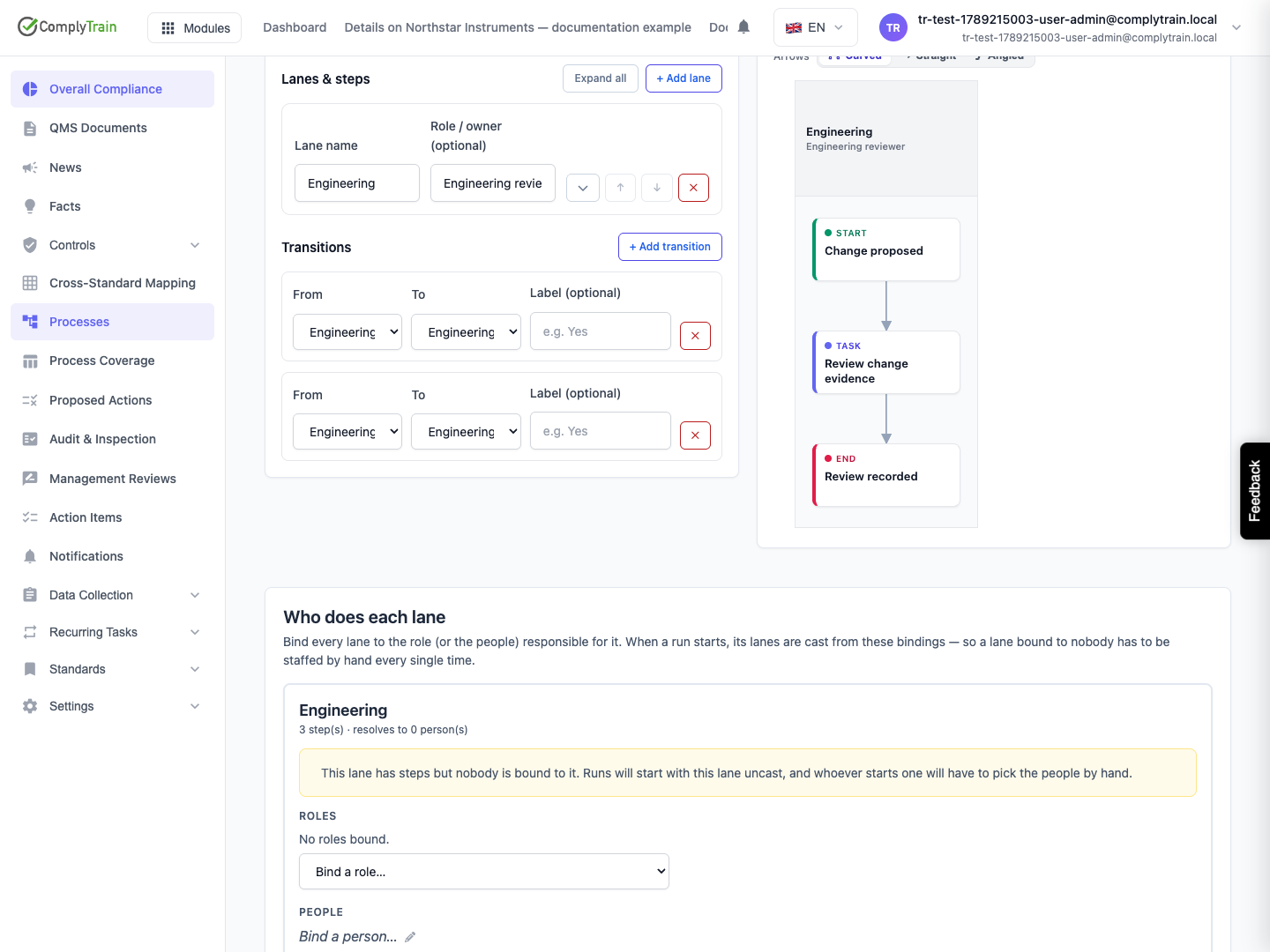
Assign roles to lanes so the system can propose people when a run is cast. Review unbound lanes and roles without members before relying on those assignments.
Product location: /qms/processes/{processId} (fallback: /qms/processes). Open the intended process and its lifecycle controls.
Review the process map and readiness notes. An unresolved clause link does not count toward a standard. An all-inputs join fed by mutually exclusive decision branches can wait indefinitely; adjust the join behaviour or routing so the intended paths can complete.
Use the available AI editing tools to propose changes, then inspect the resulting structure and responsibilities before saving.
Product location: /qms/processes/{processId} (fallback: /qms/processes). Open the intended process and its lifecycle controls.
Save the map, reopen the process and check its persisted settings.
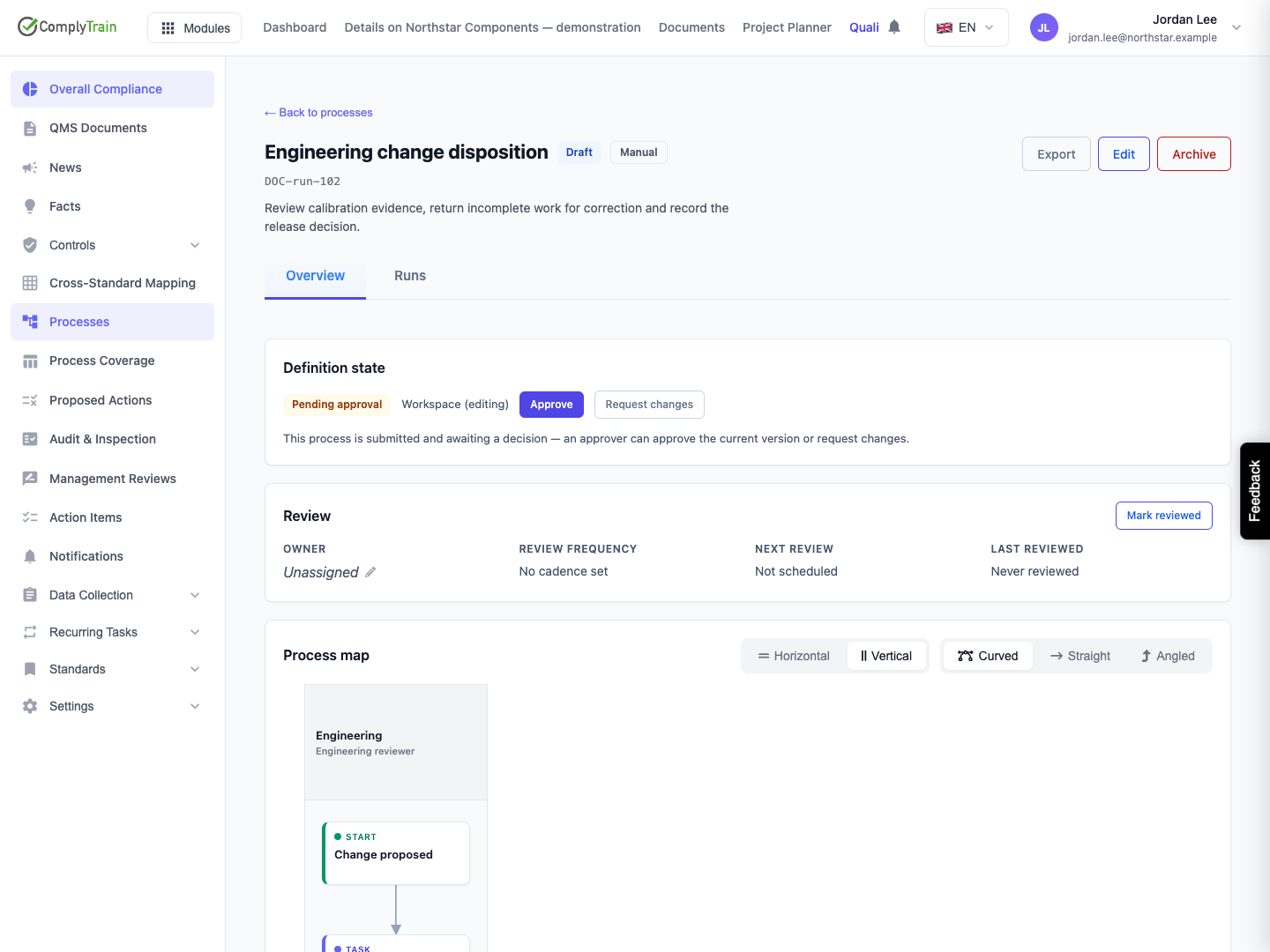
Select Submit for approval and confirm. Definition state becomes Pending approval. Submission itself does not make a first draft runnable.
The reviewer inspects the current map, responsibilities, clause links and completion gates. Use Request changes when corrections are required, adding a reason to explain the work to do.
When the current saved definition is ready, select Approve and confirm. Check the approved revision in Definition state, the Active status and the resulting review-history entry.
Approval publishes the latest saved map revision at the time of approval. Submission does not freeze a separate review copy. If the workspace was edited while approval was pending, inspect those changes before approving. The process-management permission controls these actions; arrange any required separation between author and approver through your organisation's review procedure.
An empty map or archived process cannot be submitted. Missing ownership, unbound lanes, unresolved clause links and potentially unreachable all-inputs joins can produce readiness warnings. They are advisories, so a successful submission or approval does not mean each of those gaps was resolved.
Product location: /qms/processes/{processId} (fallback: /qms/processes). Open the intended process and its lifecycle controls.
An approved process retains an editable workspace. Saving changes does not immediately replace the approved revision used for new runs. Use Definition state and its pending-reapproval information to distinguish the live revision from newer workspace changes.
Submit the revised definition and have the reviewer approve the current saved map. New runs then use that newly approved revision. Existing runs continue against the snapshot they received when created, including any runs created before this reapproval.
Request changes clears the pending submission and records the reviewer's reason. On a previously approved process, it does not replace the earlier approved revision with the rejected workspace changes.
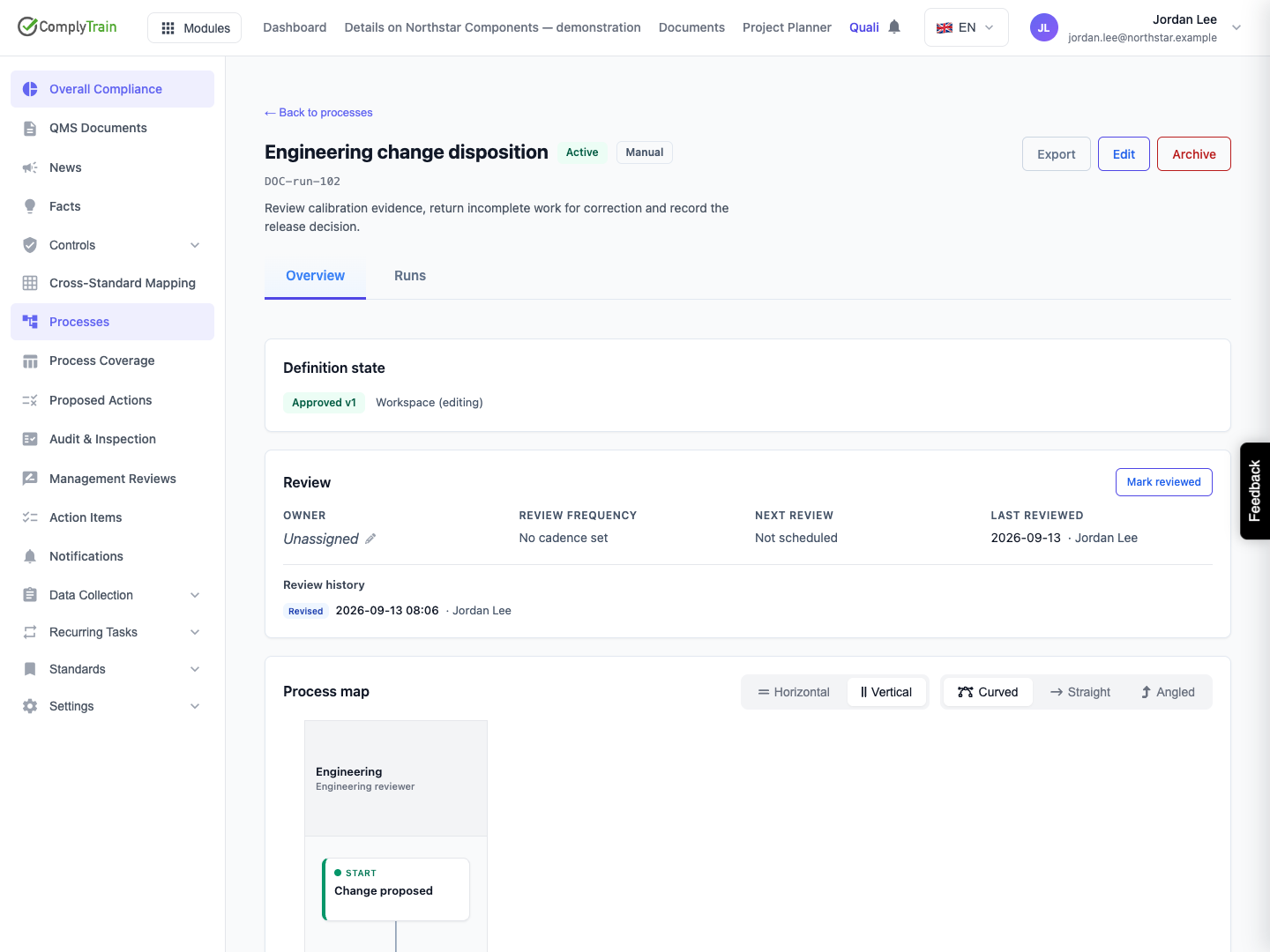
Product location: /qms/processes/{processId} (fallback: /qms/processes). Open the intended process and its lifecycle controls.
Use Review to inspect the owner, review frequency, next review date and last reviewer. Mark reviewed records a reaffirmation after reviewing the process without publishing a new map revision. It advances the review date according to the configured cadence; with no cadence, it leaves no next scheduled review.
Approval of a new revision also counts as a completed review and records a Revised entry. Requesting changes records the request but does not count as a completed review. Do not use Mark reviewed to publish pending map changes; those still need definition approval.
Product location: /qms/processes/{processId} (fallback: /qms/processes). Open the intended process and its lifecycle controls.
Use Archive when the definition should no longer be used for new work. Check the confirmation and review outstanding obligations and runs before acting. Archiving does not rewrite the frozen map of an existing run or establish that its live work was completed.
Review recurring schedules and existing runs separately. Pause or cancel work using the action appropriate to that record and record the reason where required. A process's definition status and an individual run's completion status answer different questions.
For step settings, completion gates, lane roles and partial-save messages, see process configuration.
