Connect the process map to people, evidence gates and work in other modules.
Product location: /qms/processes/{processId}/edit (fallback: /qms/processes)
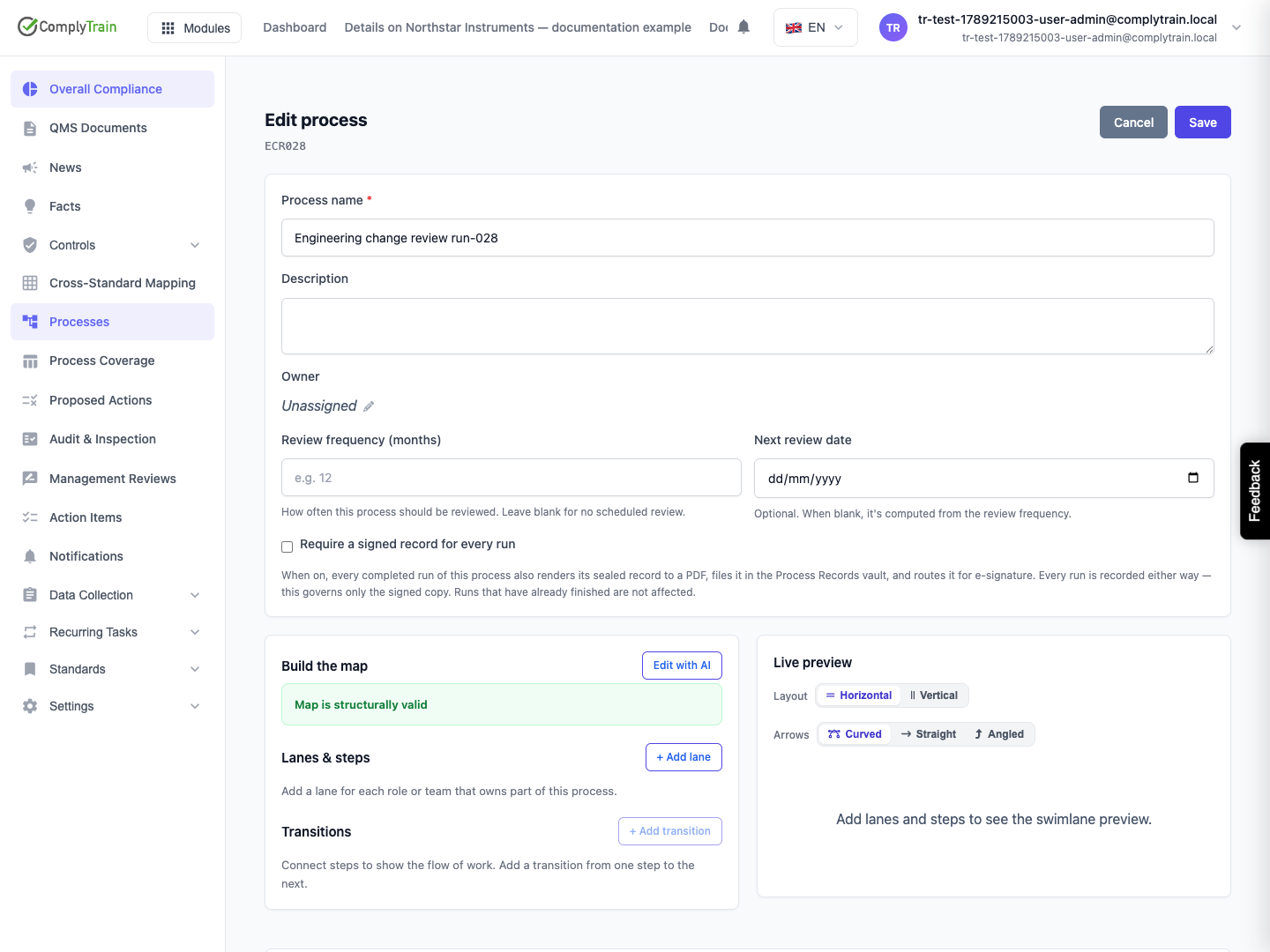
Open the process and Edit process. Set Process name, an optional description and the owner. Add a lane for each responsibility, then add the steps and transitions that define how work moves between them.
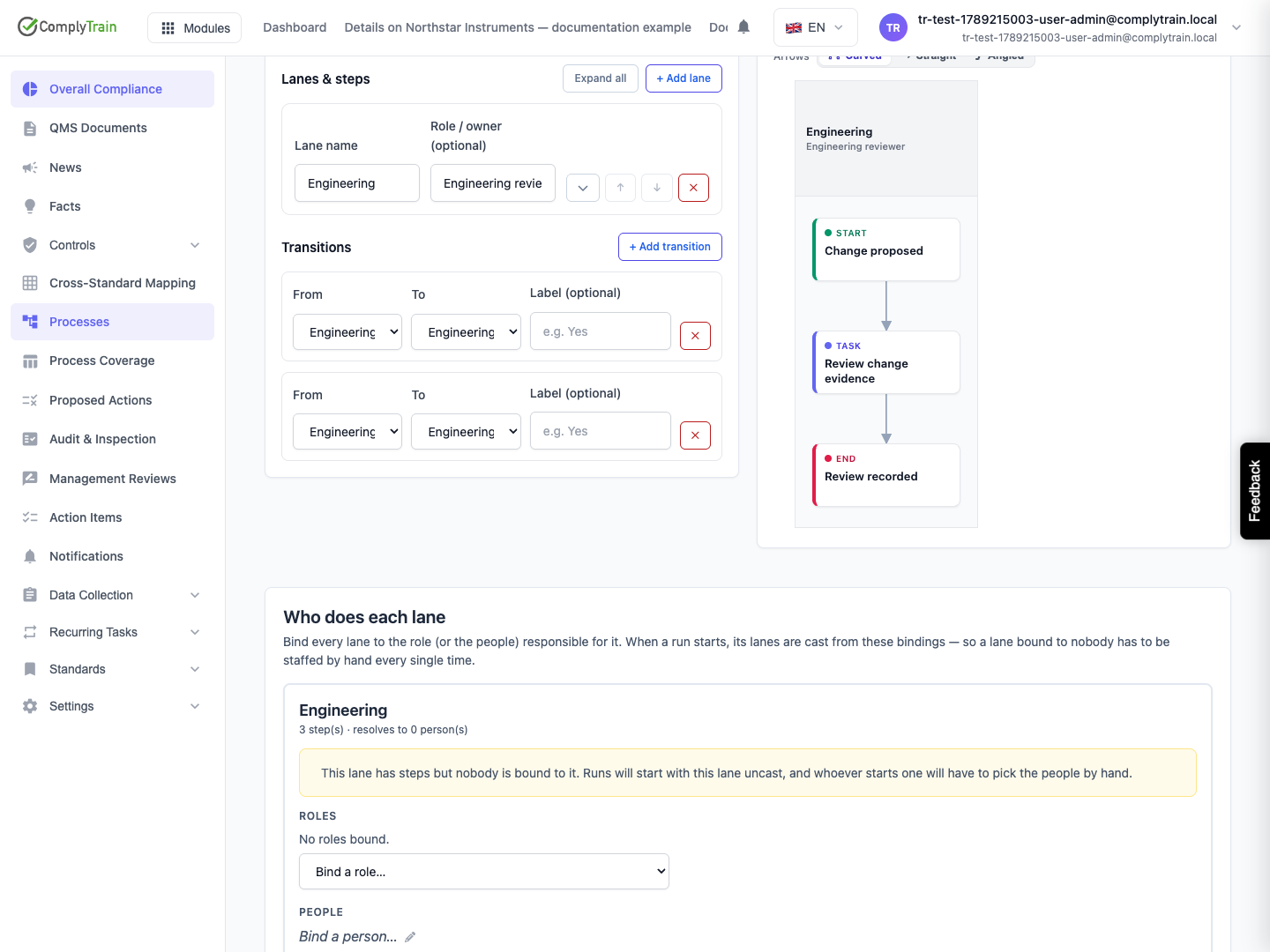
The editor offers Start, Task, Decision and End step kinds. Name each step so a participant can recognise the work. Connect From and To steps in Transitions, using labels to distinguish paths where useful. Inspect the live preview and resolve structural validation issues before saving.
Layout and Arrows control how the map is drawn. A visually tidy map does not establish that its requirements, people or completion rules are ready.
Product location: /qms/processes/{processId}/edit (fallback: /qms/processes)
Setting | Effect to consider |
|---|---|
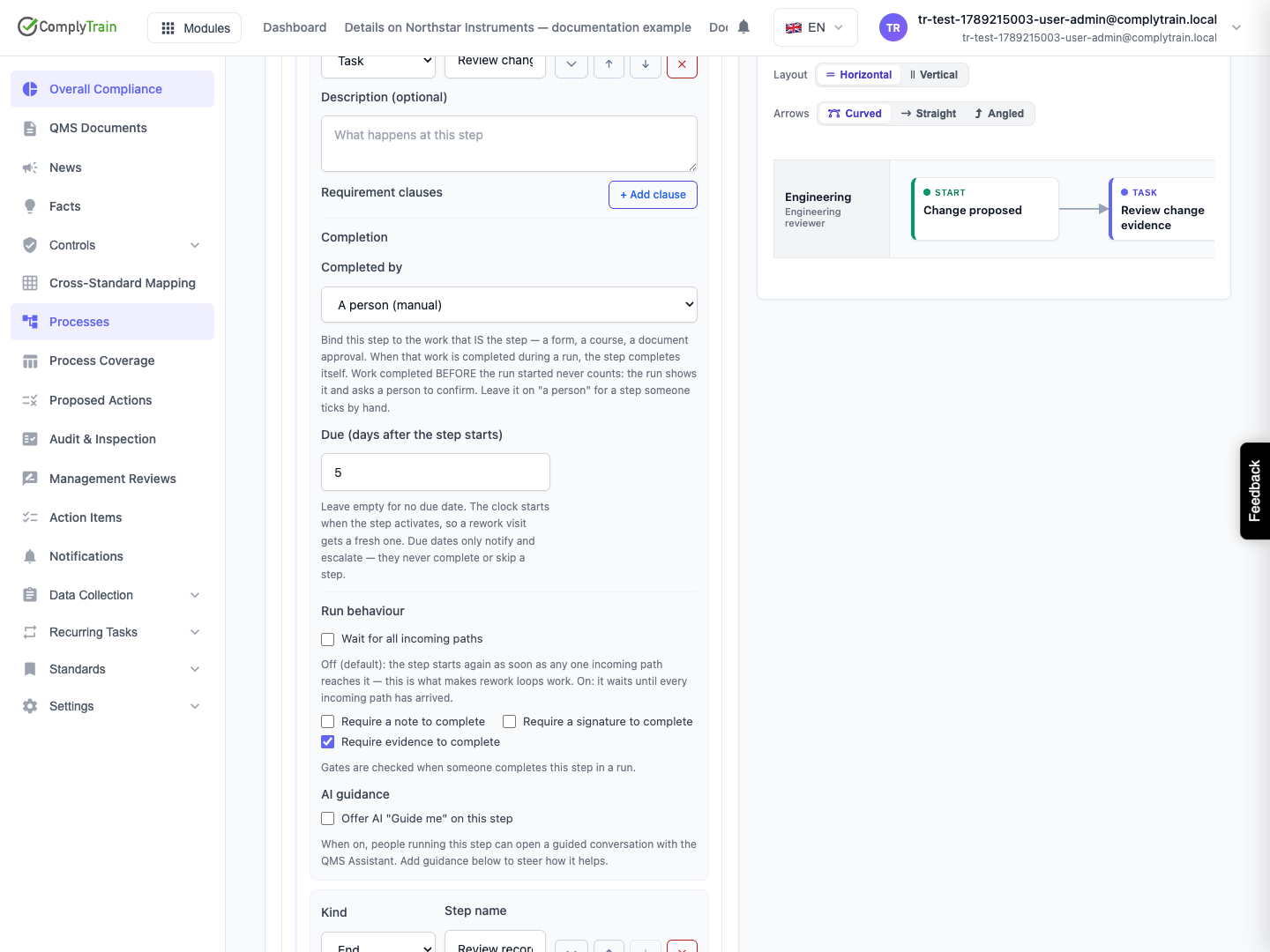
Requirement clauses | Select an enabled standard and then an in-scope clause. Review whether the step actually addresses it. |
Wait for all incoming paths | When enabled, wait for all incoming paths. When off, an arriving path can activate the step again, supporting rework loops. |
Require a note to complete | A completion gate requiring the participant's note. |
Require a signature to complete | A completion gate requiring a signature. |
Require evidence to complete | A completion gate requiring evidence. |
Due (days after the step starts) | Deadline counted from activation. A rework visit receives a fresh deadline; deadlines notify and escalate rather than completing or skipping work. |
Offer AI Guide me on this step | Make step guidance available during a run; optional guidance text steers the assistant. |
Completion gates are checked when the step is completed in a run. A requirement link describes intended coverage and must still be supported by the executed process and its evidence.
Product location: /qms/processes/{processId}/edit (fallback: /qms/processes)
Under Completion, choose Completed by. A person (manual) leaves completion to a person. Other available choices can bind the step to a form, stakeholder questionnaire, risk assessment, document approval, training course or task. Select the corresponding Bound to item.
Only choices with available supported targets are offered. A missing module or unavailable target can remove a choice; do not substitute an unrelated item to make the map save. Bound item is no longer available needs correction before relying on the binding.
The editor explains that work completed during the run can complete its bound step. Work completed before the run started does not automatically count and needs a person's confirmation. Keep this timing distinction when preparing prerequisites or testing a run.
Product location: /qms/processes/{processId}/edit (fallback: /qms/processes)
Use Who does each lane to bind organisation roles and/or named people. These are the roles managed in Settings → Roles & Permissions. A role's displayed member count helps detect a role that currently resolves to nobody.
A lane with steps and no binding must be staffed manually for each run. A lane's descriptive Role / owner text does not replace the actual role or person bindings. Check the resolved people, then inspect the cast again when starting the run; staffing is a separate part of execution.
Deleting a lane removes its corresponding draft bindings. Save and reopen the process before assuming new lanes and their people were persisted.
Product location: /qms/processes/{processId}/edit (fallback: /qms/processes)
Review frequency (months) controls the review cadence; leaving it blank means no scheduled review. Next review date can be explicit or calculated from that cadence. The owner can be reassigned with the picker; this editor does not offer unassigning the owner.
The optional signed-run-record setting requires permission to manage processes. It applies when later runs complete and creates a controlled document for the record's signature workflow. It does not rewrite already completed run records or mean that a newly generated record has already received its signature.
Product location: /qms/processes/{processId}/edit (fallback: /qms/processes)
The editor can save the process map while a related update fails. Read the result message carefully:
Message concerns | Follow-up |
|---|---|
Requirement clause links | Inspect the map and save again to retry link synchronisation. |
Review schedule | Inspect and retry the schedule from the process page. |
Lane bindings | Reopen the editor and reapply the intended bindings. |
Another edit/version conflict | Preserve your intended changes, reload the current process and reconcile them before saving again. |
Invalid map | Resolve the structural errors shown by the editor. |
After any warning, inspect all affected settings rather than assuming the whole form succeeded or failed together. Submit for approval only after reviewing the persisted definition. See process approval and executing a run.
