Choose the correct branch, repeat a step with fresh evidence and interpret waiting work.
Product location: /qms/runs/{runId} (fallback: /qms/processes). Select the intended run and step; step selection does not have a separate URL.
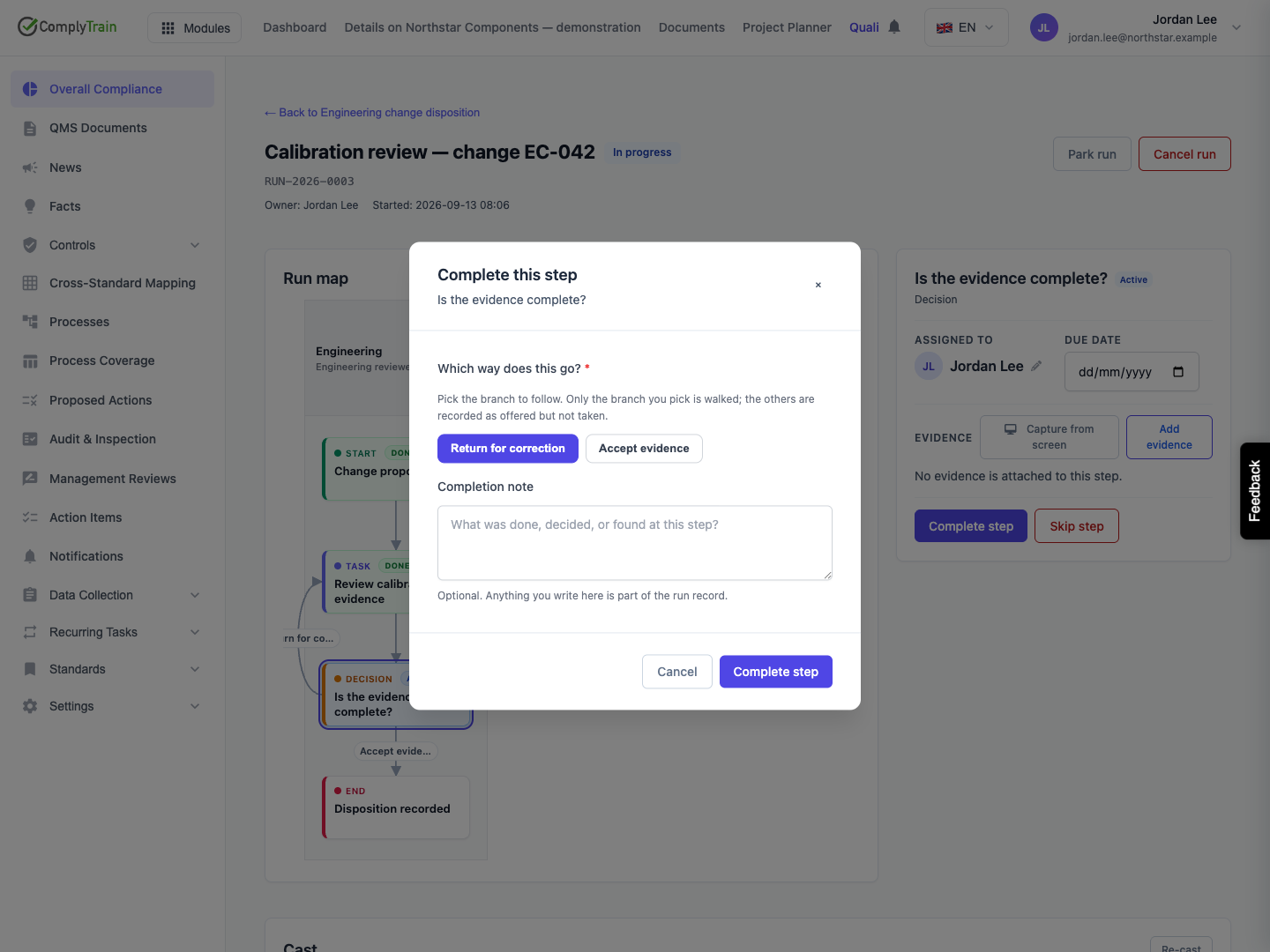
A decision selects one outgoing path. For example, Is the evidence complete? can offer Accept evidence or Return for correction. These labels are defined by the process author, so the choices in your process may differ.
Select the active decision in the run map.
Review its instructions and the evidence that supports the decision.
Select Complete step.
Choose one branch and supply any required completion note or signature.
Confirm, then inspect the step activated by that choice.
The dialog does not infer a branch from your note. The chosen transition is recorded as taken; the other offered transitions are recorded as not taken. An unchosen path does not establish that its work was completed or deliberately skipped by an override.
Product location: /qms/runs/{runId} (fallback: /qms/processes). Select the intended run and step; step selection does not have a separate URL.
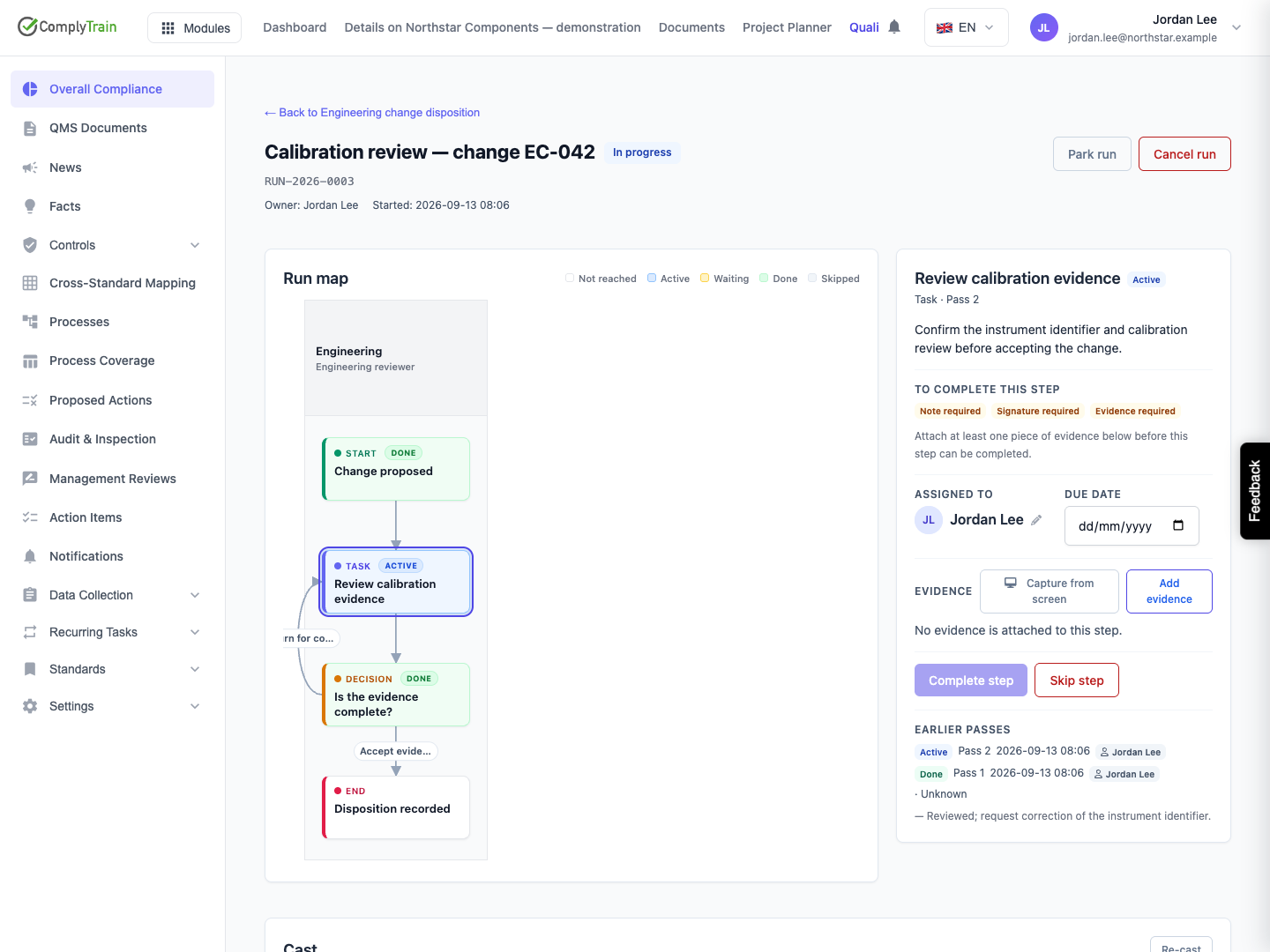
When a decision returns to a previously completed step, the system opens a new visit. In the example, returning the calibration evidence activates Review calibration evidence — Pass 2.
The new visit has its own status, assignee, dates, evidence and completion fields. A completed first pass does not satisfy the new visit's evidence gate. Attach the corrected material and explain what changed before completing the second pass.
Inspect Earlier passes in the step panel to distinguish the current pass from previous work. The original completion note remains visible. Its evidence and completion are preserved rather than overwritten. A due interval configured on the step starts again for the new activation.
Repeat the decision after the correction. Choose acceptance only when the corrected evidence supports it. A process can permit several correction loops; progress through the map alone does not establish that the underlying issue is resolved.
Product location: /qms/runs/{runId} (fallback: /qms/processes). Select the intended run and step; step selection does not have a separate URL.
For an ordinary step with several outgoing transitions, completing the step can activate several paths. A decision behaves differently: it follows only the branch selected by the participant.
Map configuration | How the next step becomes actionable |
|---|---|
Default incoming-path behaviour | An arriving transition can activate the step. If its earlier visit is closed, this can create another visit. |
Wait for all incoming paths | The step waits until every required incoming path has arrived for that cycle. |
Decision with mutually exclusive branches | Only the chosen branch arrives; the alternatives are recorded as not taken. |
Use Wait for all incoming paths to reunite parallel work that must all finish. Avoid placing such a join after mutually exclusive decision branches if it expects both branches to arrive: the unchosen branch cannot supply that arrival. Process approval can warn about this configuration, but a warning does not repair the map.
If a join remains Waiting, inspect its incoming paths and the walked path. Ask the process owner to determine whether work is outstanding or the map cannot reach the join as designed. Editing the definition does not replace an existing run's frozen map. Decide explicitly how to handle the existing occurrence and apply the corrected definition to future runs.
Product location: /qms/runs/{runId} (fallback: /qms/processes). Select the intended run and step; step selection does not have a separate URL.
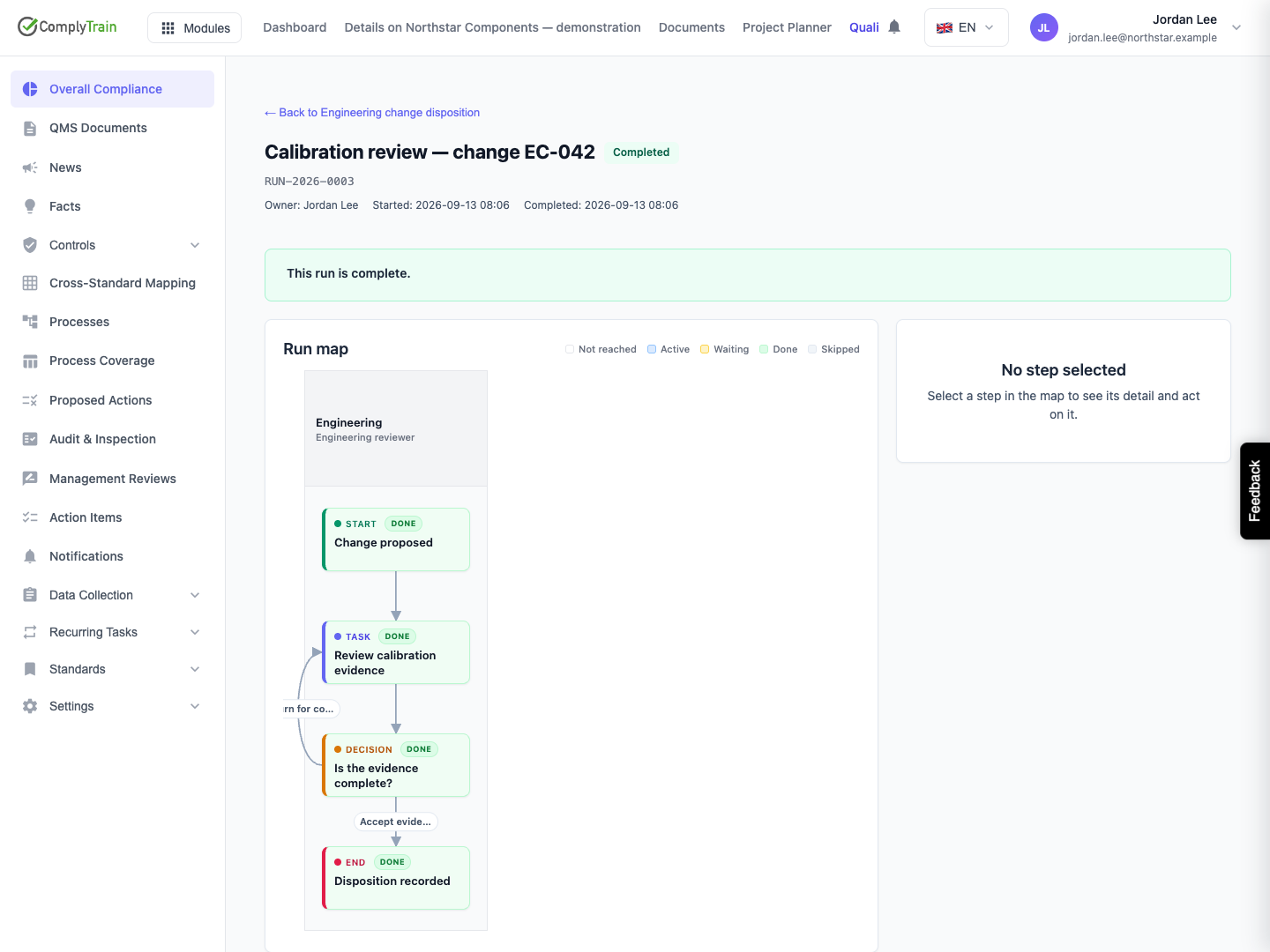
After the final end step, check that no parallel work remains live and that the run shows Completed. A branch reaching an end does not finish the run while another branch is still active or waiting.
The map is a compact view of the current or latest visit for each step. Use Earlier passes, the walked path and the run record when you need the full sequence. The completed example includes two evidence reviews and two decisions, even though the definition contains only four distinct steps.
Do not use Skip step as an alternative decision choice. A skipped decision records its outgoing branches as not taken and follows none of them. The override reason explains skipped work; it does not establish an accepted outcome.