Define the audit scope, team and schedule before collecting evidence.
Product location: /qms/audits. Select Universe.
Open QMS / Audit & Inspection / Universe. Register the relevant auditable entities and define their boundaries. Use scope and team setup for the entity and auditor field reference, saved team assignments and released limitations.
Use Programs for the broader audit programme. Schedules is disabled in the released main audit workspace; do not assume a schedule exists or creates engagements from a programme date.
Product location: /qms/audits. Select Audits, then create or open the engagement.
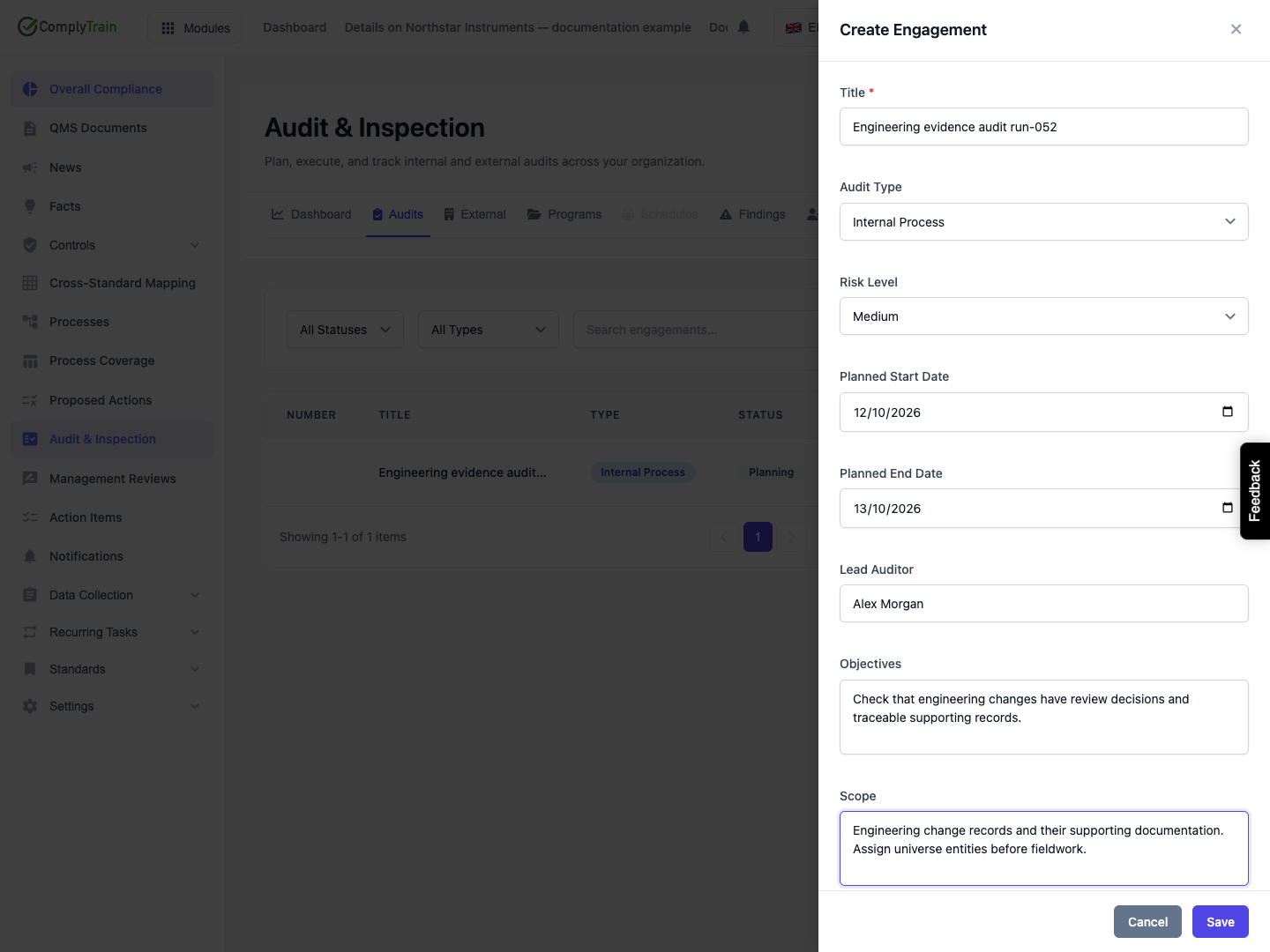
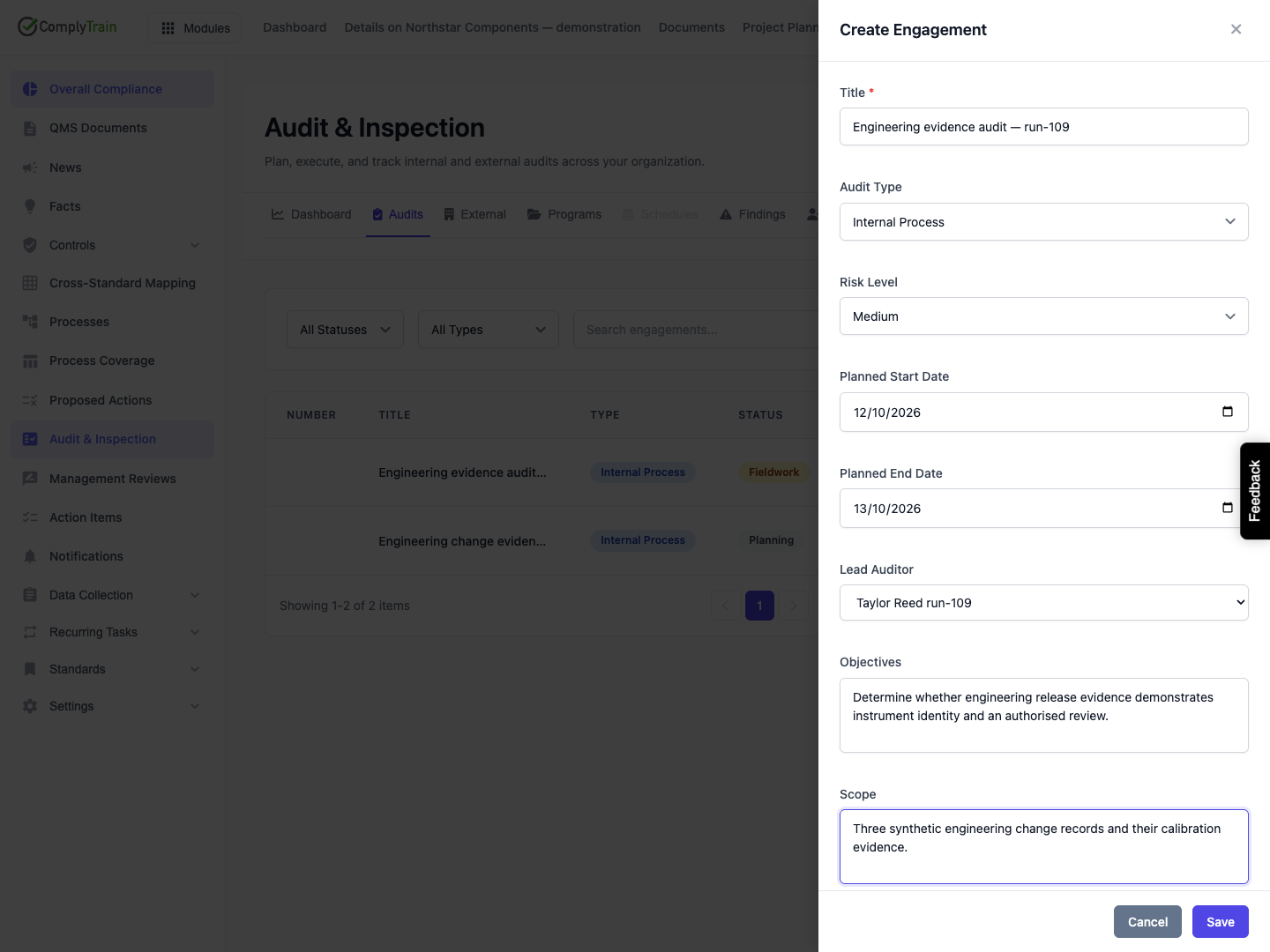
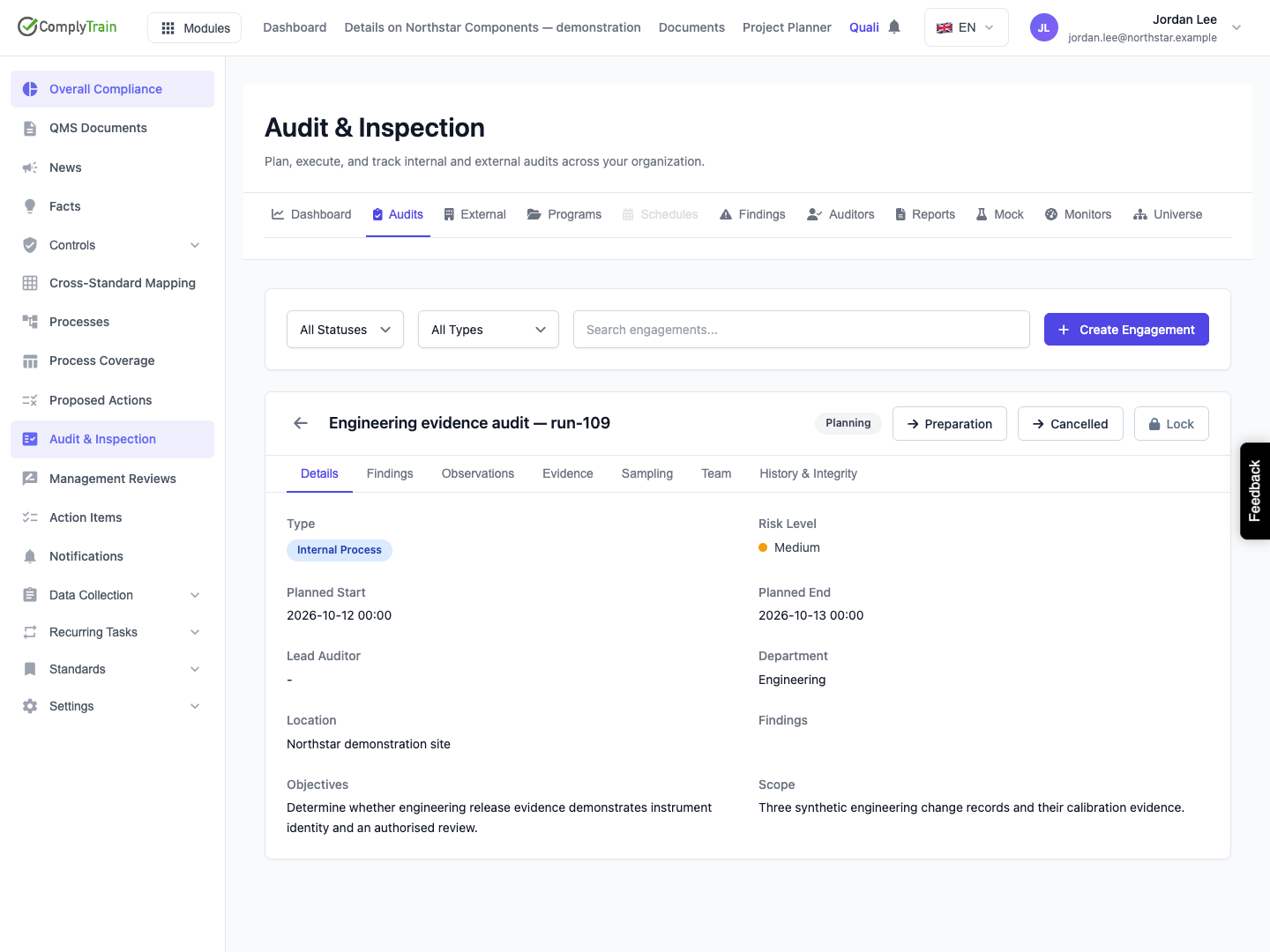
Select the new-engagement action. Enter its title, audit type, risk level, planned start and end dates, objectives, scope, location and department as applicable. Choose the lead auditor and add team members with their intended roles.
Select the scope entities from the audit universe. Findings from an engagement without selected entities cannot be attributed to a universe entity for that risk calculation. Review auditor independence against the selected entities. The team form does not itself record an independence-verification decision.
Product location: /qms/audits. Select Audits, then create or open the engagement.
Review auditor qualifications in Auditors and confirm availability against the organisation’s actual arrangements. The current registry has no availability editor. AI team or plan suggestions need review against the actual scope and independence requirements of your organisation.
Open the engagement and prepare its planned work and evidence collection. Track the actual engagement state from planning through preparation, fieldwork, reporting and follow-up where available. A programme entry or planned date is not evidence that the audit took place.
Product location: /qms/audits. Select Audits, then create or open the engagement.
Field | Use |
|---|---|
Title | Identify the audit so its record is distinguishable from the programme or a later follow-up. |
Audit type | Internal Process, Internal System, Supplier or Mock, as appropriate to the work. |
Risk level | Low, Medium, High or Critical for planning and prioritisation. |
Planned start and end | The intended fieldwork window, not proof that fieldwork occurred. |
Lead auditor | The accountable audit lead; available auditors may be offered for selection. |
Objectives | What the audit is intended to establish. |
Scope | The boundaries of the work and exclusions needing explanation. |
Location and department | Where the work takes place and which organisational area it concerns. |
Scope entities | The audit-universe records examined by this engagement. |
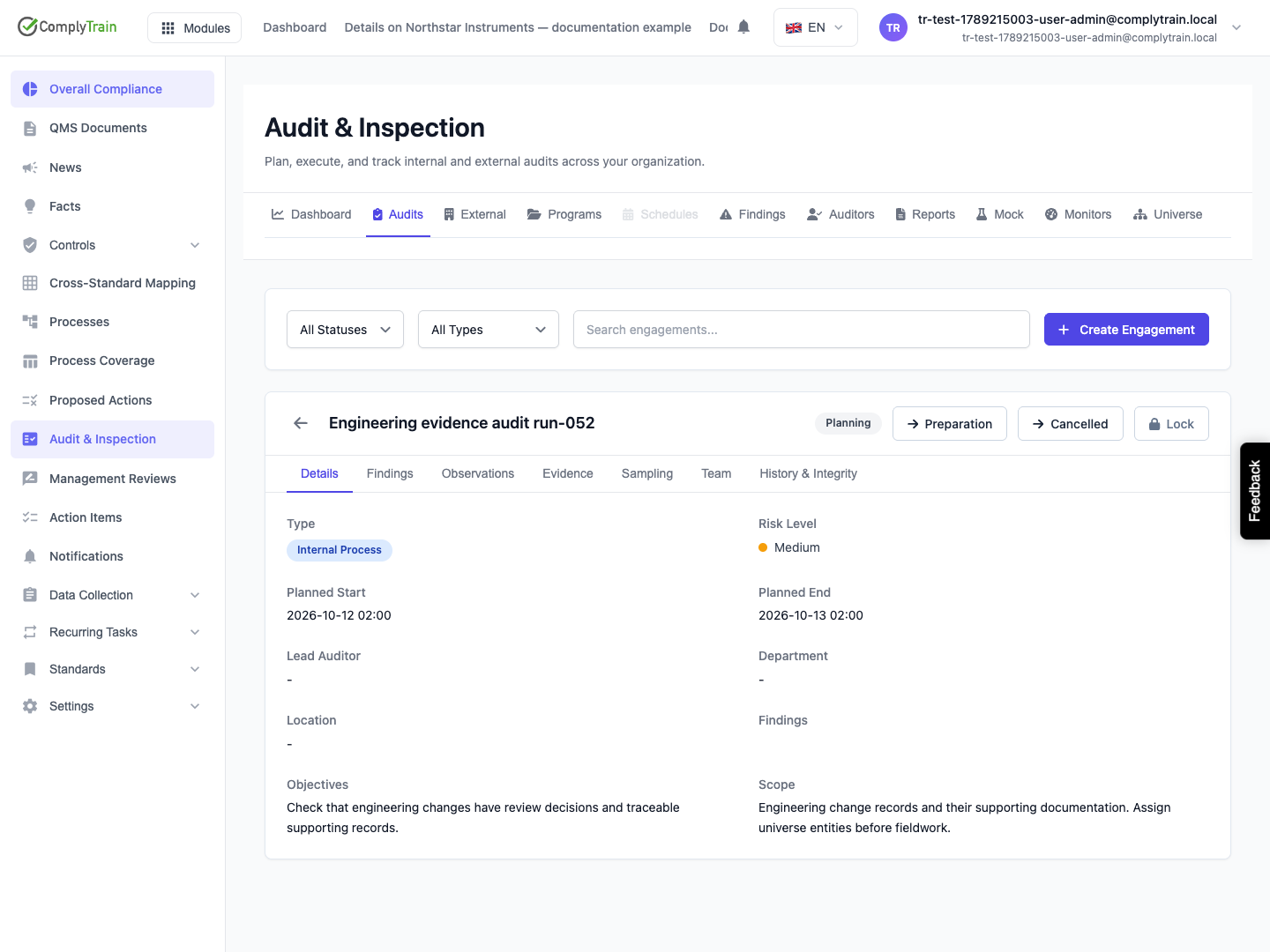
Select Save, return to Audits and reopen the engagement. Check its title, planned dates, lead auditor and state. In the captured release, neither a typed name nor a selected registered auditor persists in the separate Lead Auditor field. The Team tab can save a registered auditor with the Lead Auditor role, but that roster assignment does not fill the separate header field or create an account link. Review and resolve the distinction before relying on identity-dependent functions.
Product location: /qms/audits. Select Dashboard.
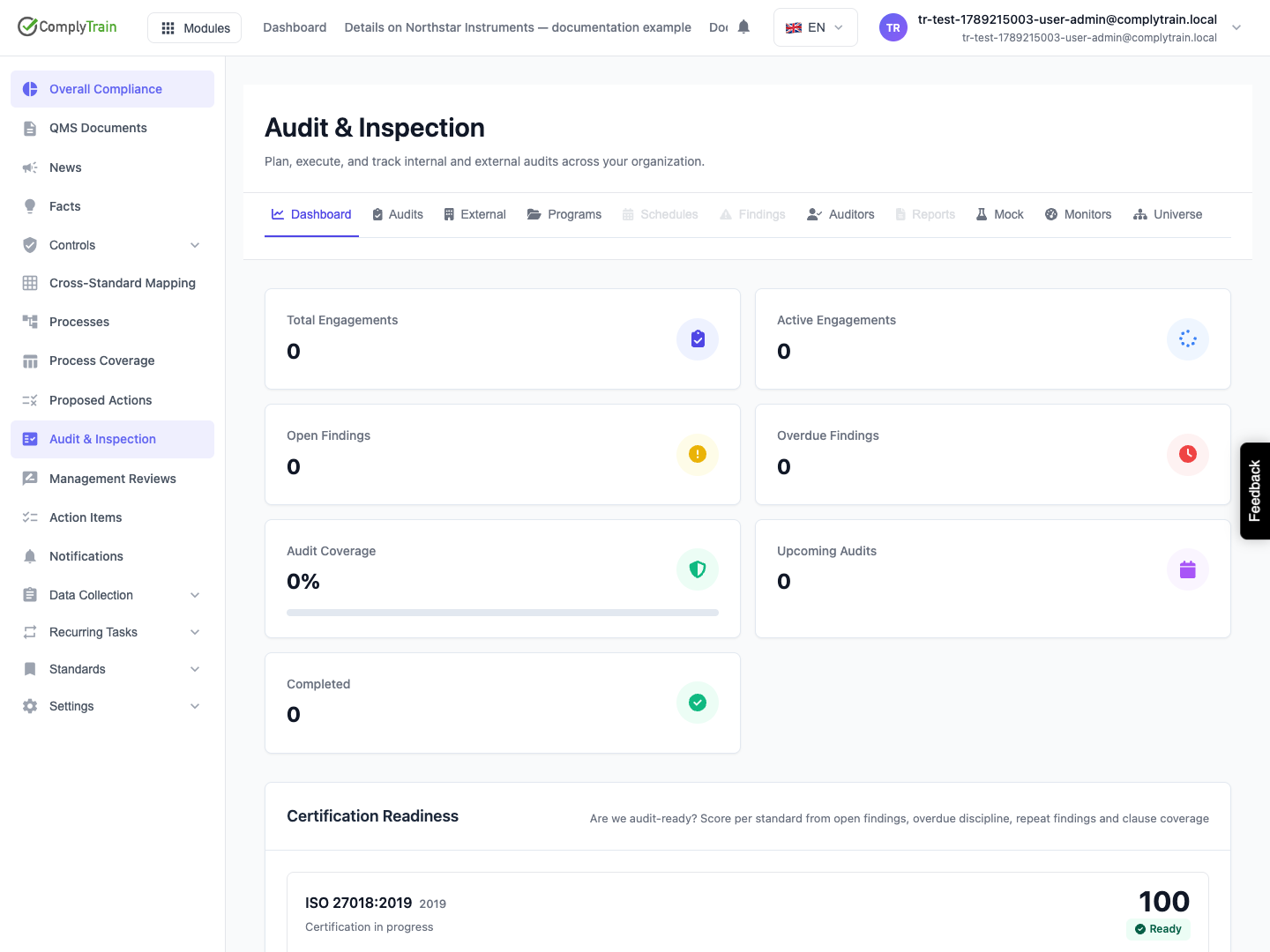
The dashboard's Certification Readiness card combines finding, timeliness and coverage measures. A fixture with no findings can show a high score while clause coverage is Not measurable — no in-scope clauses. Read the underlying counts and scope. The score does not establish certification, completed auditing or complete implementation.
Product location: /qms/audits. Select Audits, then create or open the engagement.
Current state | Available next states |
|---|---|
Planning | Preparation or Cancelled |
Preparation | Fieldwork or Cancelled |
Fieldwork | Reporting or Cancelled |
Reporting | Follow-up or Closed |
Follow-up | Closed |
Closed or Cancelled | No further lifecycle transition in this interface |
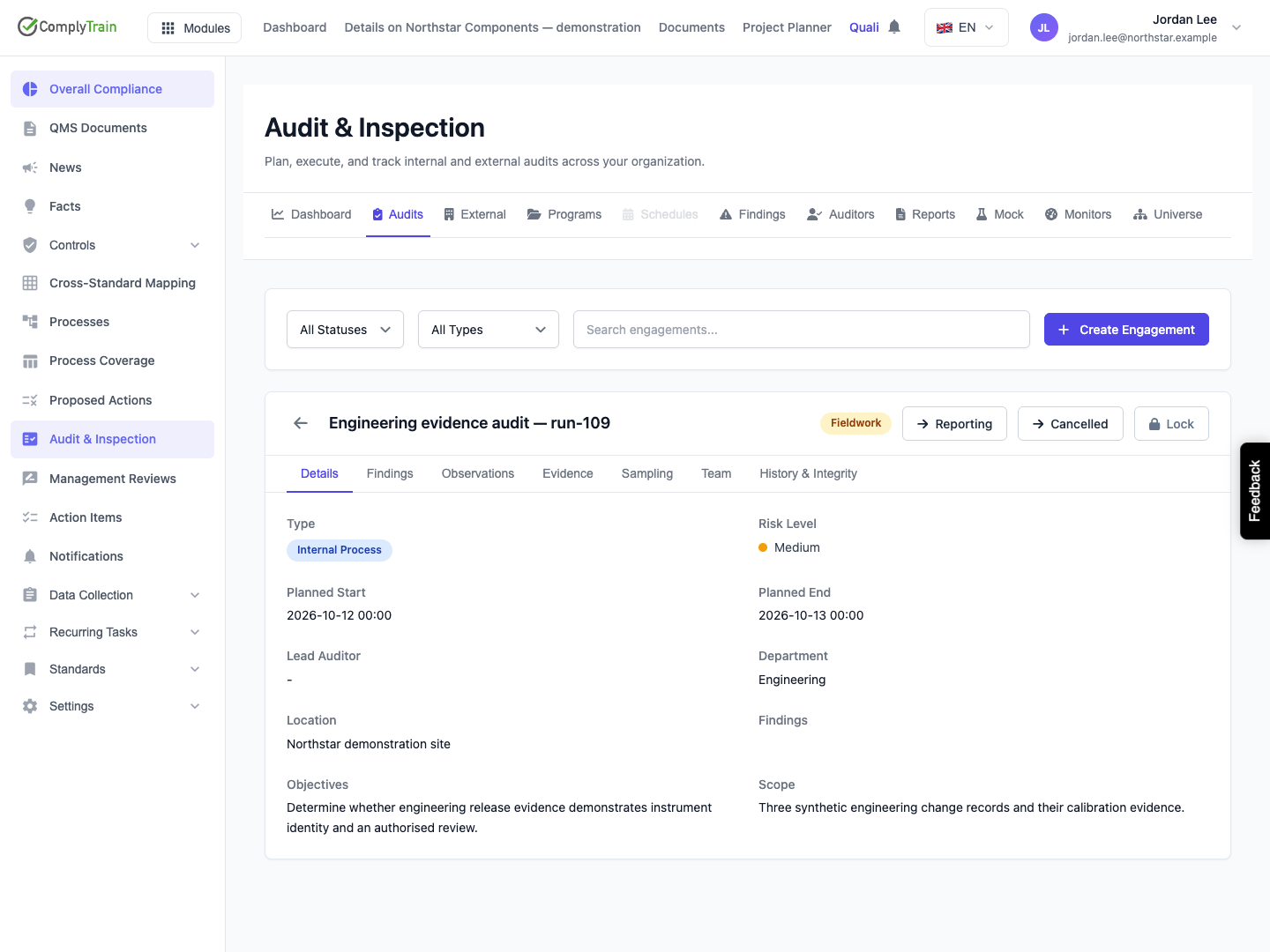
Select the appropriate state button only after its real-world prerequisites are met. The example passes from Planning through Preparation to Fieldwork; the status alone does not establish that fieldwork occurred or that evidence was collected. Reopen the engagement and confirm the saved state after each decision.
Details shows the recorded plan; Findings summarises engagement findings; Observations retains the auditor’s observations; Evidence holds supporting material; Sampling tracks the population and sampled items; Team holds roster assignments; History & Integrity exposes recorded events and their integrity check. Use the standalone Findings tab to manage a finding’s response and closure.
Product location: /qms/audits. Select Audits, then create or open the engagement.
A permitted Lock action freezes the engagement’s plan, scope and team. It is separate from advancing its lifecycle. Read the confirmation and supply the required reason. A privileged Unlock also requires a recorded reason; inspect the trail and the resulting state. Locking is not a claim that findings have been resolved or that a report has been issued.
A locked engagement can still permit a pure lifecycle change, while a transition that also changes protected dates or metadata may fail. Read the actual error and preserve the reviewed plan until an authorised correction is made.
Product location: /qms/audits. Select Programs.
Use audit programmes to record cycle dates and objectives. The released Programs screen supports creation and listing; its risk-based preference does not itself generate engagements, and the Schedules tab is disabled.
Product location: /qms/audits. Select Reports; open the report and History & Integrity.
Use internal audit reports for engagement eligibility, audited-standard selection, creation errors and the released reporting limits. Use audit event history to inspect recorded actions and understand the difference between this engagement’s timeline and the tenant-wide integrity check.