Define an audit cycle, objectives and a unique programme code, and understand the available planning controls.
Product location: /qms/audits. Select Programs. The tab and selected record are not encoded in this URL.
An audit programme records the intended cycle and objectives of a group of audits. An individual audit engagement holds the actual dates, scope, team, observations and findings. Keep the programme's purpose broader than a single engagement: for example, an annual review of engineering changes, calibration evidence and supplier assurance.
Open Quality (QMS) → Audit & Inspection → Programs. The screen uses the spelling Programs. Both viewing the programme list and creating a programme require Manage Audits access. If the page cannot load, use Retry after checking your access and connection.
The released screen supports creating and listing programmes. Its cards do not open a programme editor or provide activation, approval, completion, suspension, archive or deletion actions. Plan the initial record carefully; do not rely on being able to correct it from a card later.
Product location: /qms/audits. Select Programs. The tab and selected record are not encoded in this URL.
Select Create Program. Fill in the following fields before saving.
Field | What to enter and what it means |
|---|---|
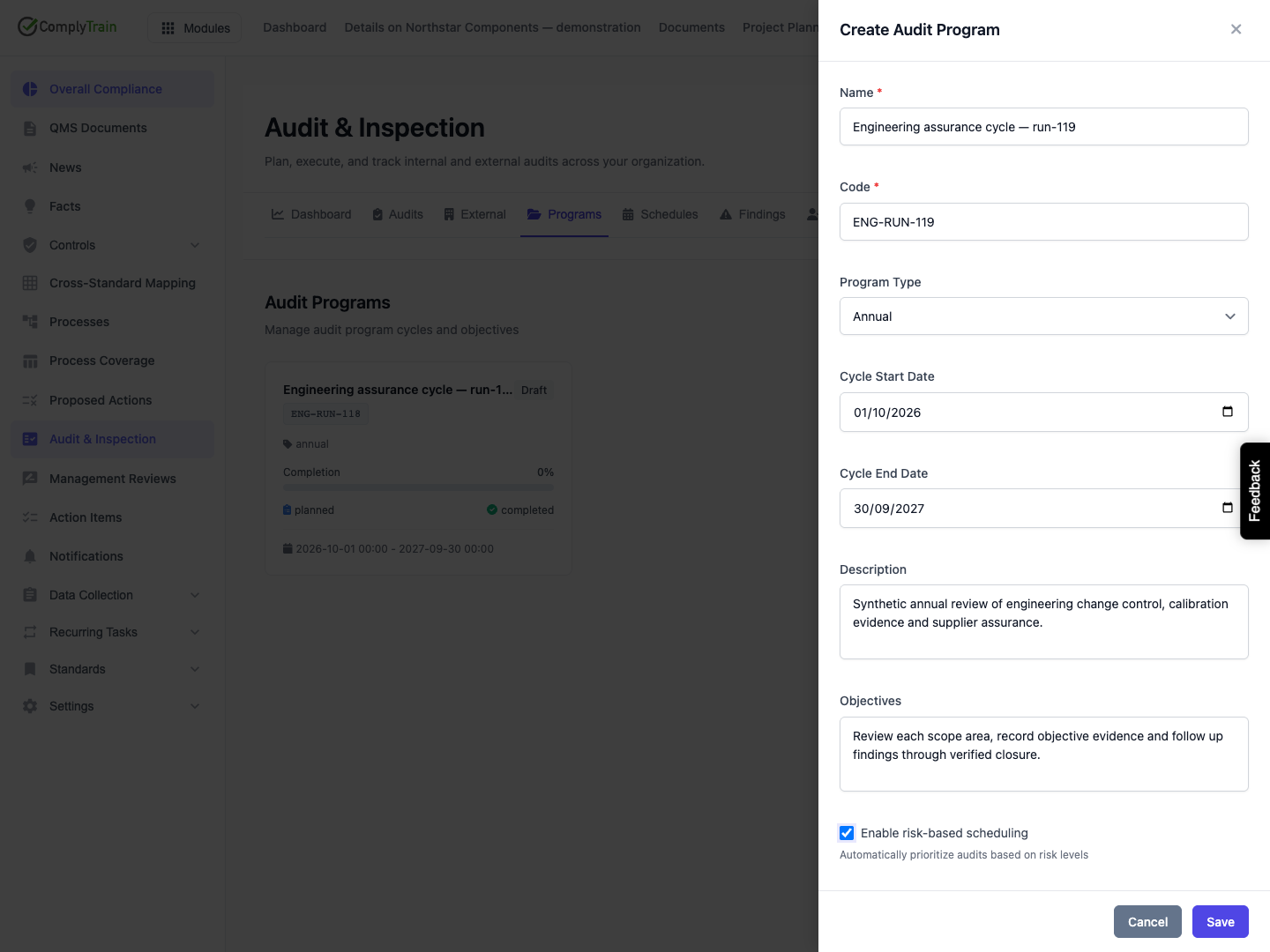
Name | Required descriptive name, up to 200 characters. Leading and trailing spaces are removed. Use a name that identifies the assurance scope. |
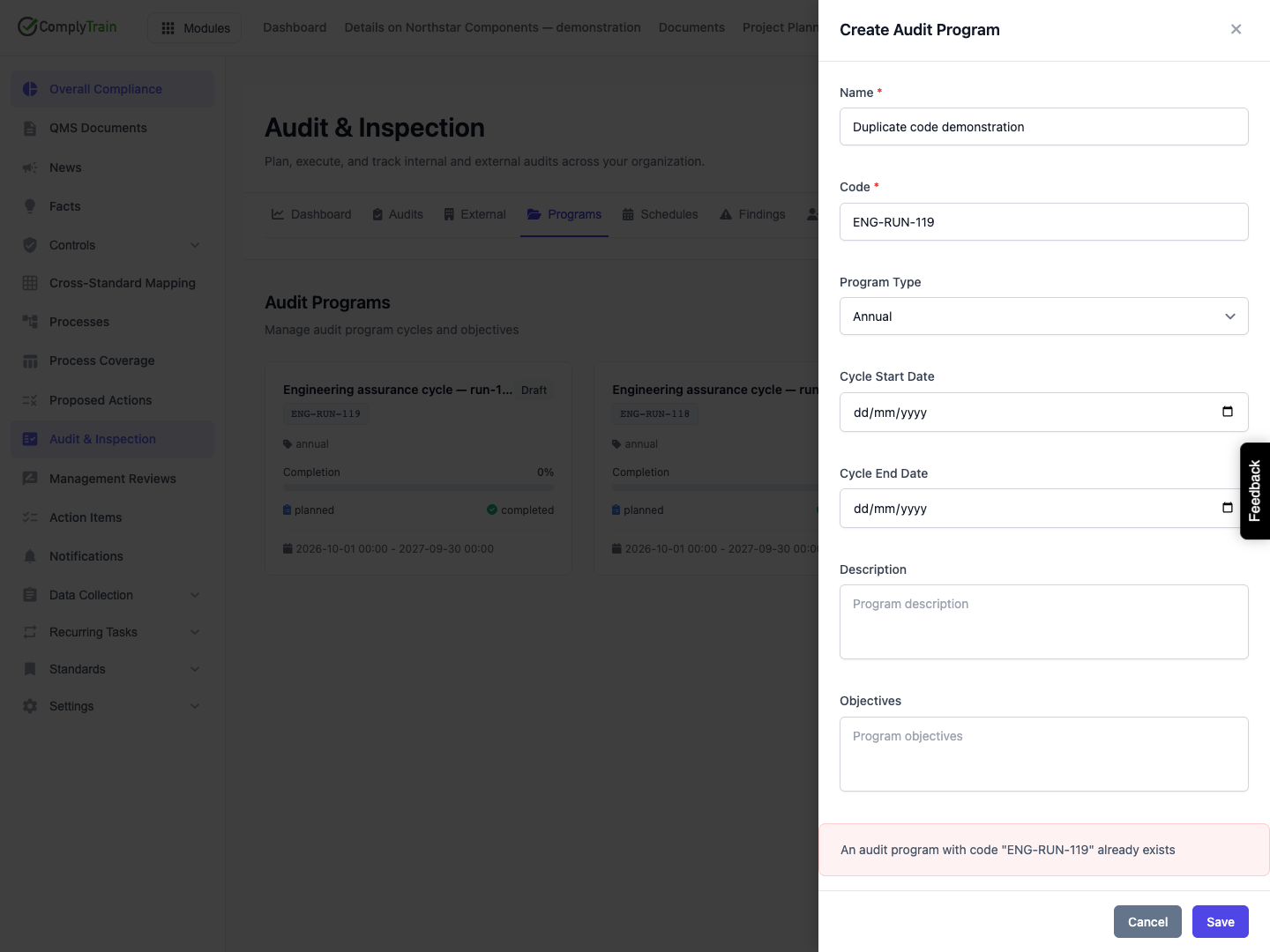
Code | Required tenant-unique identifier, up to 50 characters. Follow your organisation's naming convention, such as |
Program Type | Annual is the default. Alternatives are Certification Cycle, Continuous and Project-based. Choose the description that fits your planning cycle; the choice does not itself create engagements. |
Cycle Start Date | Optional start date. |
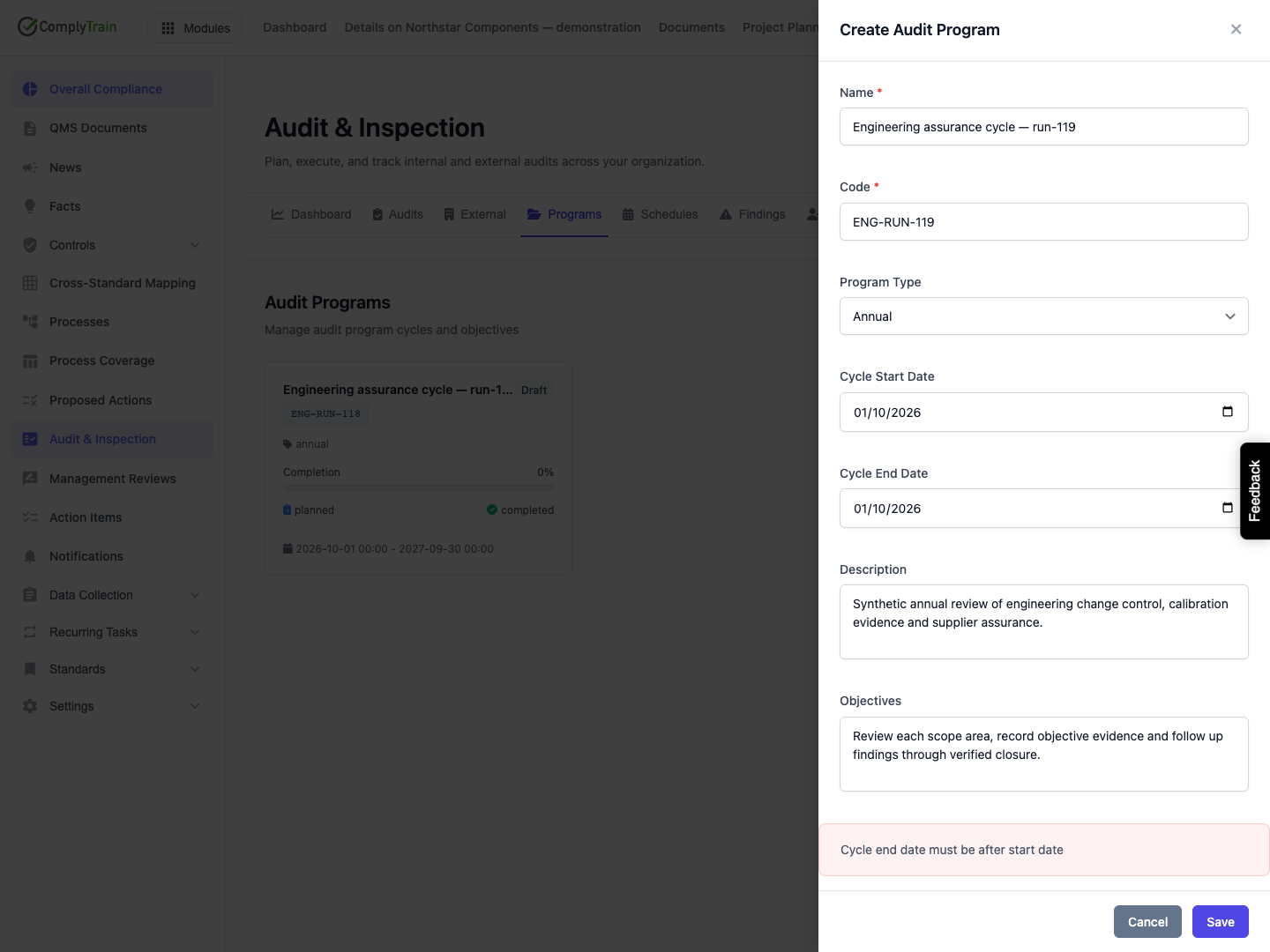
Cycle End Date | Optional end date. When both dates are supplied, the end must be strictly later than the start. A one-day cycle using identical dates is rejected. |
For an annual engineering programme, use 1 October 2026 to 30 September 2027. The type does not calculate either date, enforce a twelve-month duration or roll the cycle forward automatically.
Both dates are optional, but the list card displays the cycle period only when both exist. Complete the pair when the programme is intended to communicate a bounded period.
Product location: /qms/audits. Select Programs. The tab and selected record are not encoded in this URL.
Use Description for the scope boundaries and context, and Objectives for the outcomes the programme should achieve. Each accepts up to 2,000 characters. For example:
Description: review engineering change control, calibration records and supplier assurance across the selected operating sites.
Objectives: examine evidence for each scope area, record findings and follow corrective work through verified closure.
Enable risk-based scheduling starts clear. Selecting it stores a scheduling preference with the programme. Although its help text describes automatic prioritisation, the released programme form does not select auditable entities, calculate a schedule, create engagements or offer a schedule-generation action. The main Schedules tab is disabled in this release. Treat the preference as configuration; verify actual audit plans separately.
There are no programme-manager, standard-selection, team, approval or notification-recipient fields in this form. Put useful context in the description without treating that text as a structured assignment or standard association.
Product location: /qms/audits. Select Programs. The tab and selected record are not encoded in this URL.
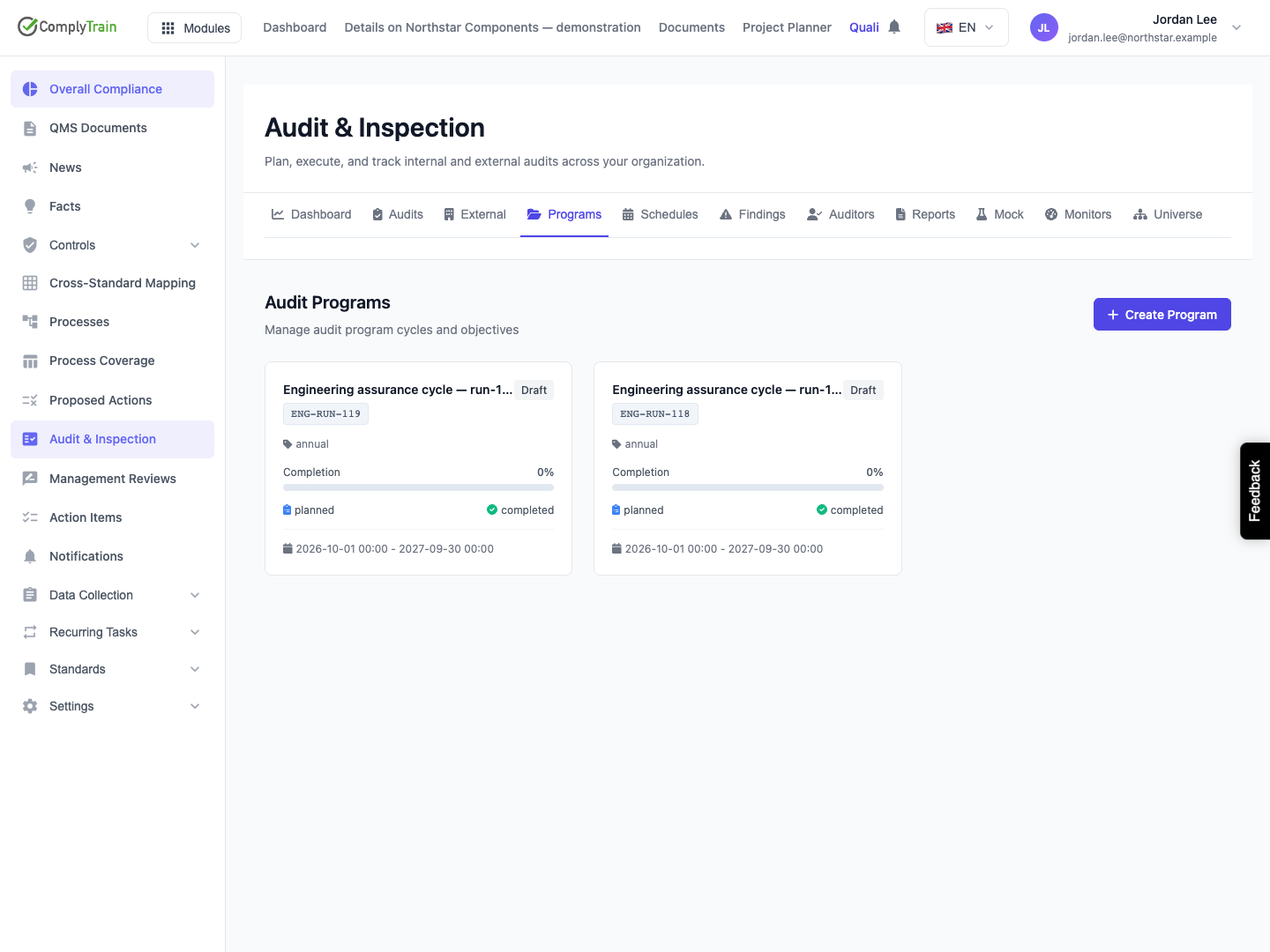
Select Save, then reopen Programs to check the retained record. A newly created programme has Draft status, zero planned audits, zero completed audits and zero percent completion. The card displays its name, code, type, status and available cycle dates. In the illustrated release, the planned/completed labels omit the numeric counts; the example’s zero counts were checked separately. Some type values appear as stored text such as certification_cycle.
Zero percent on a programme with zero planned audits means that no planned work is represented in those counters. It is not a finding, an overdue calculation or an assessment of compliance.
Creating a programme does not create an engagement, attach an existing engagement, assign a manager or activate the programme. Continue with planning individual audits and confirm each saved audit's own scope, dates and team. The released programme list has no control for linking those audits back to its counters.
Product location: /qms/audits. Select Programs. The tab and selected record are not encoded in this URL.
Situation | What to do |
|---|---|
Save is disabled | Supply both Name and Code. Values containing only spaces are still rejected when submitted. |
End date is equal to or earlier than start | Correct the end date, or remove an optional date if there is no defined cycle. The unsaved form retains the other fields. |
Code already exists | Cancel and inspect the existing programme, or choose a genuinely different code for a different programme. Changing the name alone does not resolve the duplicate. |
Save reports another error | Keep the form open, check the values and connection, and verify the list before repeating a creation request whose outcome is uncertain. |
You want to abandon an unsaved programme | Select Cancel or close the panel. Reopening starts a new empty form; unsaved text is not a saved Draft programme. |
A saved programme needs correction or removal | The released list does not provide these actions. Ask your administrator for the supported correction process; avoid creating replacement records without a clear record of which programme is authoritative. |
A displayed status vocabulary is not an available lifecycle. This guide does not prescribe an approval or activation sequence that the released screen cannot perform.