Define the population, record sampled evidence and preserve changes in sampling rationale.
Product location: /qms/audits. Select Audits, open the engagement and choose Sampling. The tab and selected record are not encoded in this URL.
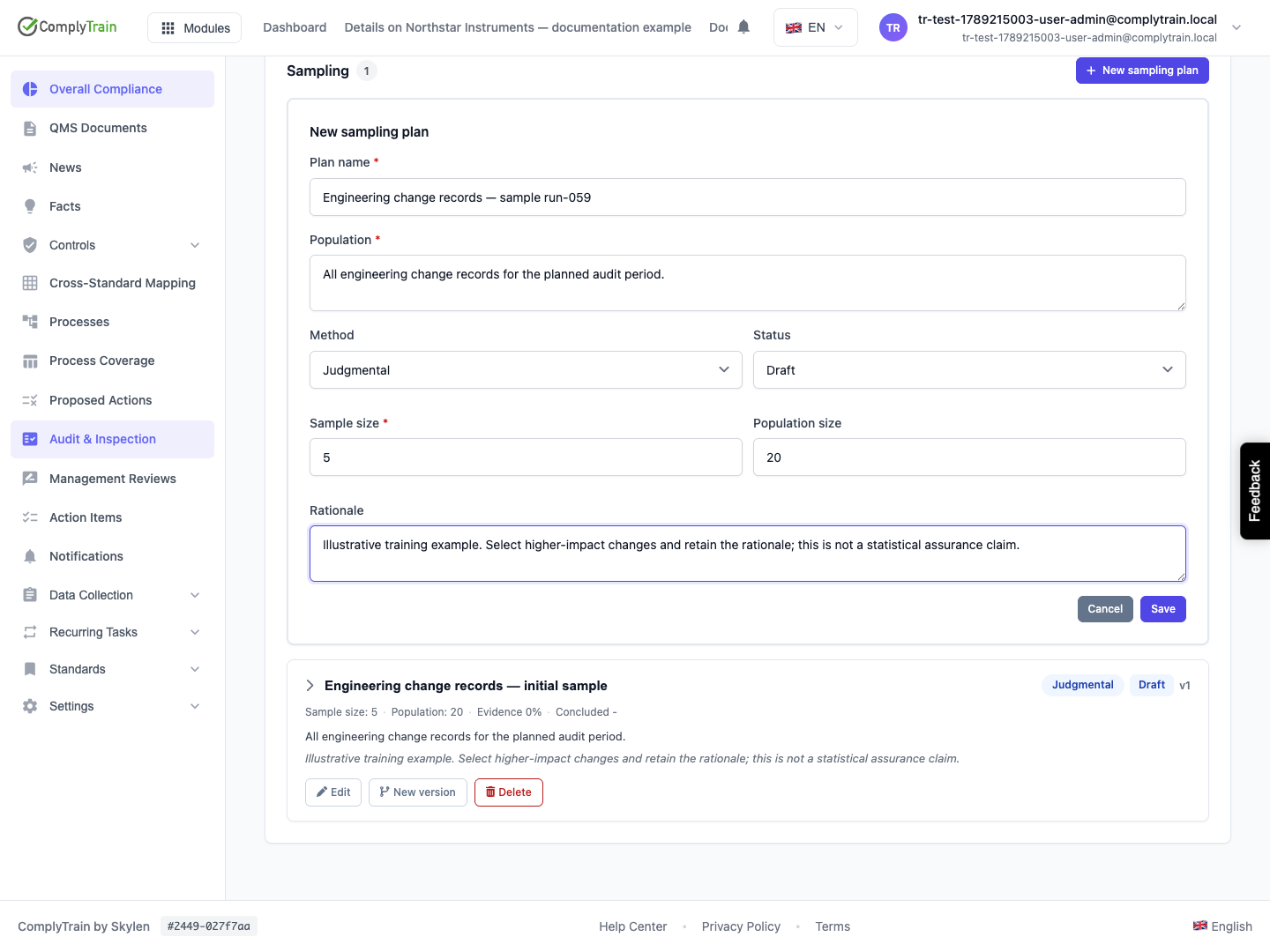
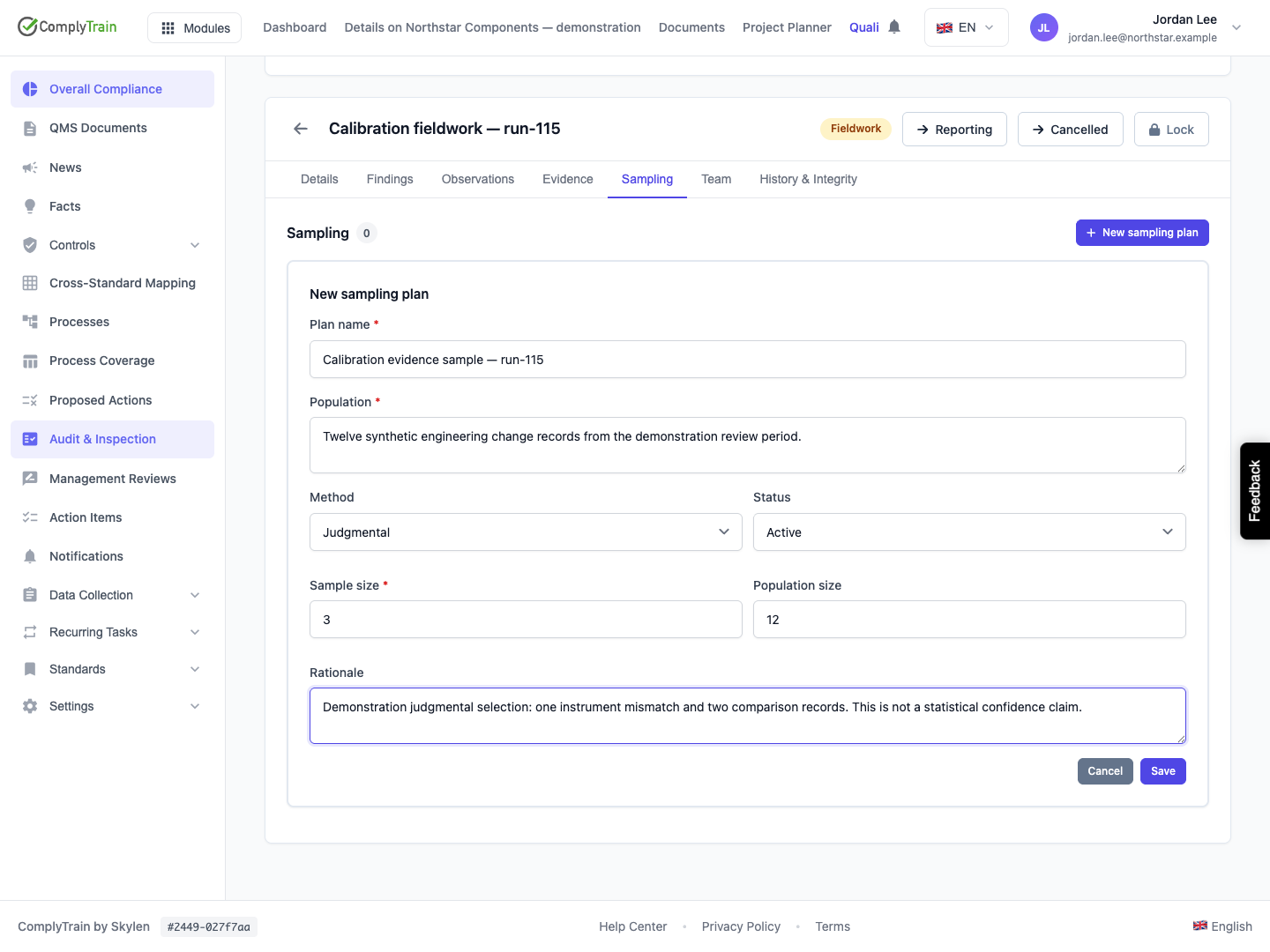
The QMS audit-management permission is required to view or change sampling plans. Open the audit engagement and Sampling, then New sampling plan. Define the population you intend to examine before adding individual samples. For example, identify the period, locations and type of records that the population includes.
Field | What to enter |
|---|---|
Plan name | A required name, up to 300 characters, that distinguishes the purpose of the sample. |
Population | Required description of what is being sampled. |
Population size | Optional whole-number count, zero or greater. |
Method | Random, Systematic or Judgmental. Random is initially selected. |
Sample size | Required positive whole number. |
Rationale | Why the method and sample size fit this engagement. |
Status | Draft is the initial state. Select Active when using the plan; saving an Active plan is not evidence that sampling has occurred. |
Choosing a method records your intended approach. This form does not itself draw a random sample or establish that a sample size is sufficient for an audit. Record how the selection was actually made and the limitations of the resulting evidence.
All sizes must be whole numbers no greater than 2,147,483,647. The UI requires a positive sample size. An unknown population can be left blank; entering zero means a recorded size of zero. Check that the intended sample and subgroup targets make sense against the actual population rather than relying on numeric validation alone.
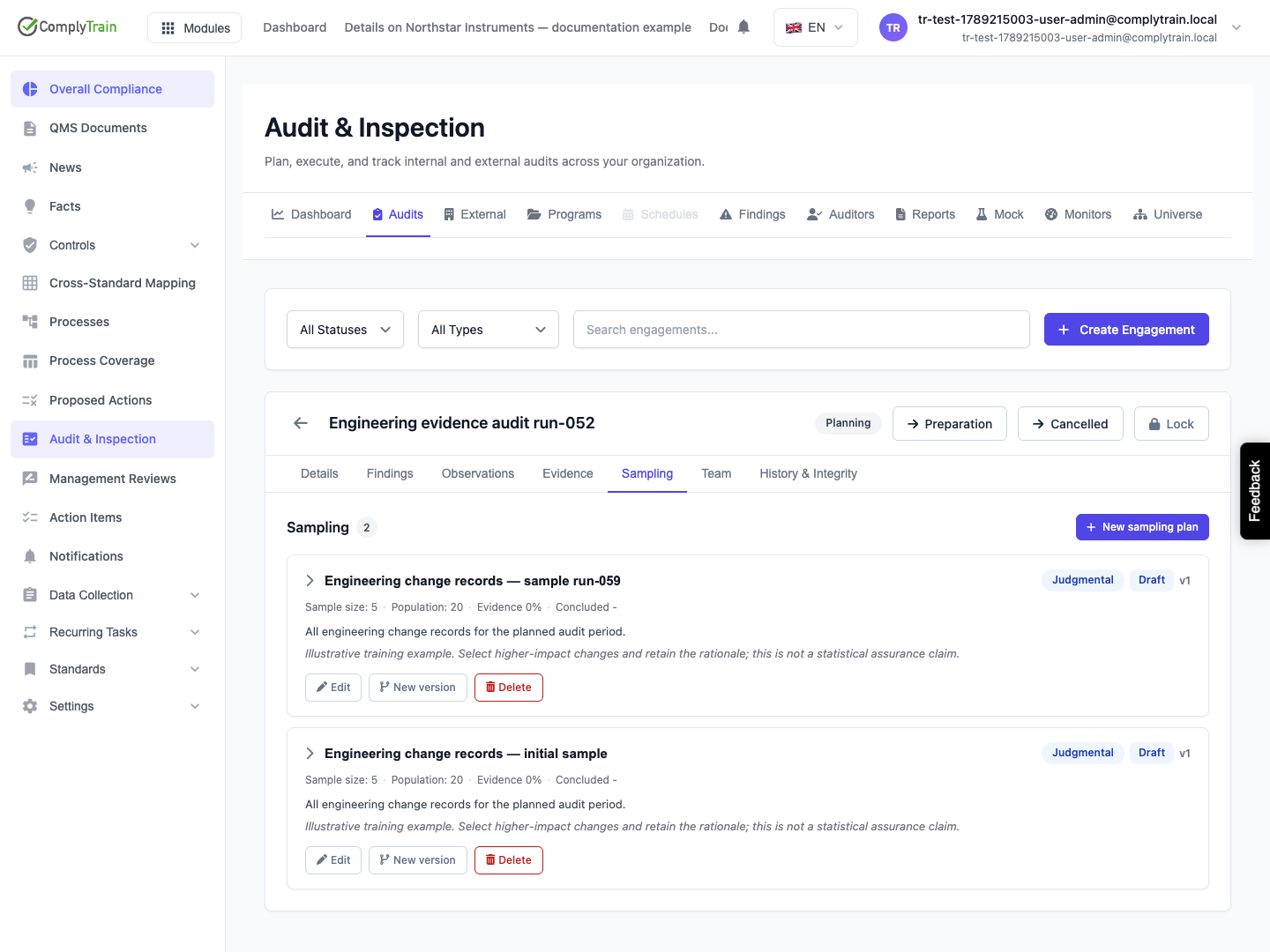
Select Save, reopen the engagement and confirm the plan name, method, status, population and rationale. Edit changes the current editable plan. Use New version when the previous plan needs to remain as the record of an earlier sampling round.
Product location: /qms/audits. Select Audits, open the engagement and choose Sampling. The tab and selected record are not encoded in this URL.
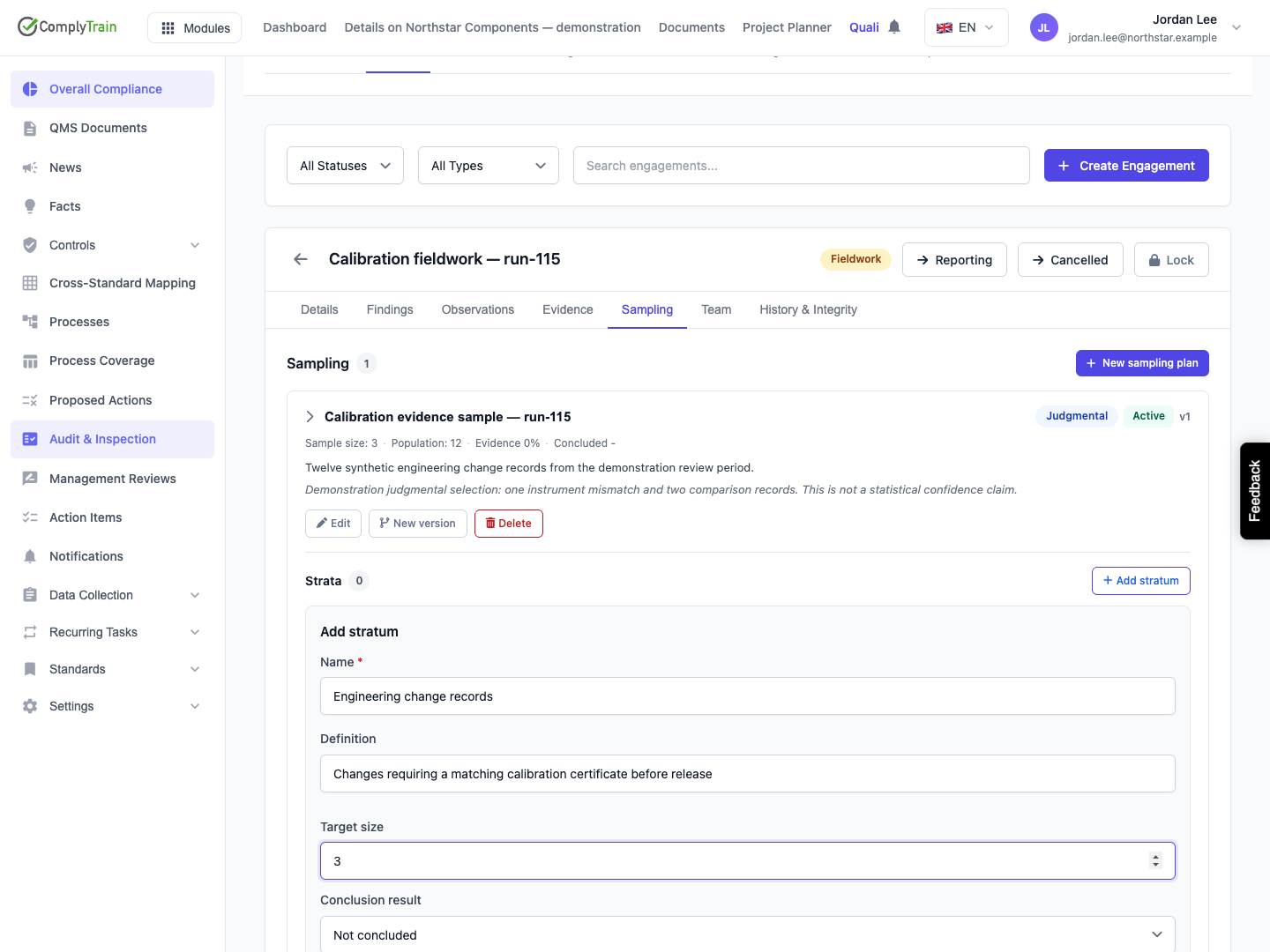
Expand the plan and select Add stratum. A stratum is a defined subset of the population, such as one site, process or period. Enter its required Name (up to 300 characters), a Definition and an optional nonnegative Target size. The form also offers conclusion fields; leave these not concluded until the subgroup has been reviewed. Select Save and inspect the resulting stratum.
Use definitions that let another reviewer understand which records belong in each subset. The target count and the actual evidence collected are separate values. A target of zero or an omitted target does not establish a completed review.
Product location: /qms/audits. Select Audits, open the engagement and choose Sampling. The tab and selected record are not encoded in this URL.
Within the relevant stratum, select Add item. Supply an Item reference, select Linked evidence, or provide both. The evidence selector is drawn from the engagement's evidence.
Enter Notes that explain what was inspected. Choose Conforming or Nonconforming when evaluated, or leave the item Not evaluated until the check is done. A linked evidence record does not automatically supply an auditor's evaluation.
The item reference is limited to 300 characters. Select Save, then check the row under the intended stratum. Its edit icon changes the reference, link, result or notes; it does not change the underlying evidence file.
The UI prevents saving with neither a reference nor an evidence link. If expected evidence is absent, confirm the engagement and its evidence collection; an empty selector can also result from a failed evidence load.
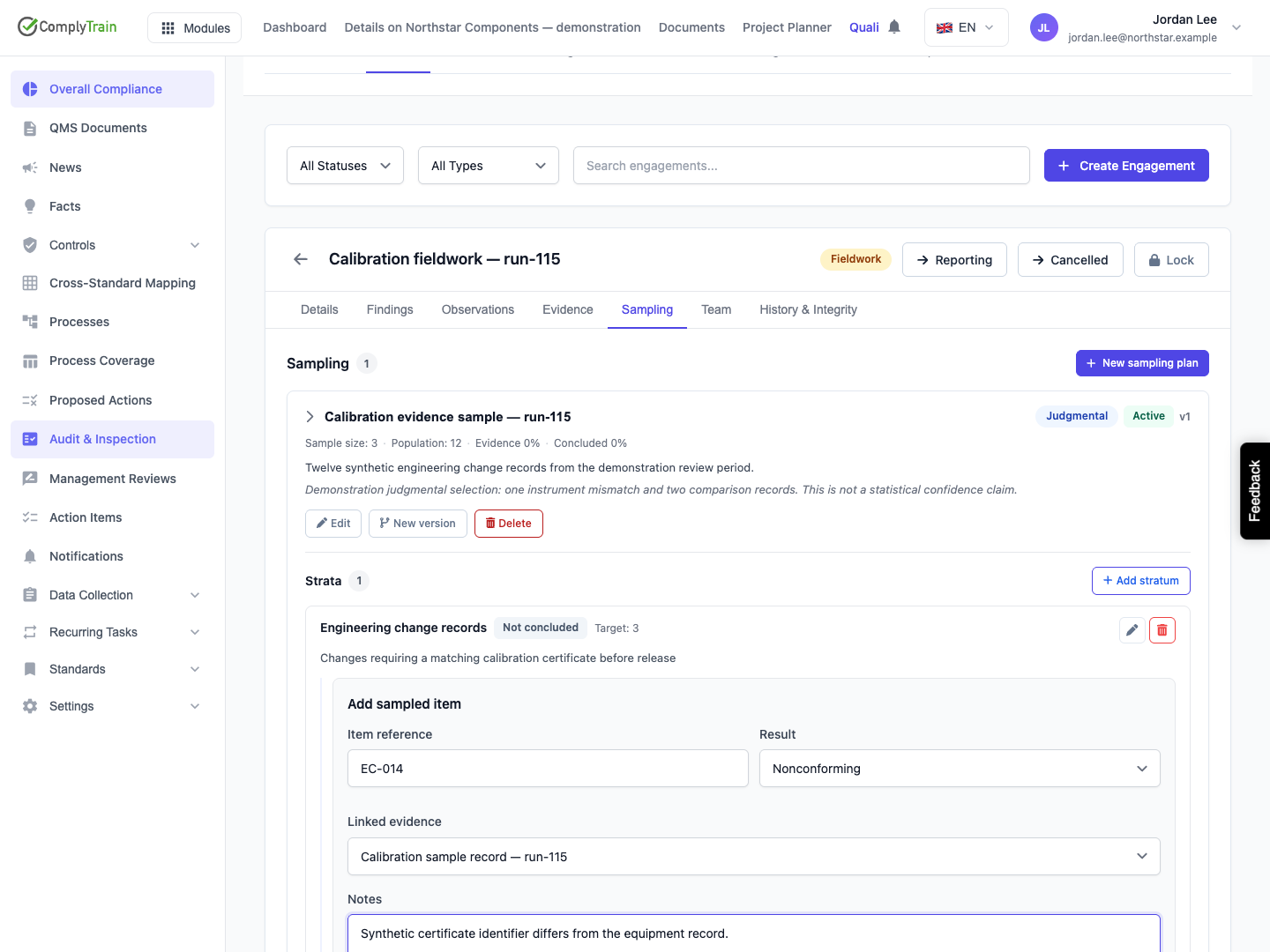
Product location: /qms/audits. Select Audits, open the engagement and choose Sampling. The tab and selected record are not encoded in this URL.
The Evidence percentage counts sampled items with an evidence link divided by the plan's intended sample size, rounded and capped at 100%. A reference-only item does not count as collected evidence for this indicator. Linking one evidence file to three distinct sampled items can count as three linked items; the indicator is not a count of unique files.
The Concluded percentage counts strata with a recorded conclusion result divided by all strata. Conforming, Nonconforming and Inconclusive all count as a recorded conclusion. No strata produces an unavailable conclusion percentage rather than a completed review.
The demonstration links three items to a file containing all three synthetic entries. Evidence reaches 100%, while Concluded remains 0% until the auditor saves a stratum conclusion. One sampled item is nonconforming: 100% collection does not mean 100% conformity.
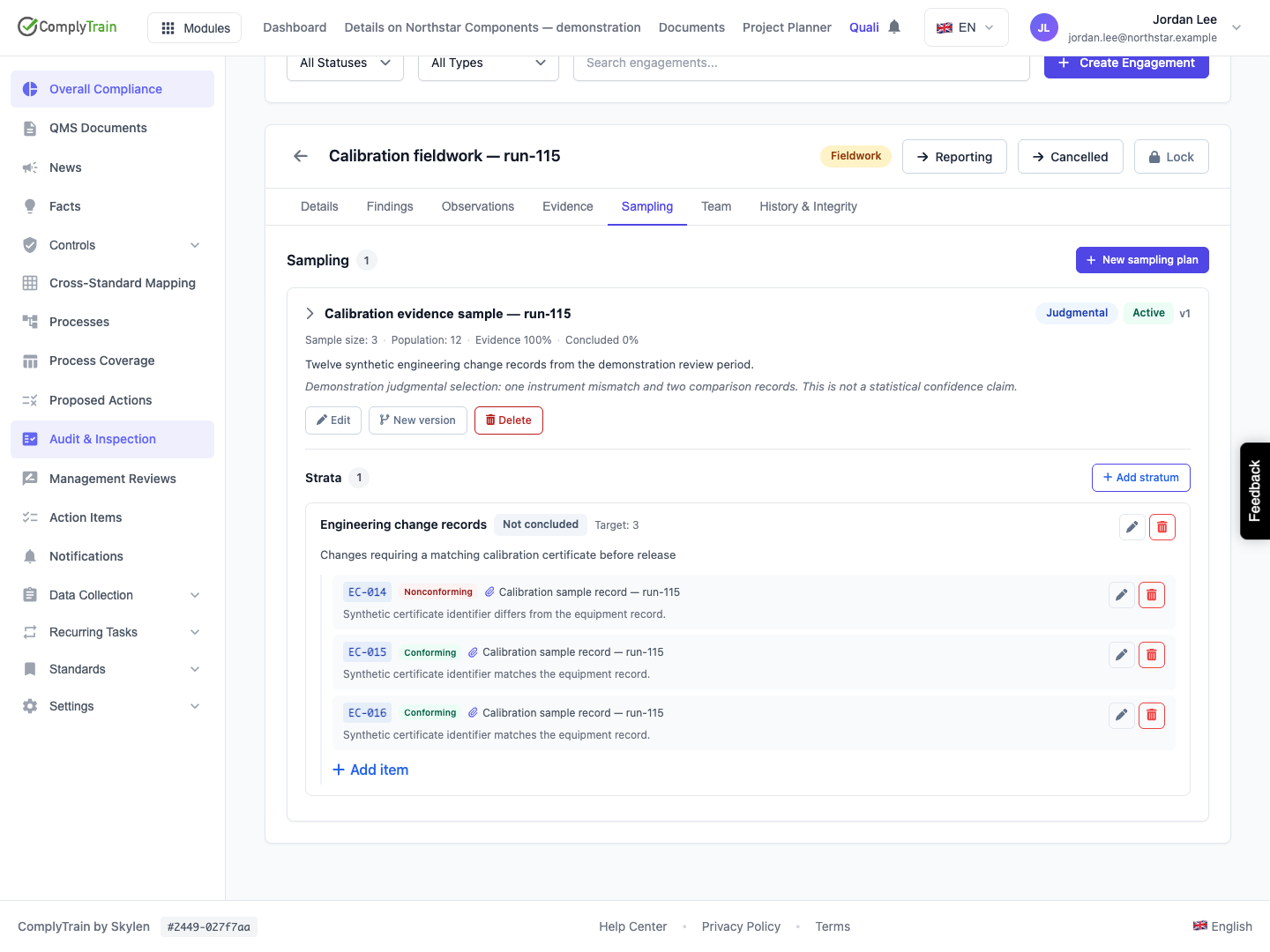
Product location: /qms/audits. Select Audits, open the engagement and choose Sampling. The tab and selected record are not encoded in this URL.
Use the stratum’s edit icon to record Conclusion result and Conclusion notes, then select Save. The result can be Conforming, Nonconforming or Inconclusive; an unset result remains Not concluded.
Read the plan's Evidence and Concluded indicators separately. Collected samples and recorded conclusions measure different work. They do not establish that an entire standard conforms. Record a finding through the engagement workflow when the evidence warrants one, and trace it back to the sampled item.
Reopen the engagement and expand the plan to confirm the saved conclusion and supporting item results. In the example, one identifier mismatch leads to a Nonconforming stratum conclusion. Both collection and conclusion indicators reach 100%, while the finding still needs its separate response and verification.
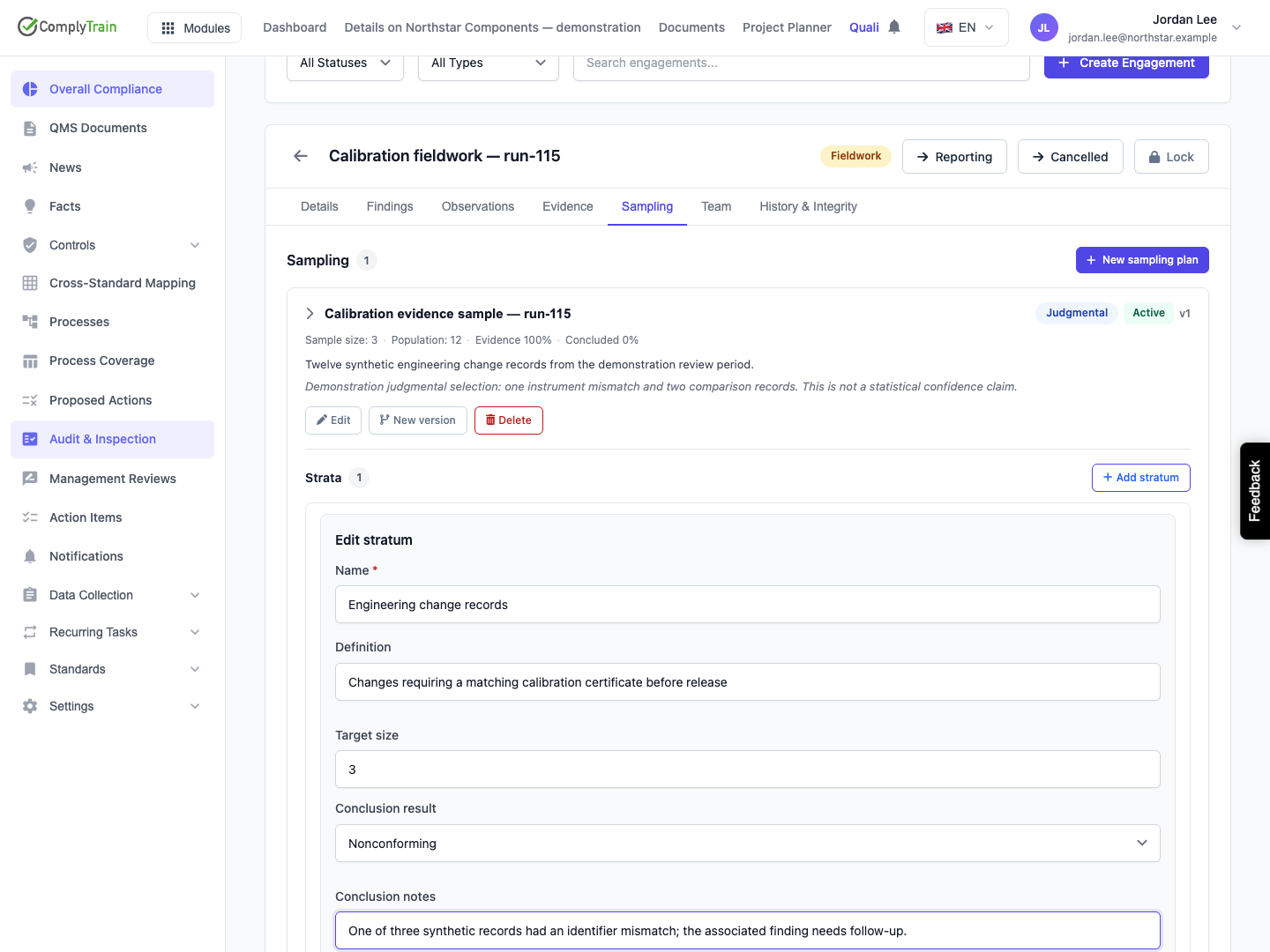
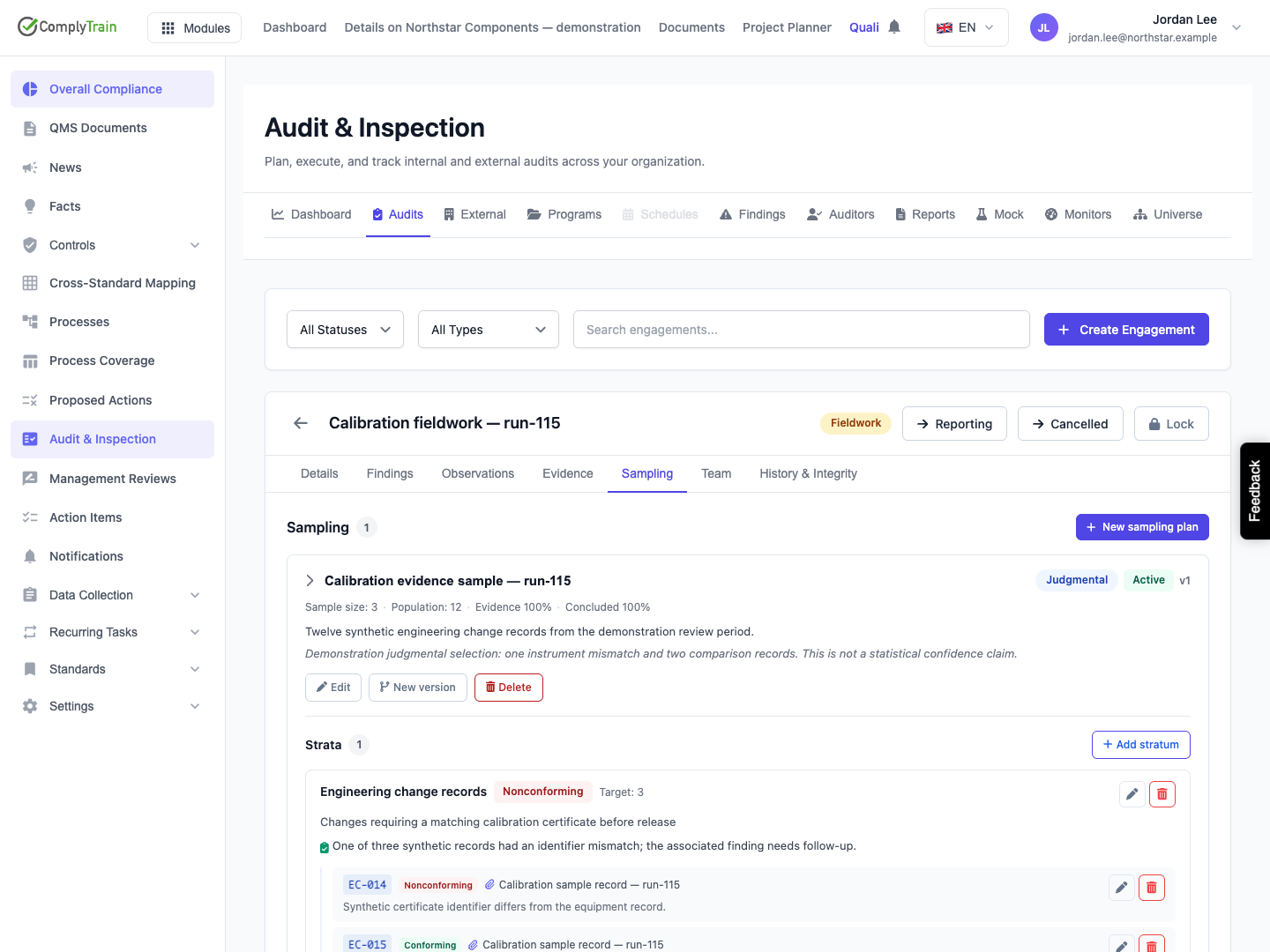
Product location: /qms/audits. Select Audits, open the engagement and choose Sampling. The tab and selected record are not encoded in this URL.
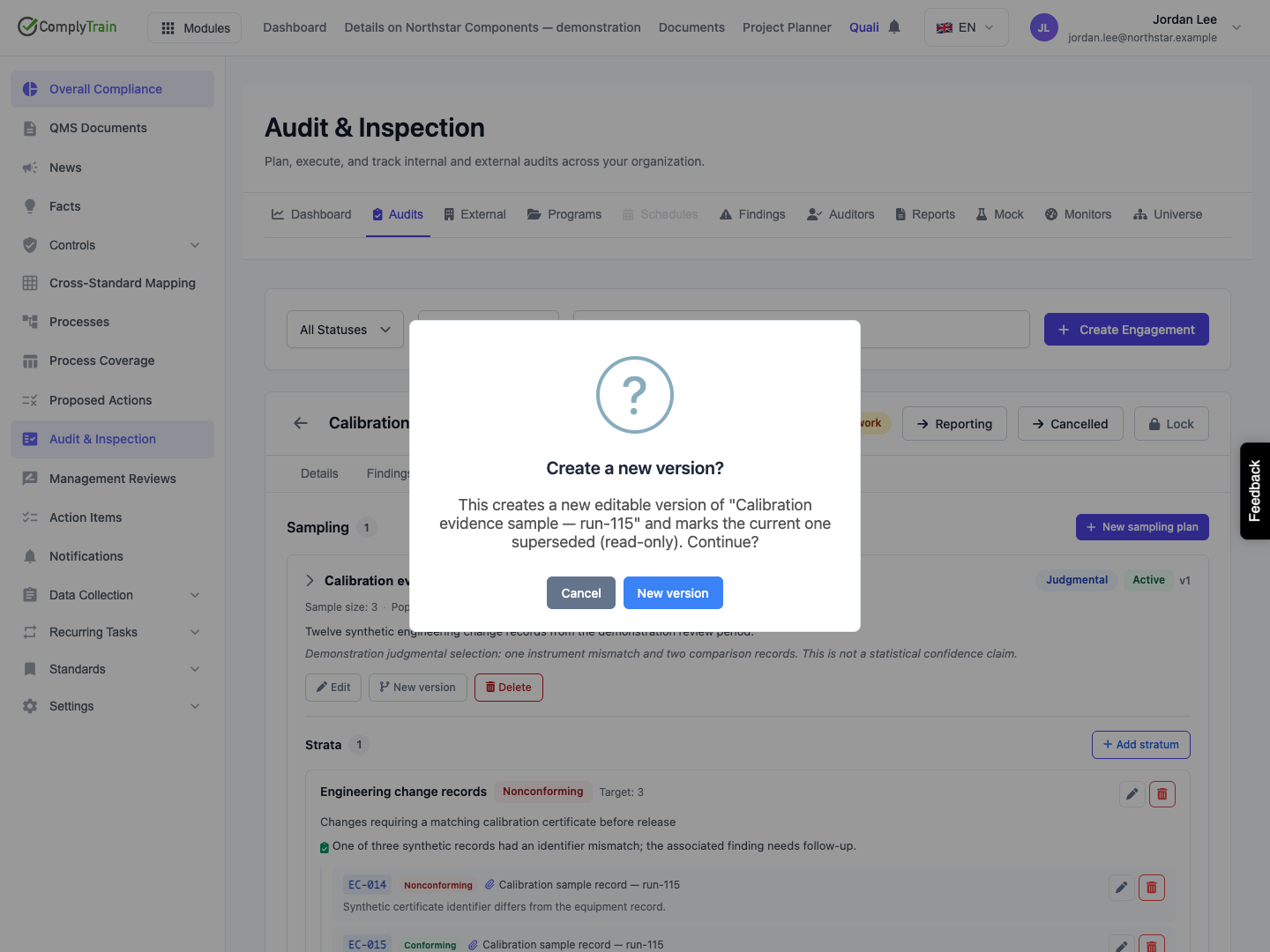
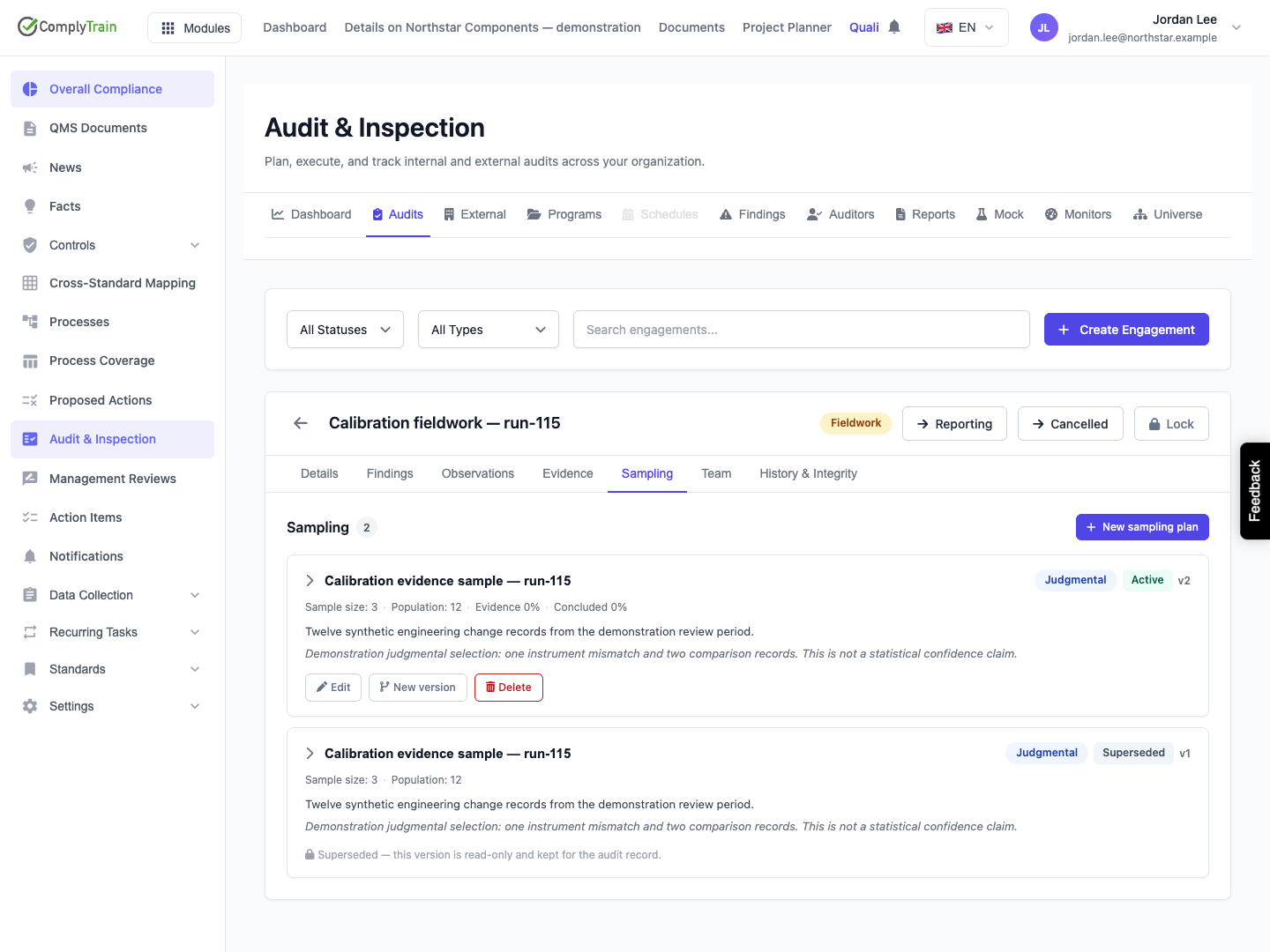
Use New version when the existing plan's rationale needs to remain as the earlier audit record. The confirmation creates a new editable version and marks the current plan Superseded. The new plan starts Active with an incremented version number and a link to the earlier version. The name, population, method, sizes and rationale are copied. Stratum names, definitions and targets are copied, but sampled items and stratum conclusions are cleared for the new round.
A superseded plan is read-only; inspect the version and status before continuing. The previous round retains its items and conclusions when expanded. Its live collection percentages are no longer shown by the active-plan coverage view. The new version starts with empty collection and pending conclusions. Version the current plan, not a superseded one; a concurrent versioning attempt can be rejected when another user has already superseded it.
Product location: /qms/audits. Select Audits, open the engagement and choose Sampling. The tab and selected record are not encoded in this URL.
Delete permanently removes a plan and its strata and items. Deleting a stratum removes its sampled items. These actions differ from superseding a plan and their confirmations say they cannot be undone.
After saving or versioning, reopen the plan and check its population, sample size, strata and conclusions. If a save fails, correct the stated field or operation error before repeating the action.
A sampling item can only link evidence from its own engagement. If a save fails because the evidence belongs elsewhere, locate or collect the correct engagement evidence. Do not change the audit’s population simply to use an available file. If a plan became Superseded while editing, reopen the current version and review what was carried forward before making a change.
