Understand the standard practice-session settings, saved records and currently unavailable interview steps.
Product location: /qms/{standardCode}/mock-audit (fallback: /qms/standards). Use My Sessions or Start New Mock Audit; this page has no separate session URL.
Open Quality (QMS) → Standards → your standard → Mock Audit. This workspace has My Sessions and Question Bank tabs and a Start New Mock Audit button. It is separate from the conversational practice under Audit & Inspection → Mock, which has its own session and interview guide.
This release can save the standard-specific practice-session record, but the captured walkthrough could not start or progress its interview. It reached a question panel without a question; opening, starting and pausing the interview returned unavailable-route errors. Treat this as an incomplete practice workflow until your administrator confirms that those operations work. No completed practice, AI assessment or report is demonstrated here.
Listing sessions and questions requires audit-view access; creation requires permission to conduct audits. The page resolves the selected enabled standard into its identifier. Confirm the standard in the breadcrumb and saved card. If the standard cannot be resolved or loaded, stop and ask your administrator to check it before creating a session.
Product location: /qms/{standardCode}/mock-audit (fallback: /qms/standards). Use My Sessions or Start New Mock Audit; this page has no separate session URL.
Select Start New Mock Audit. The empty-list button Start Your First Mock Audit opens the same form.
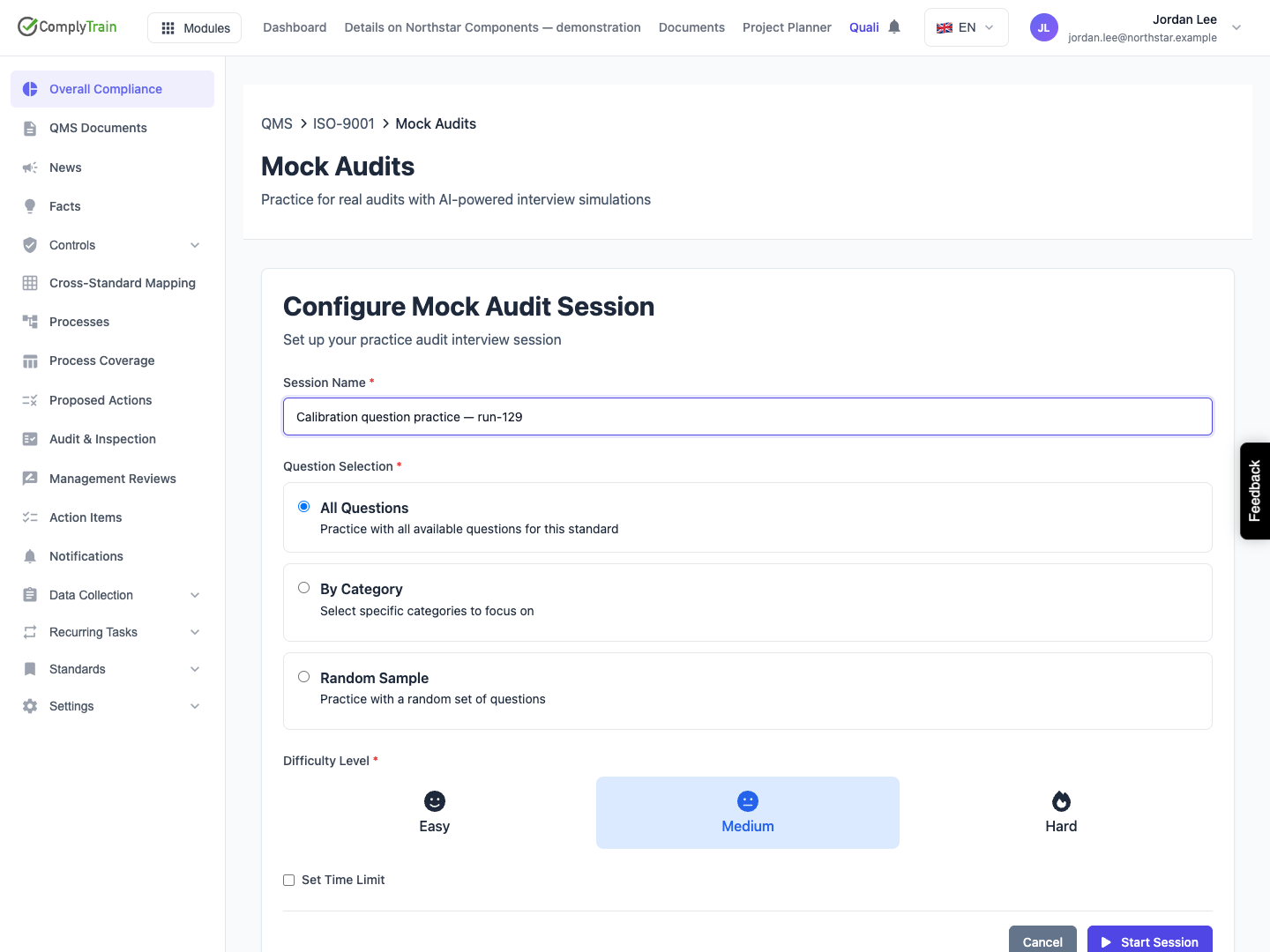
Setting | Default and use |
|---|---|
Session Name | Required; spaces alone keep Start Session disabled. Use a clear practice purpose. The request defines a maximum of 200 characters, although the form has no visible character counter. |
All Questions | Selected initially. The released save operation does not translate this selection into a list of all available questions. |
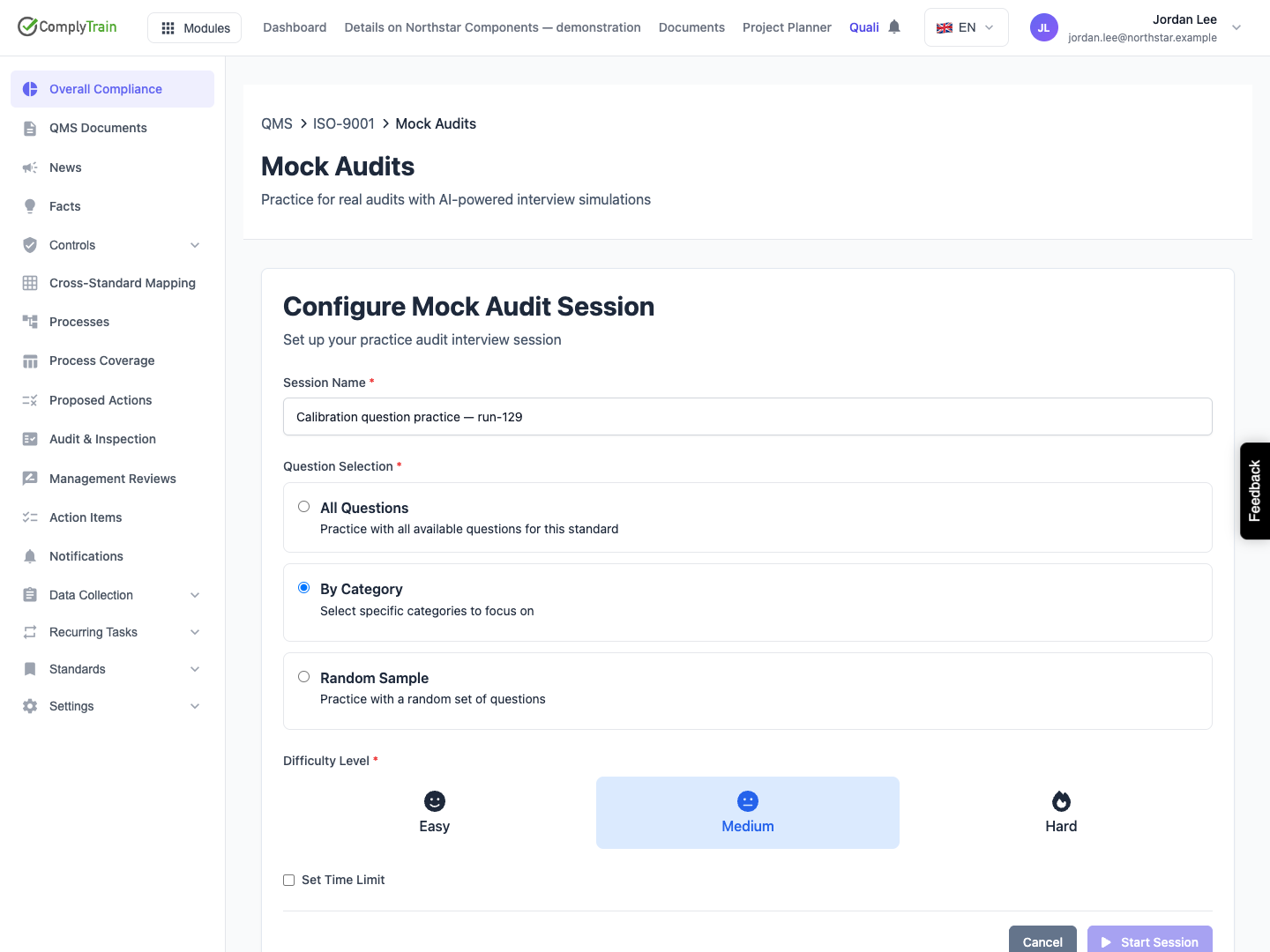
By Category | Requires at least one category. This page does not load category choices, so this option leaves Start Session disabled. |
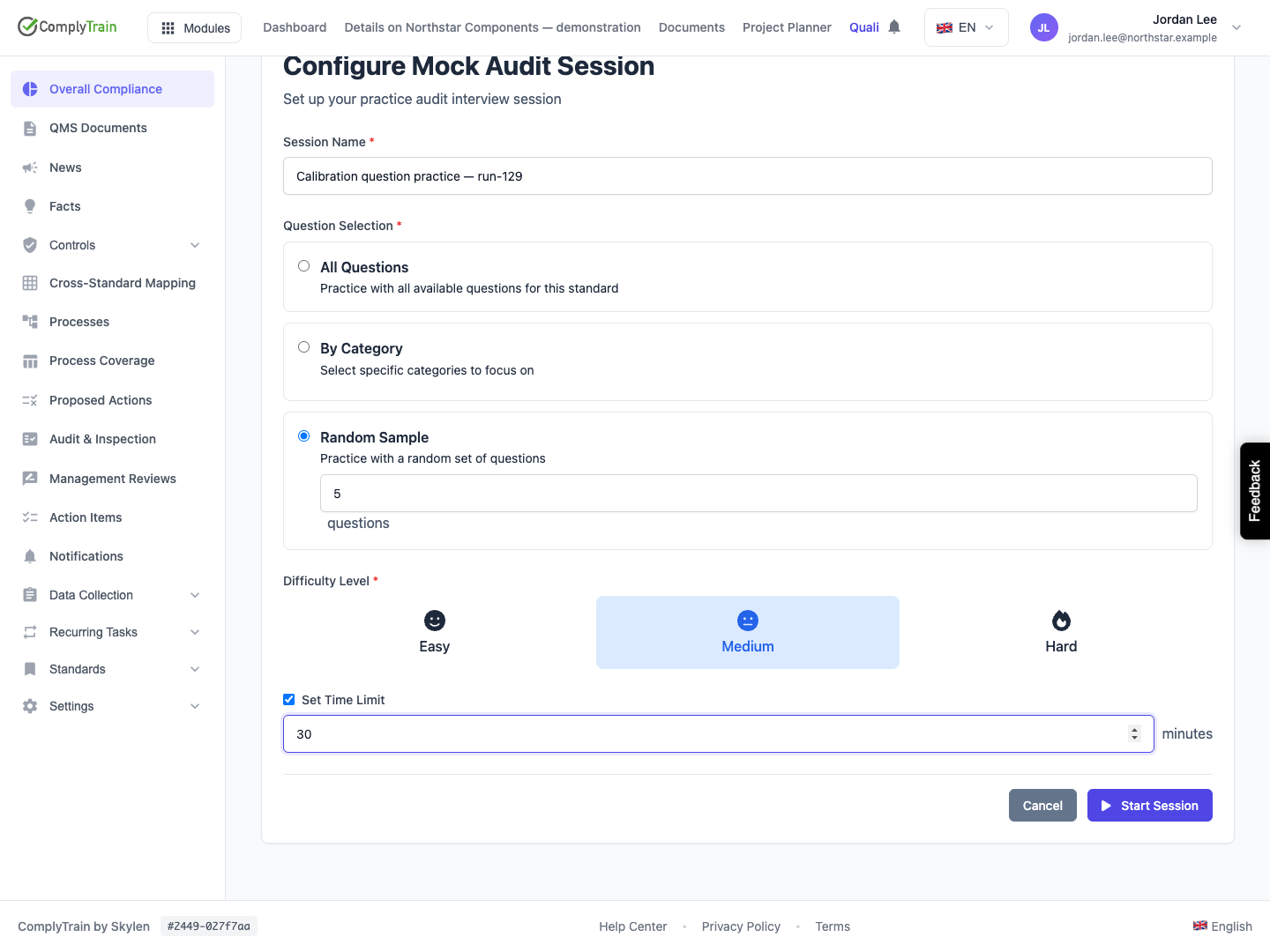
Random Sample | Shows a question-count input, initially 10, with a displayed range of 5–50. The selected count is not mapped to the saved question count in this release. |
Difficulty Level | Easy, Medium or Hard; defaults to Medium and is retained on the session. A saved difficulty is not proof that questions have been selected or delivered. |
Set Time Limit | Off initially. Enabling it shows 30 minutes, with an input range of 10–180 minutes in five-minute steps. The value is retained, but this page has no active countdown or demonstrated time enforcement. |
The standard comes from the current workspace. The form has no participant selector, auditor persona, scope-description, clause, process-area or requirement-selection control. The service associates creation with the current user and defaults the persona to a supportive internal auditor.
Choose Cancel to return without saving. If a creation request has an uncertain outcome, return to My Sessions and look for the saved name before trying again. Names are not a unique key; repeated creation can leave several records.
Product location: /qms/{standardCode}/mock-audit (fallback: /qms/standards). Use My Sessions or Start New Mock Audit; this page has no separate session URL.
The form sends its selection as an object containing All, Category or Random choices. The released save operation reads a separate question-count field instead, so a session created here defaults to 10 questions. It does not persist the selected question set. The captured five-question random request was checked against the saved record to establish this difference.
Do not infer that All Questions examined every clause, that a random request sampled the entire bank or that the session's ten-question target means ten questions actually exist. Inspect questions asked, questions answered and the real question content before making any coverage claim.
By Category has no categories to choose in this page. Switching to All or Random makes creation available when the other fields are valid, but it does not resolve the missing interview operations. Use the question-bank guide to distinguish an unloaded or failed list from an empty bank.
Product location: /qms/{standardCode}/mock-audit (fallback: /qms/standards). Use My Sessions or Start New Mock Audit; this page has no separate session URL.
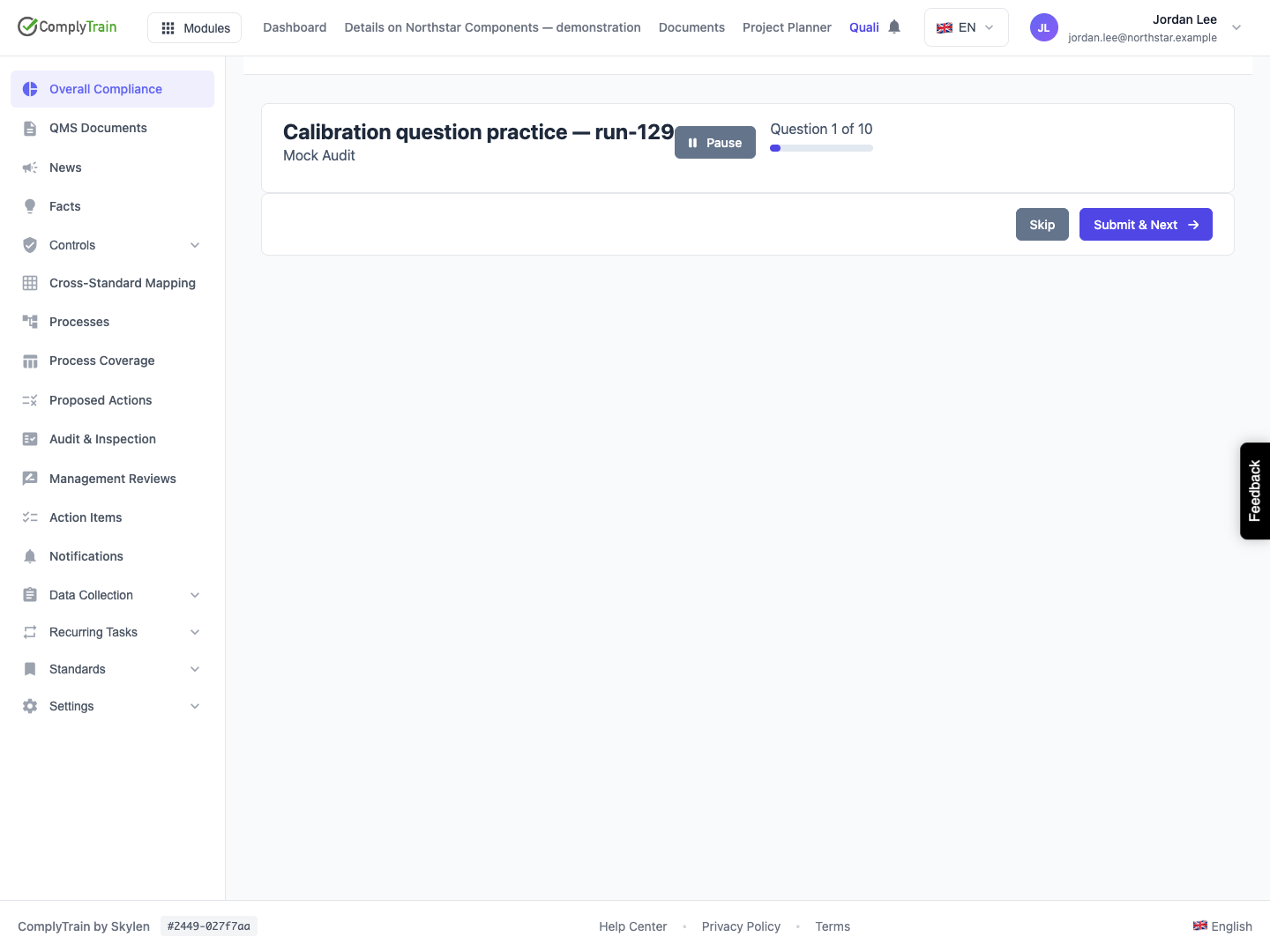
After Start Session, the page switches to an interview shell. In the captured release, it showed Question 1 of 10 and navigation controls, but no question or answer field. The request for the next question returned an unavailable-route error. The retained record stayed Not Started, with zero questions asked and answered.
The question number is initial screen state, not evidence that a first question was retrieved. Submit & Next or Skip appearing on a blank panel does not mean an answer can be saved. Those handlers have no current question to submit or skip. Pause also failed in the walkthrough.
Return to My Sessions by reopening the standard's Mock Audit page. The saved card helps distinguish a created record from a started interview. Preserve the session name, standard and time of the failure for your administrator; repeated new sessions do not repair the missing operations.
Product location: /qms/{standardCode}/mock-audit (fallback: /qms/standards). Use My Sessions or Start New Mock Audit; this page has no separate session URL.
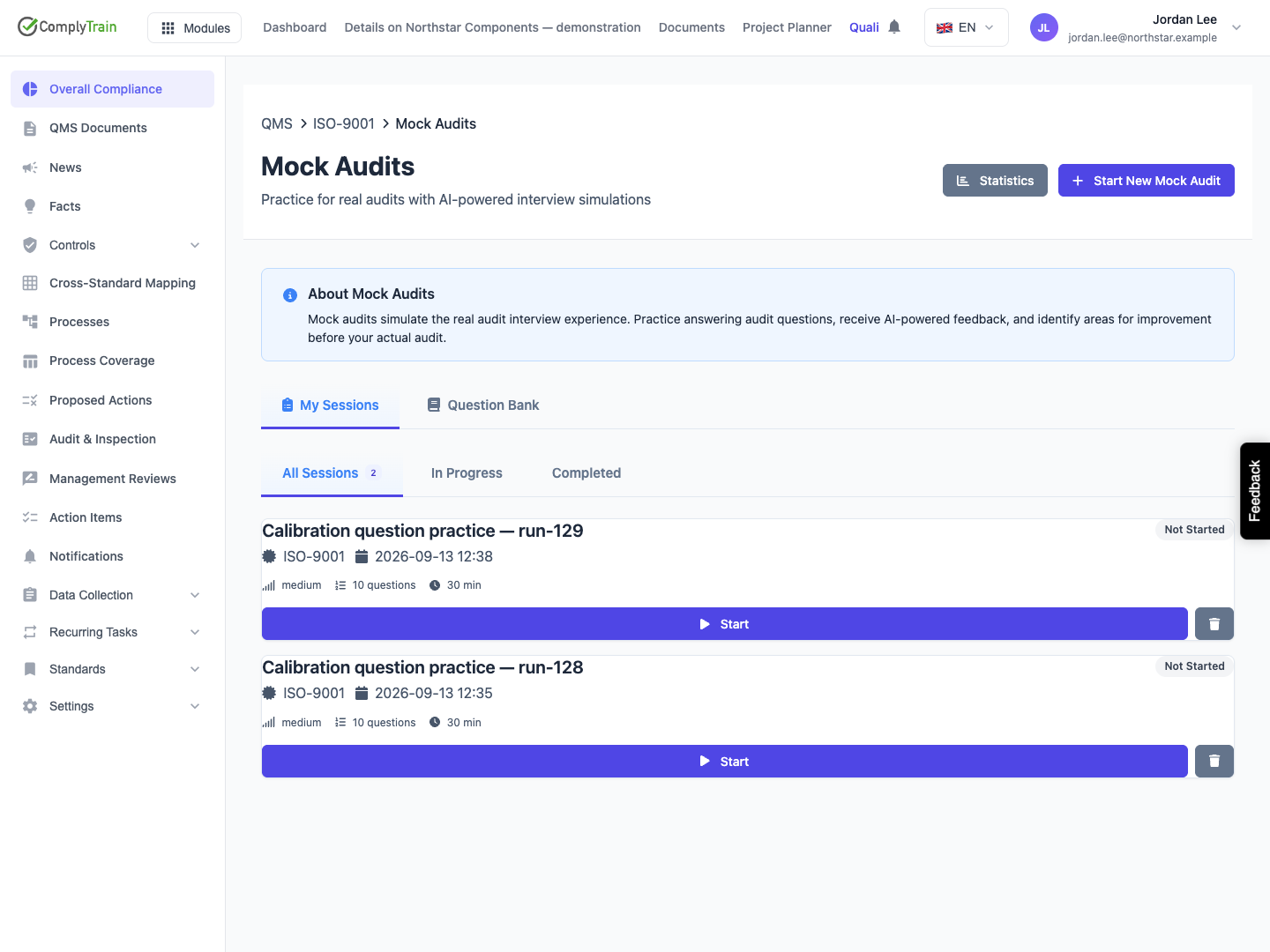
My Sessions displays cards with the saved name, standard, creation date, status, difficulty, target question count and optional time limit. The released list loads up to 20 records, newest first, with no paging control. Its My Sessions label does not establish that every card belongs to the current user: this page requests the standard's sessions without a participant filter.
Filter | Records shown from the loaded list |
|---|---|
All Sessions | All loaded states, including Not Started, Paused and Abandoned. |
In Progress | In Progress and Paused sessions. A newly created Not Started record is excluded. |
Completed | Completed sessions only. |
An empty filtered list does not show that no sessions exist in other states or beyond the loaded page. A list request failure is also converted to an empty list in this release. Check access and service availability when known records disappear.
For active records, progress uses answered questions divided by the session's target count. For completed records, the screen can display an overall score and counts for Conforming, Observations, Minor NC and Major NC. These are practice-session results; they do not prove that a certification audit was passed or that all requirements were covered.
Product location: /qms/{standardCode}/mock-audit (fallback: /qms/standards). Use My Sessions or Start New Mock Audit; this page has no separate session URL.
Visible action | Current behavior or limit |
|---|---|
Start | Shown on Not Started cards. The walkthrough's request returned an unavailable-route error and left the record unchanged. |
Continue / Resume | Intended for In Progress / Paused cards. The page tries to fetch a next question; it does not call the available client-side resume method. A working resume path was not demonstrated. |
Pause | Shown in the interview. Its released request failed in the captured walkthrough. Reopening the page does not itself save a pause transition. |
Previous / Skip / Submit & Next | Interview controls whose required operations are absent from the release's registered question-bank actions. No answer assessment was demonstrated. |
View Report | Shown on Completed cards, but the report-loading operation is not registered in this release. A report screen or downloadable result was not demonstrated. |
Delete | Opens a confirmation; the corresponding delete operation is not registered in this release. Do not treat a confirmation as proof that the record was removed. |
The question-bank interview templates include open-text and yes/no response controls. They do not provide rating or multiple-choice answer inputs, although those question types exist in the bank's data model. The Add Evidence References control also has no implemented picker in this template. These are current limits, not alternative ways to complete the missing interview path.
Product location: /qms/{standardCode}/mock-audit (fallback: /qms/standards). Use My Sessions or Start New Mock Audit; this page has no separate session URL.
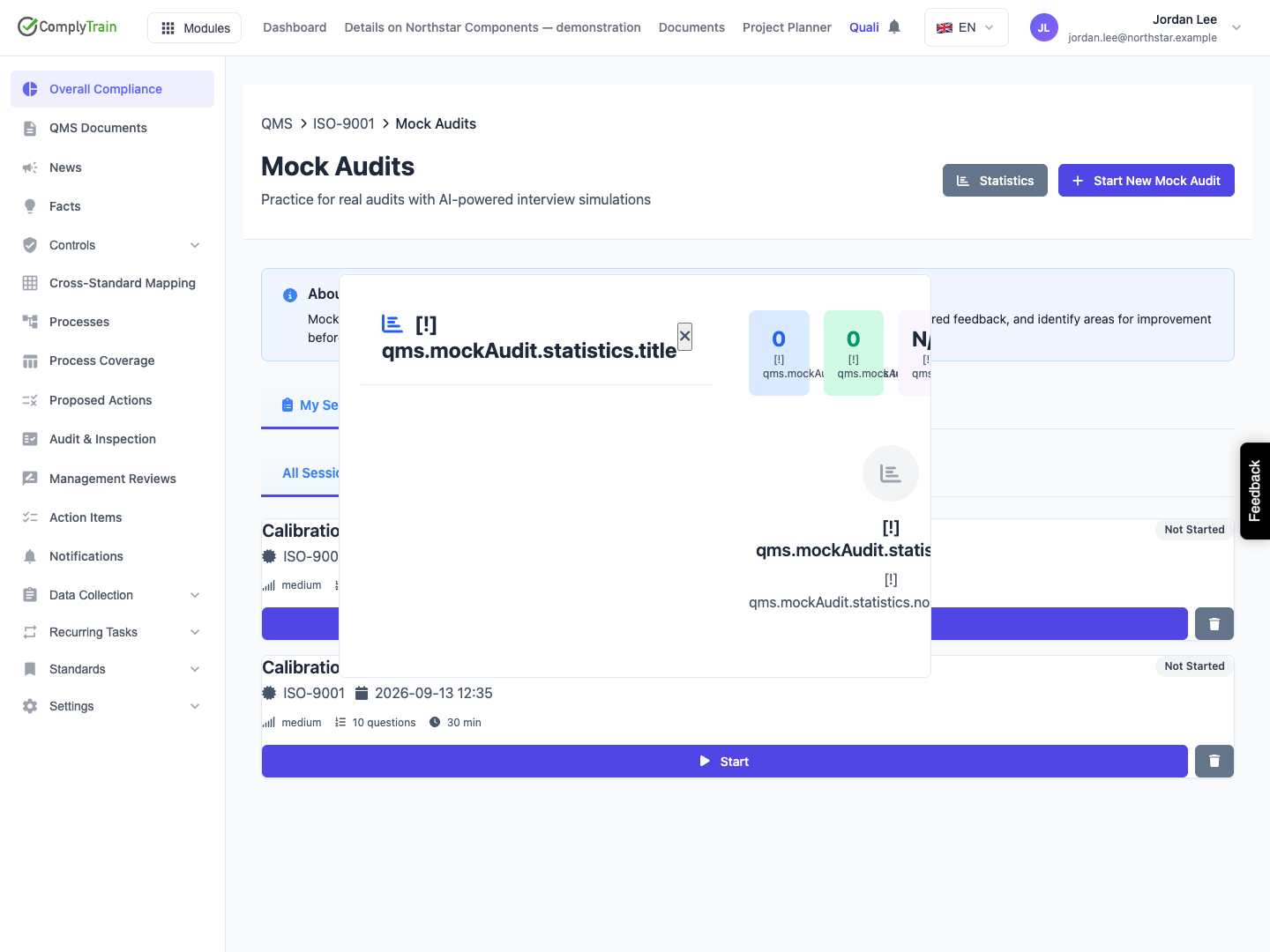
Statistics opens a modal containing zero totals, unavailable averages and a no-data message. The released page assigns these values locally; it does not load actual session statistics. They can remain zero after a session has been saved. Several labels in this modal display translation keys such as qms.mockAudit.statistics.noData instead of English text, and the modal clips some of those labels. Close the modal with its close control or Escape. Use retained session records for review, rather than reporting these placeholder totals as measured performance.
The unreached report view includes Export PDF and a retake option. Its export code opens a printable HTML window and invokes the browser print dialog; it is not a demonstrated saved, signed PDF artifact. A retake would create a new name with “(Retake)” and reuse difficulty, but resets selection to All and omits the original time limit. Neither operation was exercised, because the preceding interview and report-loading paths are unavailable.
Keep real audit preparation moving through internal audit planning, evidence review and accountable follow-up. Do not use an incomplete mock-session record as evidence that those independent activities were completed.