Create a practice session, use the interview controls and interpret saved findings, scores and current limitations.
Product location: /qms/audits. Select Mock, then open or create the intended practice session. The tab and selected record are not encoded in this URL.
This guide covers Quality (QMS) → Audit & Inspection → Mock. Use it to create a practice session and open its conversational AI interviewer. The separate Mock Audit page within a standard uses a different question-bank workflow; the two session lists and completion paths should not be treated as interchangeable.
You need Manage Audits access to view and create these sessions and use their audit interview endpoints. Prepare a specific practice objective and relevant evidence before starting. For example, rehearse how you would explain a mismatch between an equipment identifier and a calibration certificate, including what remains unverified.
A mock session is preparation. Its status, recorded findings and score do not establish that an internal audit was performed, that a corrective action was verified or that an external auditor accepted the organisation.
Product location: /qms/audits. Select Mock, then open or create the intended practice session. The tab and selected record are not encoded in this URL.
Select Start New Session and fill in the panel.
Field | Meaning and rules |
|---|---|
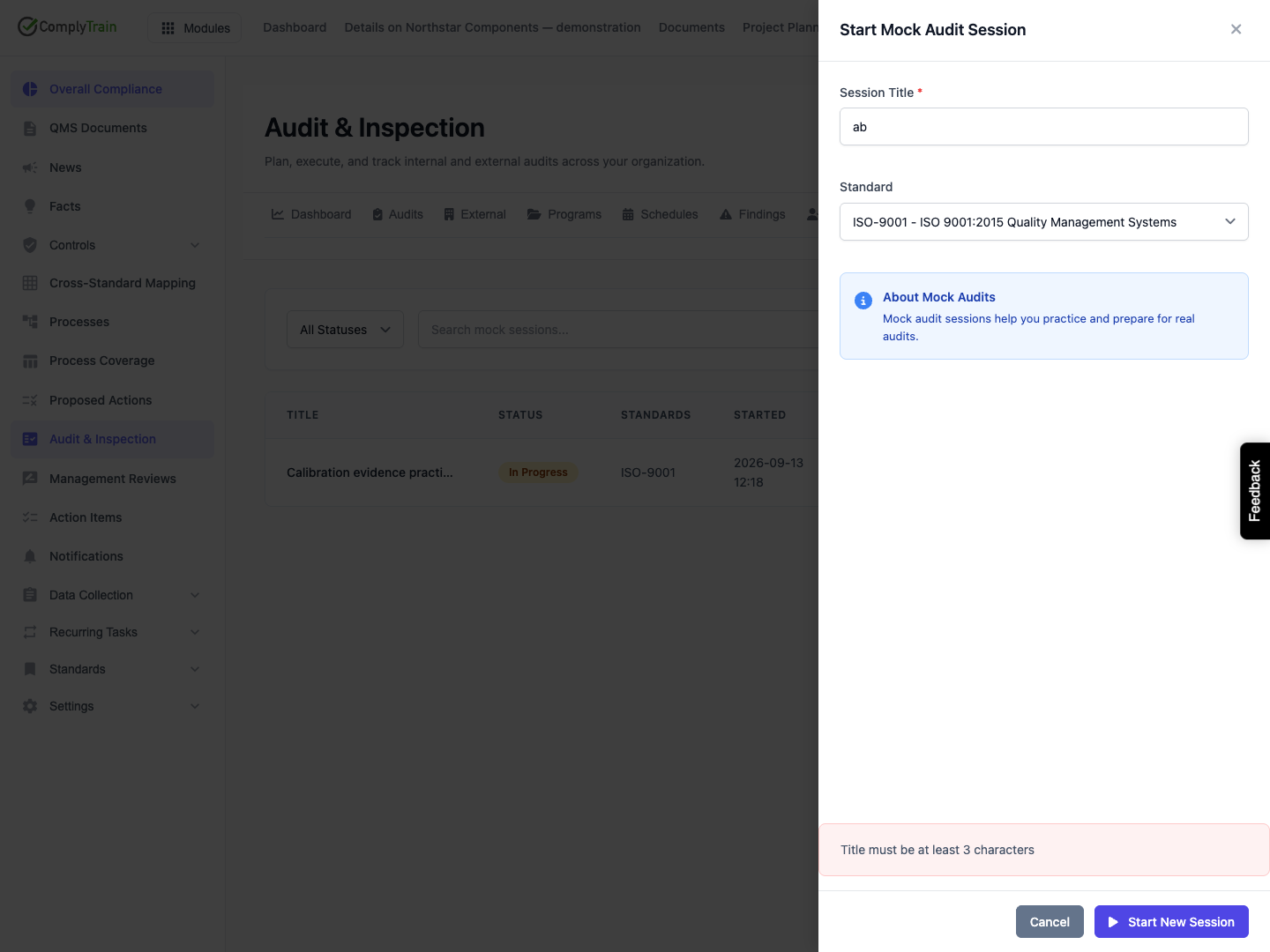
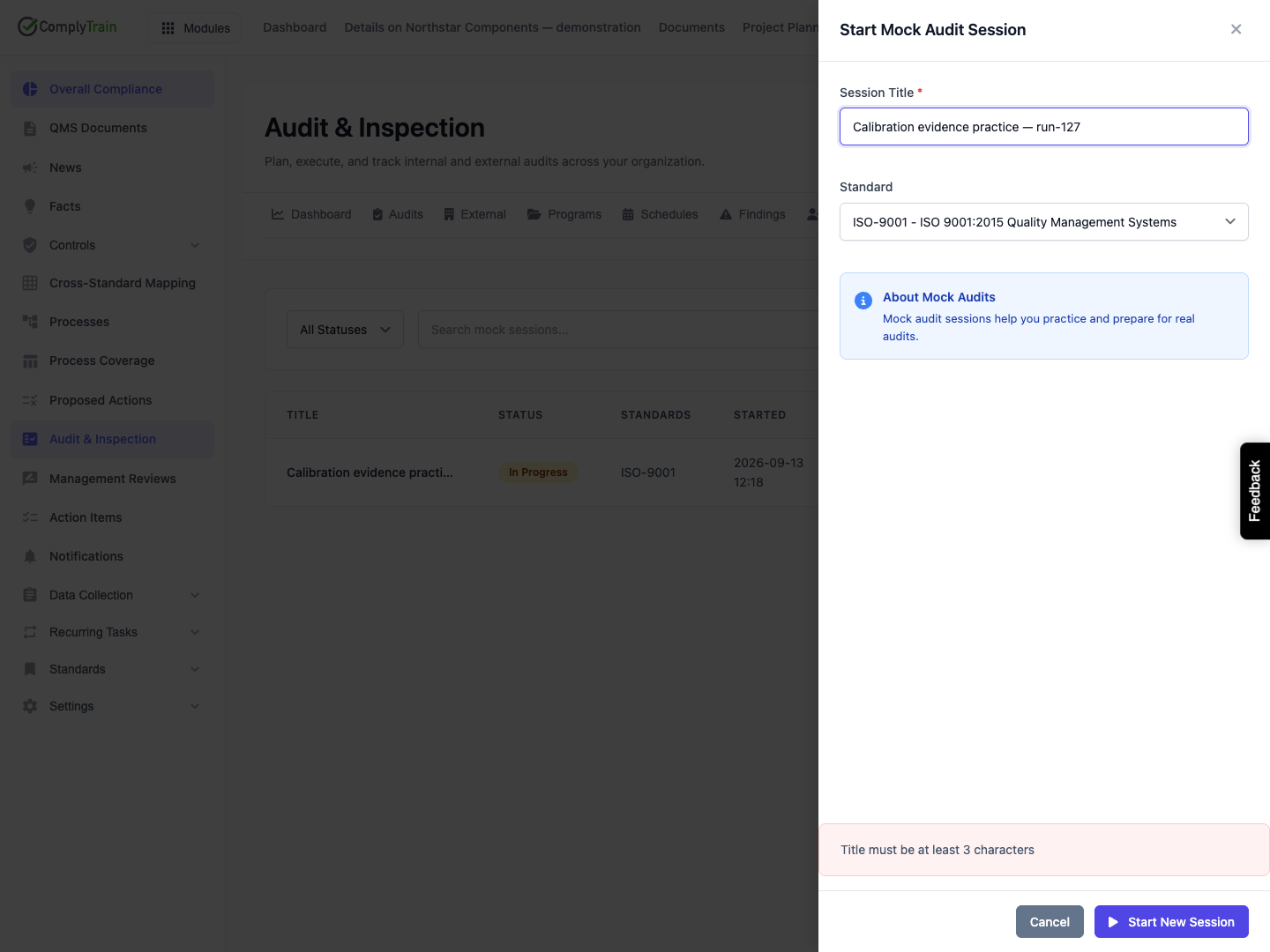
Session Title | Required, 3–300 characters. Identify the practice purpose and enough context to recognise the session later. A two-character title or only spaces is rejected. |
Standard | Optional choice from enabled standards. The released form saves the selected standard's code, such as |
The form has no participant, universe-entity, description, classification scheme, difficulty, focus-area or model selector. The service defaults are a guided session with standard difficulty. Putting a scope in the title does not create a structured entity association or change those defaults.
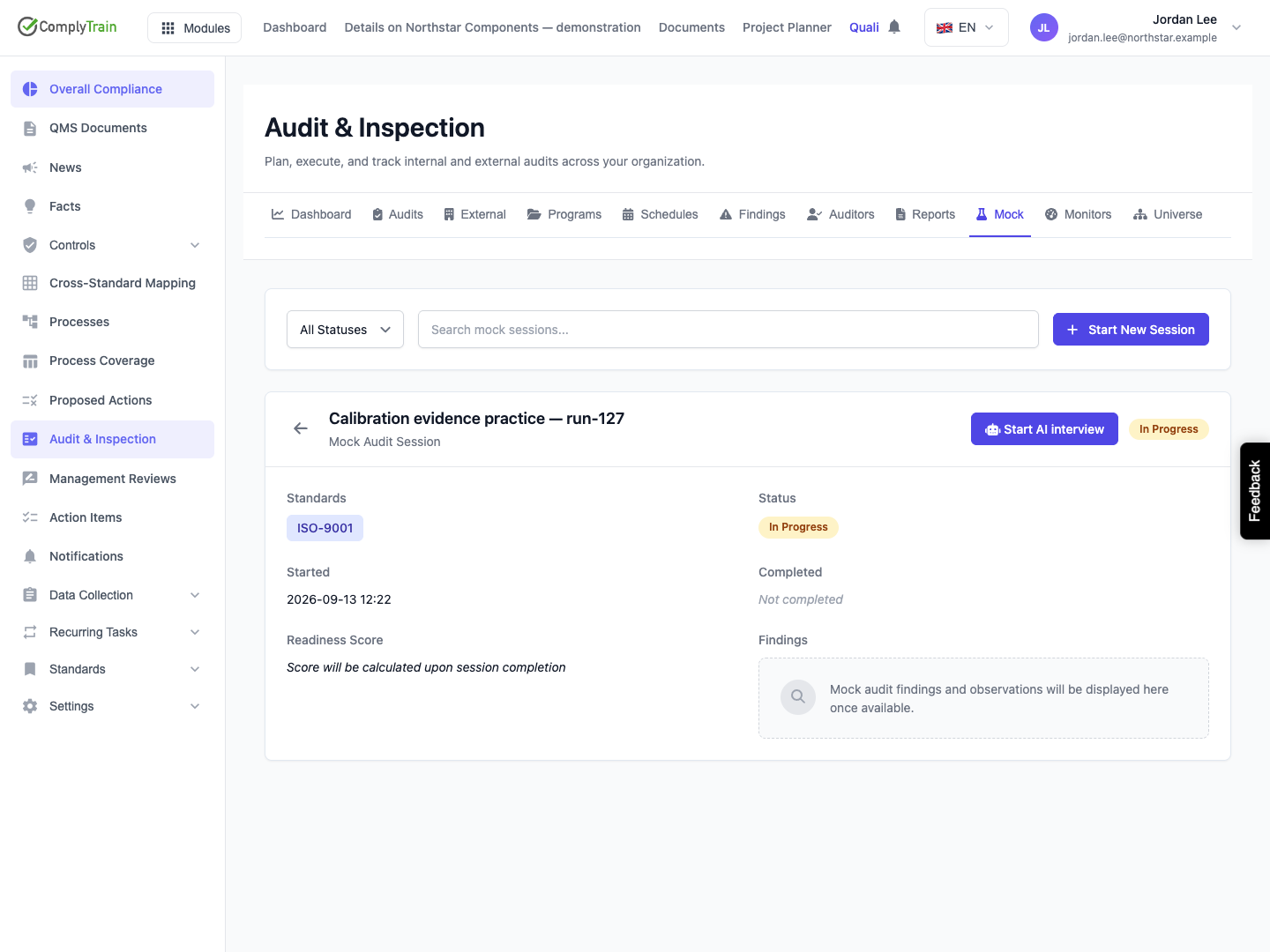
Select Start New Session in the panel. A saved session opens In Progress with its start time. Creating it does not by itself send an interview answer, record a finding or calculate a score. Reopen the session to check its retained title and standard label.
If a title validation error appears, correct the title and resubmit. The previous error can remain visible while you edit; it clears when another save begins. Cancel, closing the panel or selecting the backdrop abandons unsaved entries. Check the list before repeating a creation request with an uncertain outcome, since a different session can be created with the same title.
Product location: /qms/audits. Select Mock, then open or create the intended practice session. The tab and selected record are not encoded in this URL.
Use the status filter for All Statuses, In Progress, Completed or Abandoned. Search matches the title and stored standard identifiers or codes without case sensitivity. Filtering searches the loaded session list; it does not search conversation text or evidence contents.
Select View to inspect the session's title, standards, status, started/completed times and displayed readiness information. The general session detail's Findings area is a placeholder in this release, not a populated findings editor. Actual recorded interview findings can appear in the interview drawer while it is open.
The released list/detail has no session title editor, delete action, manual abandon button, transcript export or practice-finding action editor. An Abandoned filter describes a possible stored state, not an available abandonment control. Closing an interview drawer is not abandonment or completion.
Product location: /qms/audits. Select Mock, then open or create the intended practice session. The tab and selected record are not encoded in this URL.
The saved standard label needs particular care in this release. The creation UI stores a code such as ISO-9001, while the interview service resolves a specific standard only from a standard identifier in UUID form. The code selected through this form therefore does not establish that the interviewer resolved that standard's context. The service can run with general subscribed-standards wording instead.
Confirm the intended scope in the actual conversation and ask the administrator to resolve the standard association before relying on standard-specific questioning. Do not interpret an ISO-9001 tag on the session as proof that the interview loaded that standard's knowledge or examined all its clauses.
Product location: /qms/audits. Select Mock, then open or create the intended practice session. The tab and selected record are not encoded in this URL.
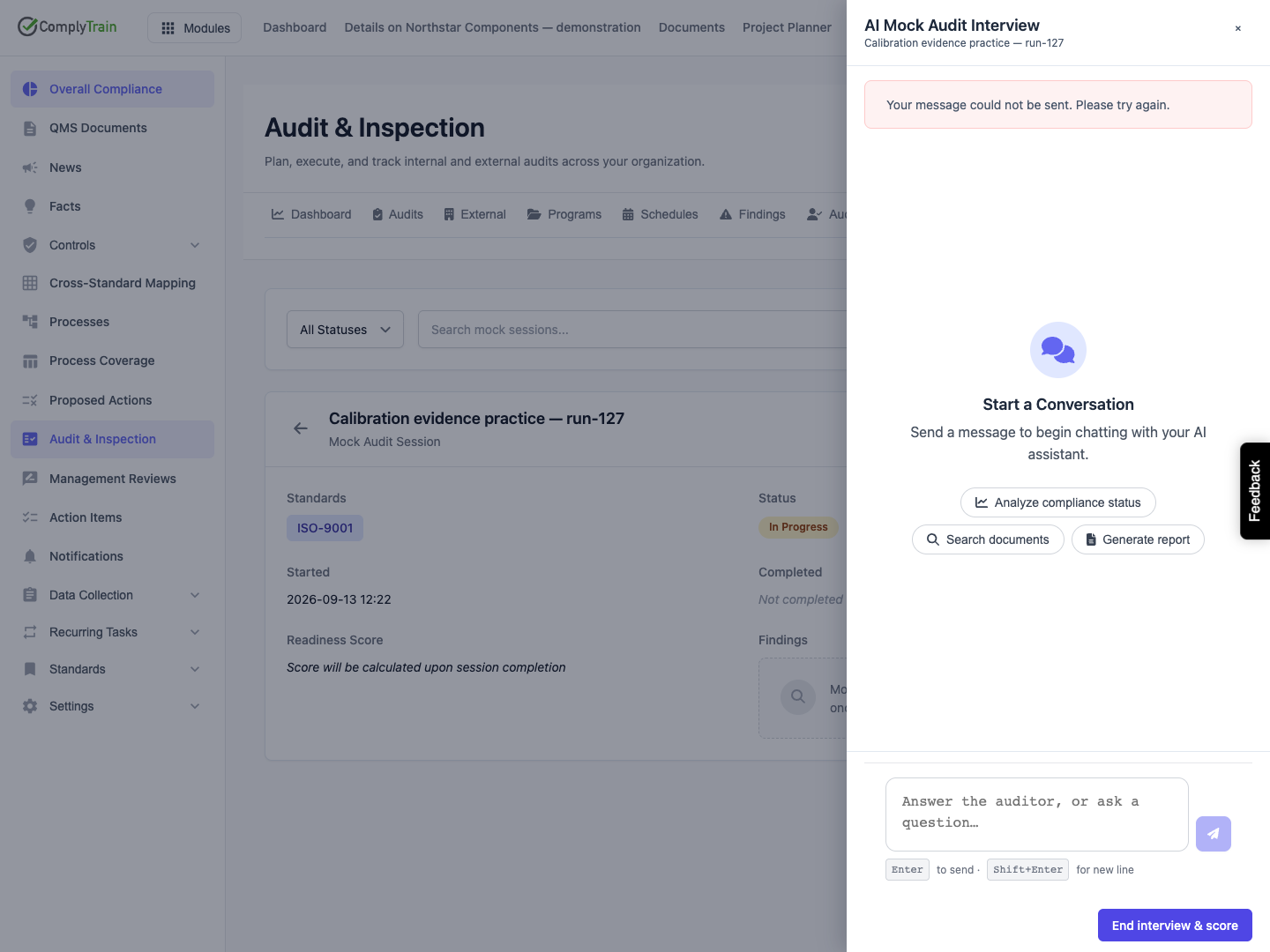
On an In Progress session, select Start AI interview. The drawer prepares the linked conversation and attempts an opening message. Wait for the actual conversation or an error; a preparing indicator is not a completed interview turn.
When the composer becomes available, enter an answer to the auditor's question. Use Enter to send and Shift+Enter for a new line. Describe the actual source, relevant identifier and unresolved point. Distinguish what a document says from what has been implemented and independently checked.
Wait for the turn to finish before sending another answer. Review any questions, references and Findings recorded entries. A practice finding can be classified as Major NC, Minor NC, Observation or Opportunity. It is not automatically the same as an internal audit finding or a verified corrective action. Use the appropriate finding or CAPA workflow for real follow-up.
The composer uses shared chat controls, but this released interview handler sends only message text. Do not rely on an attachment control to submit evidence bytes through this flow. Refer to existing managed evidence and verify any source that the interviewer retrieves.
Product location: /qms/audits. Select Mock, then open or create the intended practice session. The tab and selected record are not encoded in this URL.
The captured walkthrough saved its In Progress session successfully, then displayed Your message could not be sent. Please try again. during the opening turn. The returned message result said that the newly linked session could not be found. No successful conversation, recorded finding or completed score was demonstrated by that walkthrough.
If this occurs, keep the saved mock-session identity and report the failure to your administrator. Reopening can display an empty conversation when a link exists but the opening message never persisted; an empty composer does not establish that the link is now usable. Confirm a real successful reply before treating the interview as working.
For an ordinary failed answer, the drawer removes its unsent optimistic message and retains the known conversation. Check what actually persisted before sending again. If history cannot refresh, preserve the session identity and retry after the service or access issue is resolved.
Do not use End interview & score to conceal an unsuccessful conversation. The scoring calculation can return 100 when no findings exist, including when nothing meaningful was examined. A button becoming available is not evidence that the intended interview happened.
Product location: /qms/audits. Select Mock, then open or create the intended practice session. The tab and selected record are not encoded in this URL.
Close the drawer with Close or its backdrop to return to the session. Closing leaves the mock session In Progress and does not calculate a score. Reopening attempts to reuse its linked conversation and load saved history.
Check that the history actually loads before continuing. Unsent text is not a saved answer, and the composer does not provide a persistent draft guarantee. If a previous opening failed, follow the failure guidance above rather than assuming that an empty reopened transcript represents a fresh successful interview.
Product location: /qms/audits. Select Mock, then open or create the intended practice session. The tab and selected record are not encoded in this URL.
Start voice interview appears only when voice is configured and available for the tenant; a failed availability check also hides it. The voice drawer connects the shared voice session, displays recorded practice findings and offers End interview & score. Allow the requested microphone access only when you intend to speak in the session.
Closing or disconnecting the voice drawer ends the call and leaves the mock session In Progress. End interview & score explicitly ends the call and requests completion. If completion fails, the call can already be disconnected while the mock session still needs completion; check the saved state before retrying.
The documentation walkthrough did not exercise a voice call. Text and voice use the same practice-finding scoring service, but that does not establish identical transcript behavior or prove that a voice session occurred.
Product location: /qms/audits. Select Mock, then open or create the intended practice session. The tab and selected record are not encoded in this URL.
After a working interview has examined the intended evidence, select End interview & score once and check the completion result. The service completes only an In Progress session. Its score is calculated from the practice findings saved for that session:
Recorded finding type | Deduction from 100 |
|---|---|
Major NC | 25 points per finding |
Minor NC | 10 points per finding |
Observation | 3 points per finding |
Opportunity | No deduction |
The score is bounded from 0 to 100. No recorded findings yields 100, which is not a measure of how much of a standard was examined. Two minor findings and one observation, for example, yield 77, irrespective of how many clauses were left unexamined.
The completion response can display a score in a temporary success notice. The saved session stores it as overallScore, while the released list and detail read a different field, readinessScore. Consequently, a Completed session can still show Not calculated or the placeholder saying the score will be calculated on completion. Ask the administrator to inspect the retained result; do not create or complete extra sessions merely to remove that display placeholder.
When a session is associated with a universe entity, the service can also attempt to refresh that entity's readiness calculation. The released creation form has no entity selector. Do not expect a general session created here to update an entity score automatically, and do not equate this practice score with the separate audit dashboard's certification-readiness measure.
The released UI offers interview launch only for In Progress sessions. Completed sessions do not provide a drawer launch for transcript review through this screen. Preserve the material needed for your practice review before completion and agree the supported evidence-access process with your administrator.
Product location: /qms/audits. Select Mock, then open or create the intended practice session. The tab and selected record are not encoded in this URL.
Review the evidence behind each practice observation, identify an accountable owner and use the appropriate task, finding, document or CAPA workflow for real changes. A practice session's completion does not close those independent records. Rehearse again when useful, but judge improvement from corrected and verified evidence rather than the score alone.
